Problem Solution
Frequent paper jams in the paper in-
put modules.
• Check the stack of sheets in the paper tray.
Check the filter of the light-weight media module
NOTE
Only trained operators are allowed to perform maintenance tasks.
Action
1 You can only check the filter when the sys-
tem is printing or when the system indicates
that you should check the air filters. This is
indicated by the orange maintenance icon.
When the system is not printing or the sys-
tem is not performing the maintenance task
described below, the indicator of the filter is
green, independently of the status of the fil-
ter.
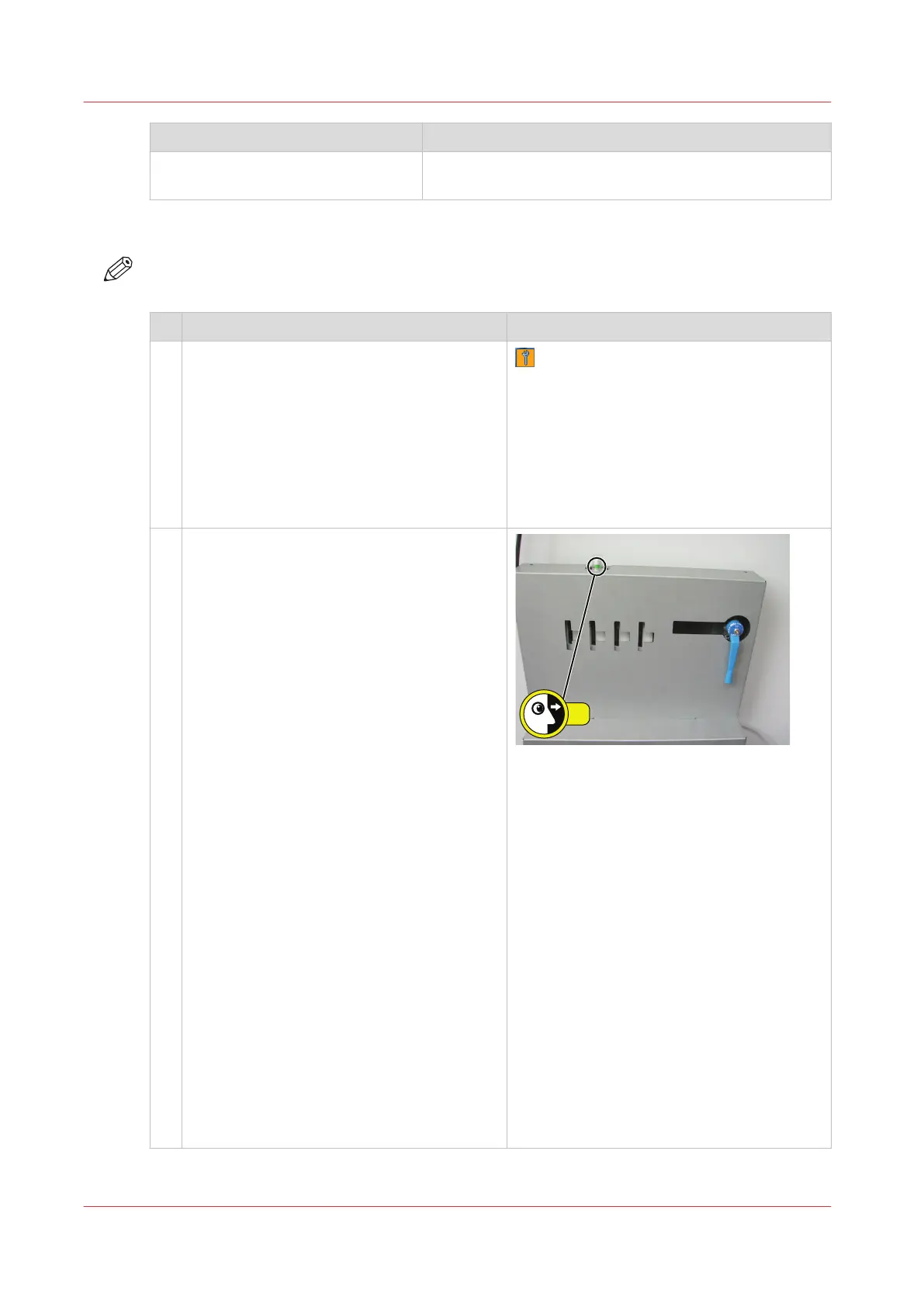
2 Check the indicator of the filter of the light-
weight media module at the rear side of the
machine.
You can check the indicator when the main-
tenance icon is orange but you can also
check the indicator when the maintenance
indicator is not displayed.
• Maintenance icon is orange:
1. When the maintenance icon is orange,
go to the maintenance task [Check the
status of the air filters].
2. Start the maintenance task.
3. Check the indicator at the rear side of
the machine.
• When the indicator is green, do not
replace the filter.
• When the indicator is red, replace
all 4 filters.
4. Answer the question about the re-
placement of the air filters.
• Maintenance icon is not displayed:
1. Make sure that the system is printing,
otherwise the indicator is green, inde-
pendently of the status of the filter.
2. Check the indicator at the rear side of
the machine.
• When the indicator is green, do not
replace the filter.
• When the indicator is red, replace
all 4 filters.
See below.
Troubleshooting for light-weight media
282
Chapter 14 - Troubleshooting
Océ VarioPrint 6000 line













 To Next Page