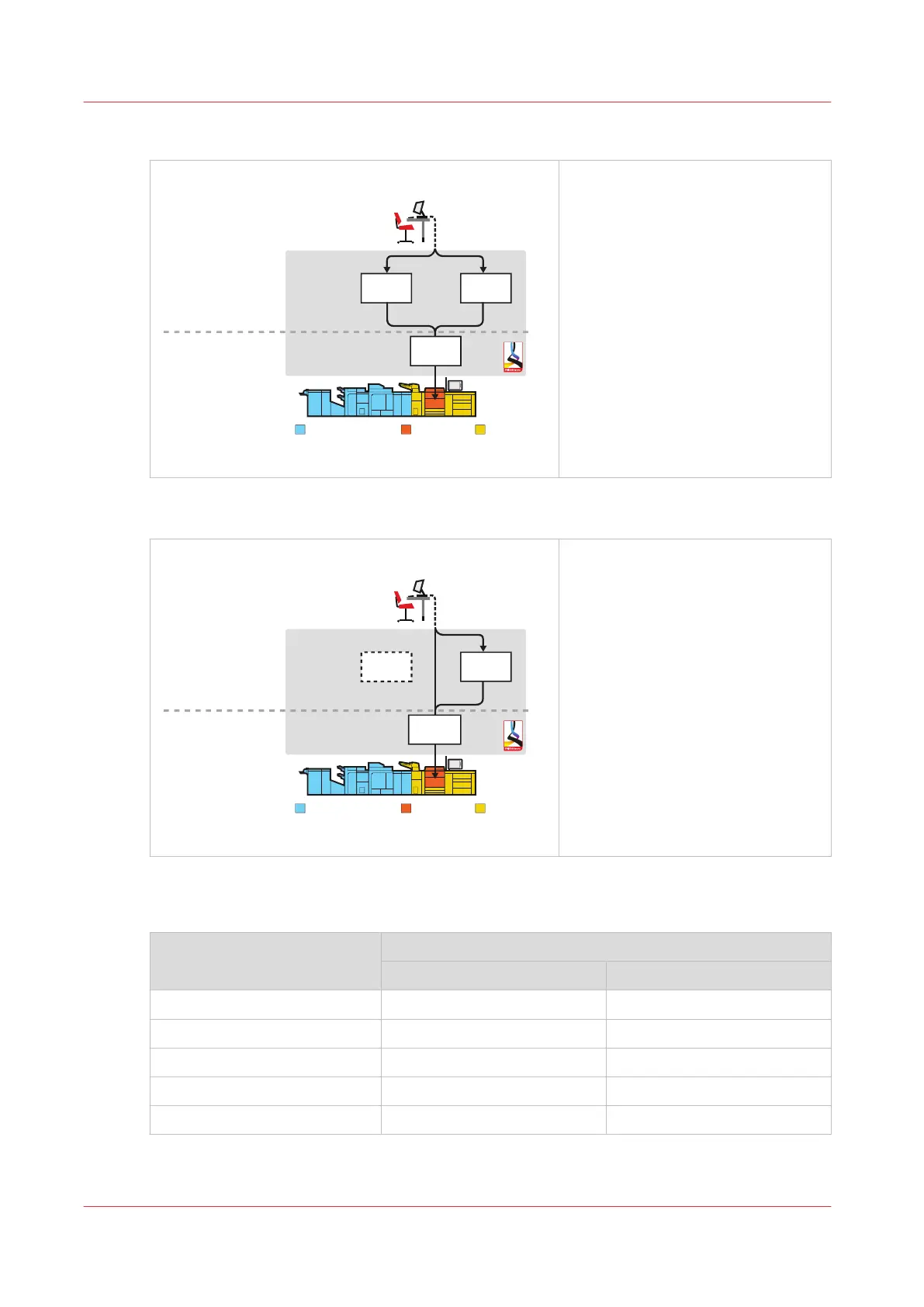
Manual planning workflow profile
[Manual planning]
Print production
Job planning
DocBox
Scheduled
jobs
Finishing and delivery Printing Media loading
Waiting
jobs
[17] Manual planning workflow profile
• The manual planning workflow fits
a workflow in which you want to
determine the print priority of the
jobs.
• All jobs are received in the list of
waiting jobs.
• The print system selects another
output tray for each next job.
Unattended workflow profile
[Unattended]
DocBox
Scheduled
jobs
Finishing and delivery Printing Media loading
Waiting
jobs
Print production
Job planning
[18] Unattended workflow profile
• The unattended workflow profile
fits a workflow in which productiv-
ity is very important.
• All jobs go to the list of scheduled
jobs and are printed.
• To keep the system running, you
should make sure consumables
remain available and you remove
printed output and waste on time.
The Default Settings for [Receive]
The default [Receive] settings
Workflow profile [Receive] settings
[Destination of print job] [Destination of DocBox job]
[Standard] [Scheduled jobs] [Scheduled jobs]
[Job by job] [As in job] [Scheduled jobs]
[Check and print] [Scheduled jobs] [Scheduled jobs]
[Manual planning] [Waiting jobs] [Scheduled jobs]
[Unattended] [As in job] [Scheduled jobs]
Work with the Workflow Profiles
56
Chapter 5 - Prepare the print system
Océ VarioPrint 6000 line













 To Next Page