Chapter 5. Setup Menu
5-2
5
Setup Menu
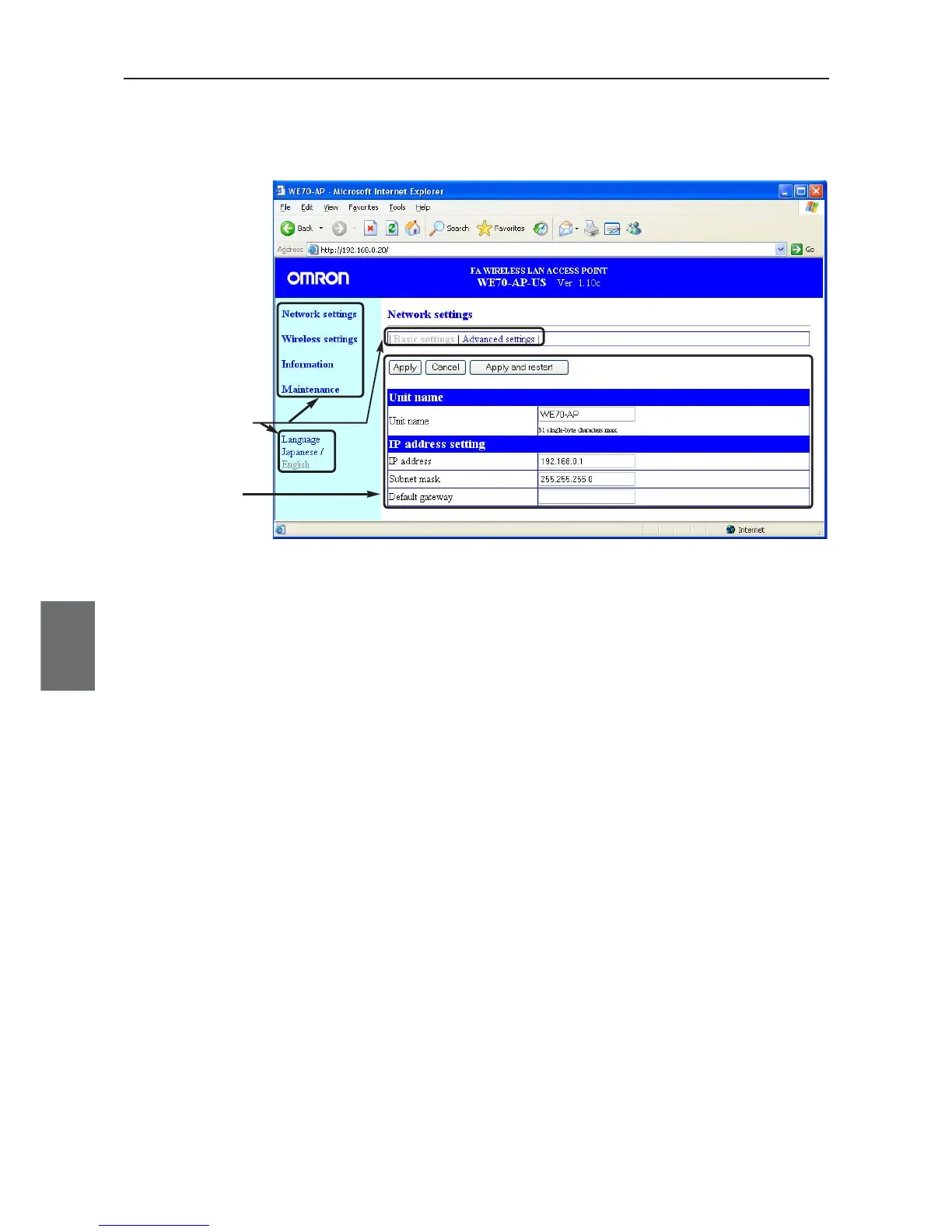
Setup Screen
Display Area
5-1. Setup Screen & Functions
This section describes setup screens and items.
■ Setup Screen
Setup Screen Selection Menu
You can select any setup screen from this menu.
Clicking a menu item displays a link to a setup screen.
You can select language English or Japanese.
Setup Screen Display Area
This area displays a screen selected by the setup screen selection menu.
To change setting in a setup screen, click <Apply> to transition to a next screen.
If you move to a next screen without clicking <Apply>, changes will be discarded.
<Apply>/<Cancel>/<Apply and restart> Button
Setup item in a displayed menu screen can be registered or canceled.
For some items that require restart of a wireless unit to be enabled, Click <Apply and restart>.
Setup Screen
Selection Menu



 To Next Page