3-3. Configuring IP Address/SSID/Channel
This section describes steps from changing setup values of an access point and a client (slave) to
establishing communication.
Step 1. IP Address Setup
This section describes how to change IP address setup.
<To Configure>
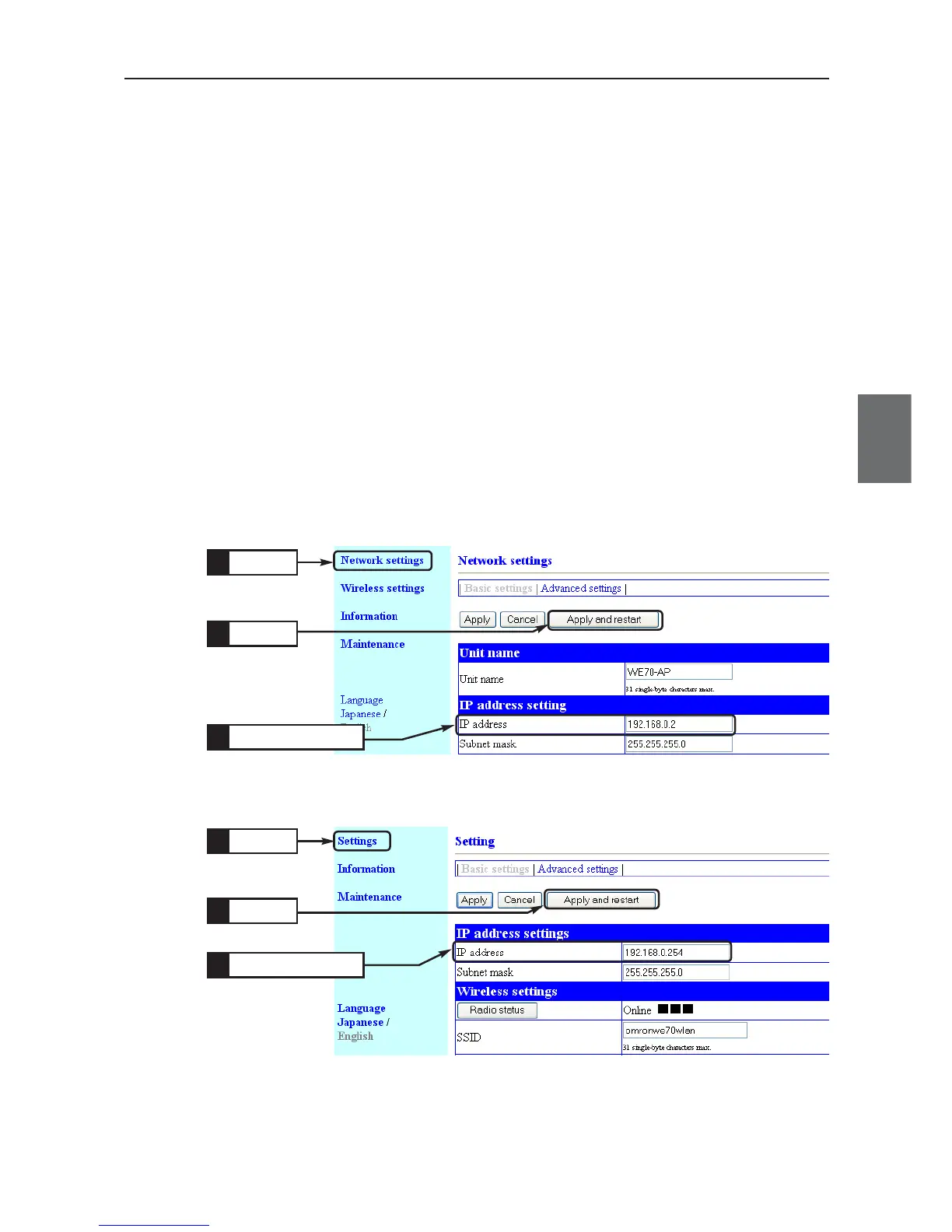
(1) Open a setup screen of the wireless unit (see Chapter 2-3. Connection
Check, Opening Setup Screen (P.2-13)) and click Network Settings
menu.
(2) Change the LAN-end IP address to "192.168.0.2".
(3) Click <Apply and restart>.
After restart AP or CL, input registered IP adress to URL of IE, and open
the setup screen.
3-7
Chapter 3 Basic Setup
3
Basic Setup
Screen of WE70-CL
Screen of WE70-AP
Click
1.
Enter the IP address
2.
Click
1.
Enter the IP address
2.
Click
3.
Click
3.



 To Next Page