4-23
Chapter 4. Advanced Setup
4
Advanced Setup
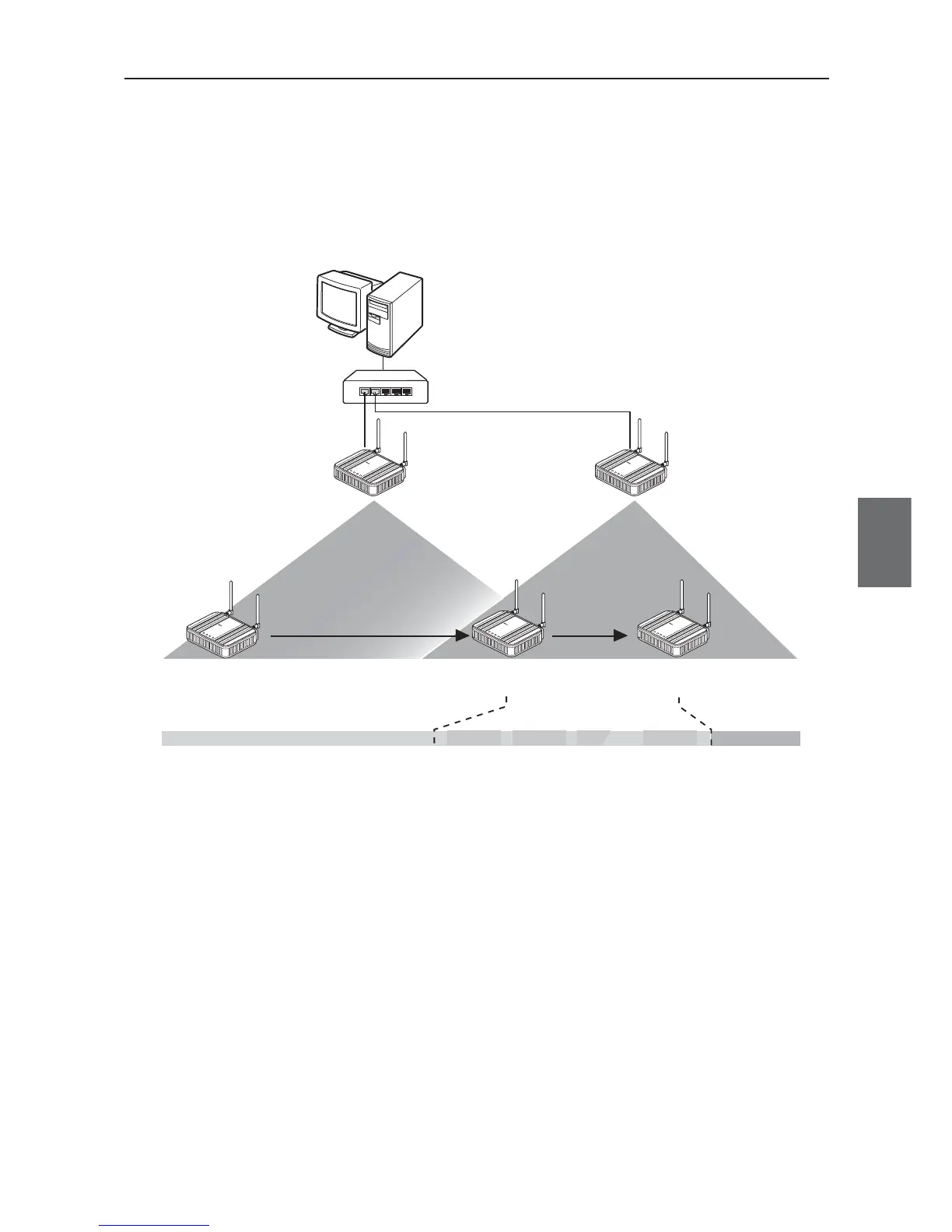
■ Smart Roaming for 802.11b/g
When a client (slave) moves from an area of an access point AP-1 to that of AP-2 and radio intensity
decreases (to about 14 or less), scanning of received channels is automatically started and a channel for
roaming is selected.
If no channel is found that is better in communication quality than the current channel, scanning is restarted
for 13CHs. (11CHs in United States)
L
A
N
M
O
D
E
P
O
WE
R
WI
R
E
L
E
S
S
W
E
7
0
-
A
P
F
A
W
IR
E
L
E
S
S
L
A
N
A
C
C
E
S
S
P
O
I
N
T
L
A
N
M
O
D
E
P
O
W
E
R
W
I
R
E
L
E
S
S
W
E
7
0
-
A
P
F
A
W
I
R
E
L
ES
S
L
A
N
A
C
C
E
S
S
P
O
I
N
T
L
A
N
M
O
D
E
P
O
W
E
R
W
IR
E
LE
S
S
W
E
7
0
-
C
L
F
A
W
I
R
E
L
E
S
S
L
A
N
A
C
C
E
S
S
P
O
I
N
T
WE70-CL
11b/g (1CH) 11b/g (6CH)
L
A
N
M
O
D
E
P
O
WE
R
WI
R
E
L
E
S
S
W
E
7
0
-
C
L
F
A
W
I
R
E
L
E
S
S
L
A
N
A
C
C
E
S
S
P
O
I
N
T
L
A
N
M
O
D
E
P
O
WE
R
W
I
R
E
L
E
S
S
W
E
7
0
-
C
L
F
A
W
I
R
E
L
E
S
S
L
A
N
A
C
C
E
S
S
P
O
I
N
T
1CH
1CH 2CH • • •13CH
6CH
WE70-AP WE70-AP
AP-2
AP-1
HUB
PC
When field intensity level with AP-1decreased, scanning
for all chanels is started in the background.
A channel for roaming
is selected.
Operation Frequency
Search Frequency
Shift
Shift
Follow instructions below for stable communication:
• Operate under a clean environment without cross talk as long as possible.
• Install antennas so that there is a direct line of sight between them.
• Install communication ranges of access points so that they should overlap as long as possible.
Install access points with an interval of about 30 to 40m, as a guideline.



 To Next Page