Chapter 4. Advanced Setup
4-6
4
Advanced Setup
Step 4. Checking Own & Partner BSSIDs
(1) Select "Information" menu, "Wireless unit".
* Note that a BSSID is different from [Unit's MAC Address] in the "Network information"
screen of "Information" menu.
<To Verify>
A 12-digit number displayed as [BSSID] in the next page is a BSSID to be
registered to a communication partner.
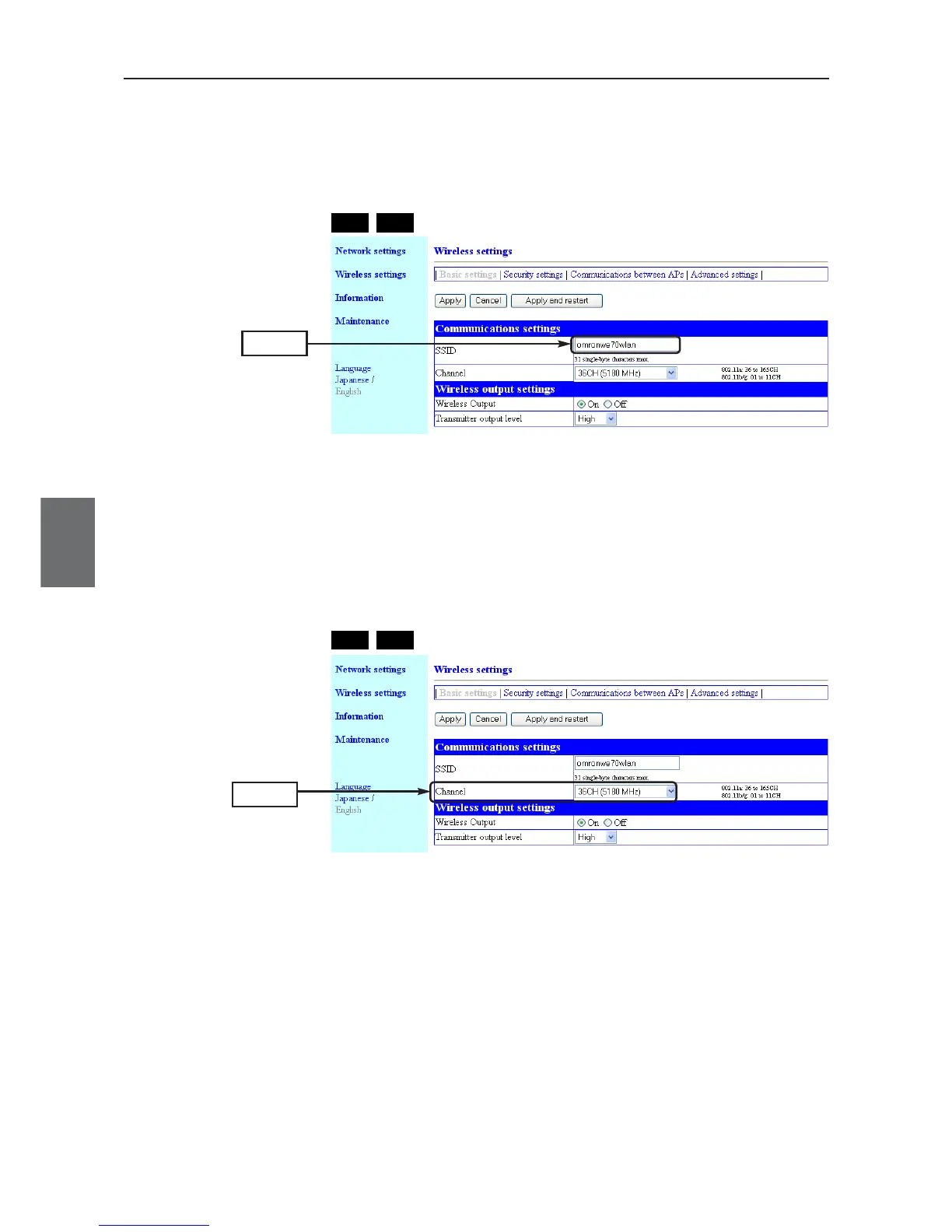
Step 2. Checking Own & Partner SSIDs
(1) On "Wireless settings" screen, verify that SSIDs of AP-1 and AP-2 are
the same.
(Factory shipment status:"omronwe70wlan")
Check
AP-1
AP-2
Step 3. Checking Wireless Channel
Verify a channel for AP-to-AP bridging.(Factory shipment status:36CH (5180MHz))
(1) On "Wireless settings" screen, verify that channels of AP-1 and AP-2 are
the same.
(Factory shipment status:36CH)
Check
AP-1
AP-2



 To Next Page