Chapter 3 Basic Setup
3-20
3
Basic Setup
3-5. Communicating with PLC
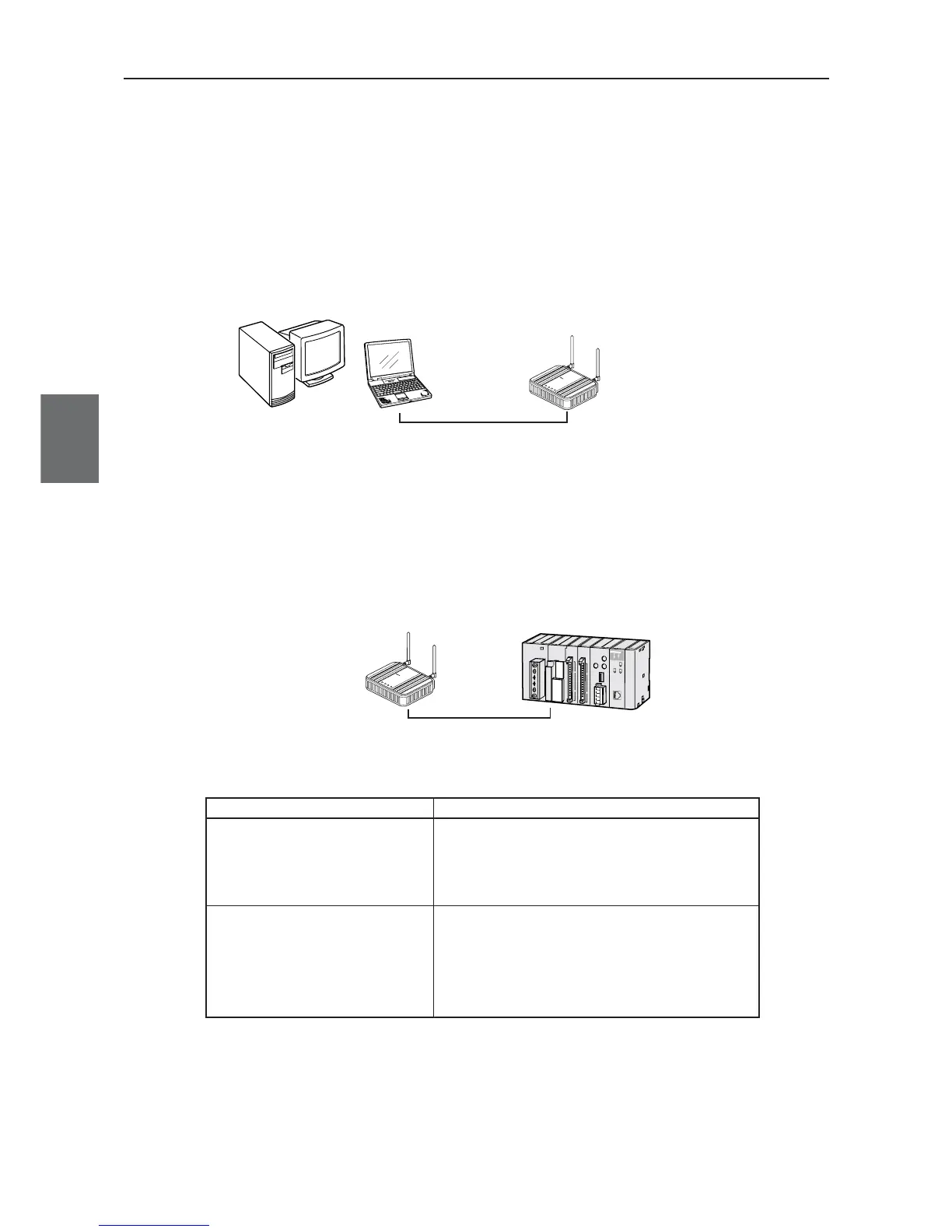
This section describes how to set communication between an access point (WE70-AP) and a client (WE70-
CL).A PLC + Ethernet unit must be connected to an access point using a LAN cable.PC with Ethernet card
must be connected to a client (WE70-CL).
Step 1. Preparing PLC & PC
PLC is connected to Access point using straight LAN cable.
L
A
N
M
O
D
E
P
O
W
E
R
W
IR
E
L
E
SS
W
E
7
0
-
A
P
F
A
W
I
R
E
L
E
S
S
L
A
N
A
C
C
E
S
S
P
O
I
N
T
Access Point
WE70-AP
Straight LAN cable
A client (slave) can be configured by direct connection of a LAN cable or wireless connection by entering
"192.168.0.254" (factory shipment setting) to PC connected to an access point.
To connect a PLC to an Ethernet network, 100BASE-TX type Ethernet unit CS1W-ETN21 or CJ1W-ETN21
is required.
LAN
MO
DE
POW
ER
WIRELES
S
W
E
7
0
-
C
L
F
A
W
I
R
E
L
E
S
S
L
A
N
A
C
C
E
S
S
P
O
I
N
T
Client
WE70-CL
Straight LAN cable
PLC + Ethernet unit
Network Device
Description
CS series Ethernet unit
(CS1W-ETN21)
CJ series Ethernet unit
(CJ1W-ETN21)
A communication unit to connect a CS series or
CJ series PLC to a 100BASE-TX type Ethernet
network.
LAN Cable
A LAN cable with RJ45 modular connectors on
both ends,used to connect a 100BASE-TX type
Ethernet unit and an access point.
An STP (shielded twisted pair) cable of category
3, 4, 5, or 5e must be used.



 To Next Page