3-19
Chapter 3 Basic Setup
3
Basic Setup
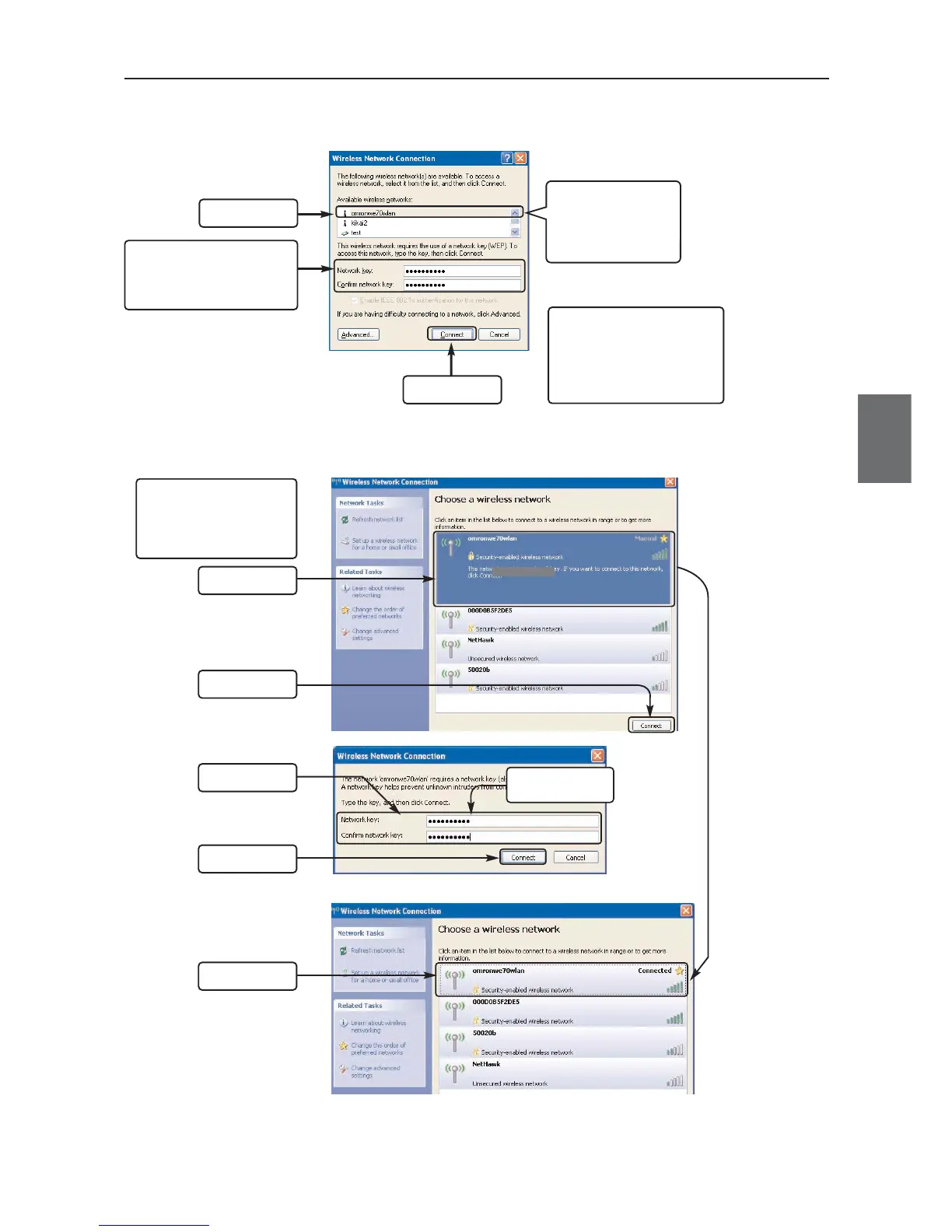
<Wireless LAN Terminal End: Connection Example for Windows XP (Service Pack 1)>
<Wireless LAN Terminal End: Connection Example for Windows XP (Service Pack 2)>
Example:
omronwe70a
(3) Click
(2) Enter a pre-shared
key
Example: omronwe70a
(1) Click
Applying Windows XP
(Service Pack 2) allows use
of WPA encrypted
authentication type in a
wireless LAN terminal.
(4) Click
(3) Enter
(5) Check
omronwe70wlan
(1) Click
(2) Click
Applying a certain update
program to Windows XP
(Service Pack 1) allows use of
TKIP and AES encrypted
authentication types in a
wireless LAN terminal.
SSID:
omronwe70wlan is
displayed on an
available wireless
network.



 To Next Page