2-5
Chapter 2. Installation & Connection
2
Installation & Connection
■
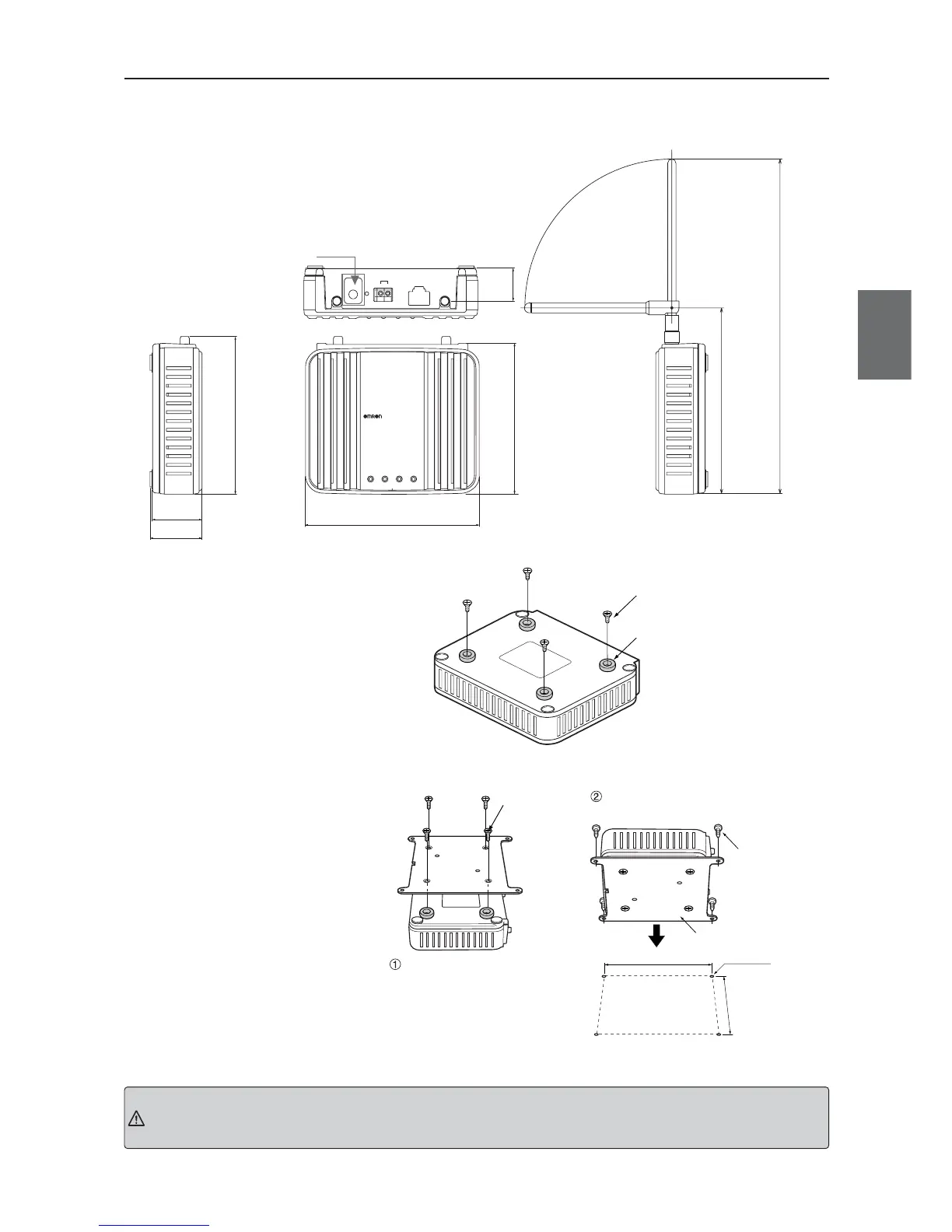
Dimensions (Common with WE70-AP/CL)
■
Installation Method
●
Mounting Magnets
Mounting magnets allows
temporary installation and easy
move for setup and testing before
actual operation.
Mount magnets using screws as
shown in the right.
For WE70-CL Only
ETHERNET
INIT
PUSH
RSSI
+–
24V
WE70-AP
LANMODE
FA WIRELESS LAN ACCESS POINT
POWER WIRELESS
120 ± 1.0
34.5 ± 0.5
36
103 ± 1.0
22.6
107.6 ± 1.0
(Unit: mm)
128.5
231.5
Mounting screws for this wireless
unit must be tightened with torque of
4.4 to 5.3in. lb. (0.5 to 0.6N.m)
Tighten using screws at the mounting holes
Flat-head screw
(Accessory)
Mounting Hole Dimensions
(unit mm)
108 ± 0.1
116 ± 0.1
4 – M5
Screw Mounting
Bracket (Accessory)
Tapping Screw
(Accessory)
Magnet (Accessory)
Flat-head screw (Accessory)
Mounting screws for this wireless unit
must be tightened with torque of 4.4 to
5.3in. lb. (0.5 to 0.6N.m)
●
To Mount Using Mounting
Bracket
Attach the mounting bracket on
accessory magnets which are
installed on a wireless unit.
Installation on a control panel
requires screw hole drilling.
Installation with magnets cannot be used at the location with excessive vibration. Use the mounting bracket or DIN
rail adapter in that case.
Caution



 To Next Page