Chapter 5. Setup Menu
5-18
AP
5
Setup Menu
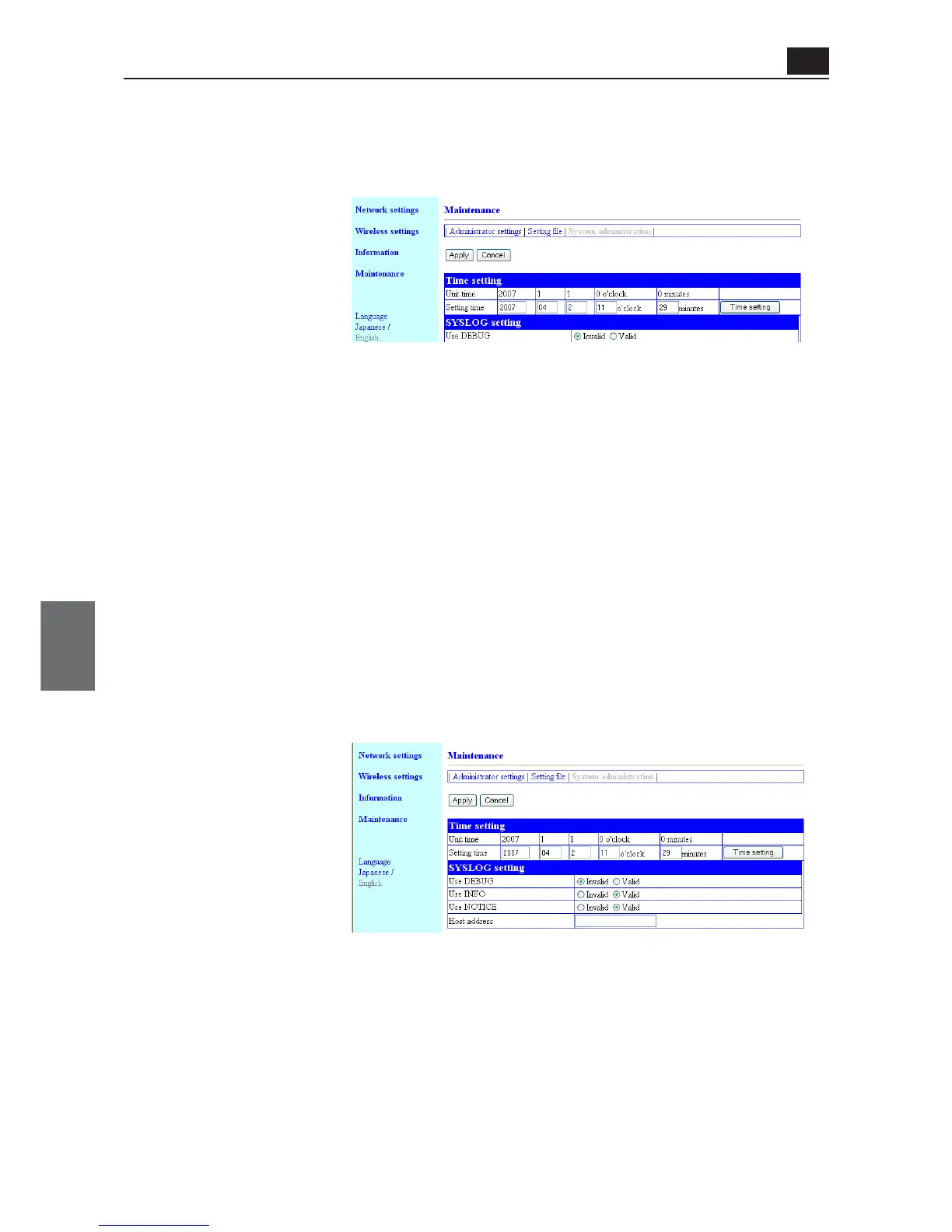
<System administration> Screen
● Time setting
You can configure the internal clock of an access point. An access point records history in SYSLOG.
To record its date and time, configure the clock.
<Apply> Button..................... Clicking this button enables all setup items changed in the "Time setting".
<Cancel> Button................... This button resets changed setup items in the "Time setting" screen to
original settings before the change.
Note that the original setting cannot be recovered after <Apply> button is
clicked.
(1) Unit Time.......................... Displays time set in an access point.
(2) Setting time ..................... Indicates time when access to a setup screen of the access point is
made.
* Clicking <Refresh> of a WWW browser acquires and displays time of the terminal.
(3) <Time setting> Button .... This button is used to set time displayed in [Time to Set](2) to the access
point.
To set correct time, make access to access point setup screen again, or
click WWW browser <Refresh> and <Set Time>.
● SYSLOG setting
This item specifies output of log information to a specified host address.
(1) Use DEBUG ..................... You can specify whether debug information output should be made to
SYSLOG or not. (Factory Shipment Status: Invalid)
(2) Use INFO.......................... You can specify whether INFO type message output should be made to
SYSLOG or not. (Factory Shipment Status: Valid)
(3) Use NOTICE..................... You can specify whether NOTICE type message output should be made
to SYSLOG or not. (Factory Shipment Status: Valid)
(4) Host Address................... To use the SYSLOG function, enter a host address to receive SYSLOG.
The host must support SYSLOG server function.
(1)
(2)
(3)
(1)
(2)
(3)
(4)



 To Next Page