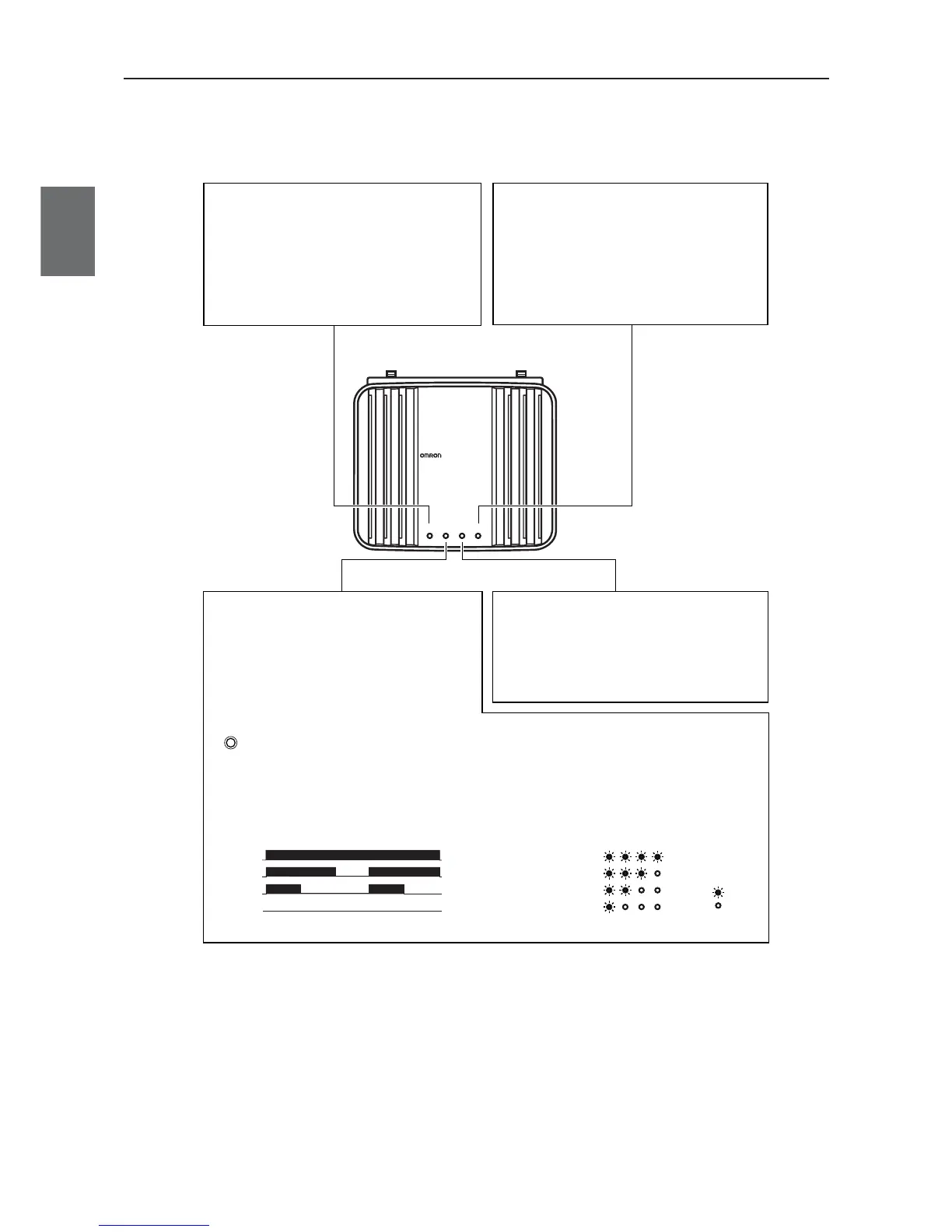
WE70-AP
WE70-AP
LANMODE
FA WIRELESS LAN ACCESS POINT
POWER WIRELESS
[LAN] Indicator (Orange)
Displays a status of the wired LAN.
On: LAN connection is normal
Off: LAN is not being connected
Flashing: Data is being transmitted
[MODE] Indicator (Orange)(WE70-AP)
Displays an operation mode of the wireless unit.
*1 [RSSI] indicator for
WE70-CL
[RSSI] Indicator (Orange)(WE70-CL)
Displays receiving electric field intensity
by flashing.
Flashing: Simultaneous flashing of [MODE] and
[POWER] indicates setup initialization.
Using 802.11a: On
Using 802.11b/g: Off
When the RSSI button on top of the unit is pressed,
receiving electric field intensity is displayed on
[RSSI], [LAN], and [WIRELESS] indicators in 4
levels. The [POWER] indicator flashes at the same
time.Indication returns to its original status when 10
minutes passes or the button is pressed again.
RSSI
LANRSSIPOWER WIRELESS
LEVEL4
LEVEL3
LEVEL2
LEVEL1
LEVEL4
LEVEL3
LEVEL2
LEVEL1
Off
Off:
On
On
On
On:
On
On
......Stable Level.................
......Usable Level......
......Unstable Level..........
......Unusable Level..........
<Flashing>
<On>
[WIRELESS] Indicator (Orange)
Displays a status of the wireless LAN.
On: Radio communication is being established
with the wireless unit.
Off: Absence of wireless LAN terminal which is
communicating with the wireless unit, or no ra-
dio communication has been made for more
than 5 minutes (10 seconds for WE70-CL).
[POWER] Indicator (Green)
Displays a power source status and a wireless
unit operation mode.
On: The wireless unit is turned on.
Flashing: Simultaneous flashing of [POWER] and
[MODE]
*1
indicates setup initialization.
Alternate flashing of [POWER] and
[MODE] indicates startup.



 To Next Page