Chapter 3 Basic Setup
3-16
3
Basic Setup
ASCII
Character
Hex.
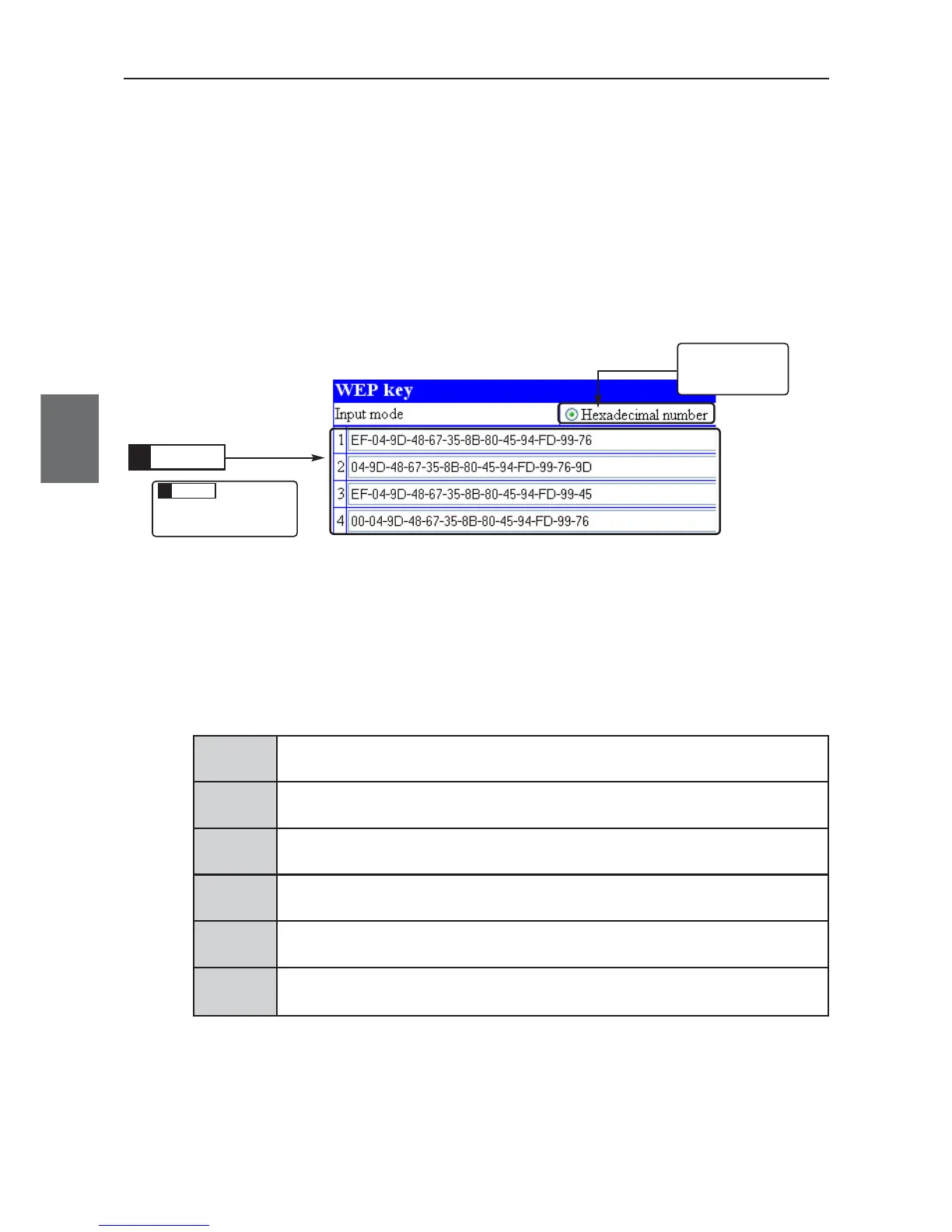
(3) Enter WEP key in text boxes from 1 to 4 of Key index using hexadecimal
numbers.
(Input Example 1: EF-04-9D-48-67-35-8B-80-45-94-FD-99-76)
(Input Example 2: EF049D4867358B804594FD9976)
* Results are the same for either examples.
* Communication is available when the same WEP key is set in a text box of the same
number even if key indexes are different from a client (slave).
(4) Click <Apply and restart>.
• Setup is now being enabled.
■ Conversion Table from ASCII Character to hexadecimal number
If your PC supporting wireless LAN does not support both modes, use the following conversion table to
specify a key to set.
[Ex.] "4f4d524f4e574952454c455353" (26 digits) in hexadecimal number is "OMRONWIRELESS" (13
characters) ASCII characters.
ASCII
Character
Hex.
! #$%&( ) *+,-./
21 22 23 24 25 26 27 28 29 2a 2b 2c 2d 2e 2f
0123456789 : ;<=>?
30 31 32 33 34 35 36 37 38 39 3a 3b 3c 3d 3e 3f
@A B C D E FGH I JKLMNO
40 41 42 43 44 45 46 47 48 49 4a 4b 4c 4d 4e 4f
PQRSTUVWXYZ[ \ ] ^_
50 51 52 53 54 55 56 57 58 59 5a 5b 5c 5d 5e 5f
`abcdefghi jklmno
60 61 62 63 64 65 66 67 68 69 6a 6b 6c 6d 6e 6f
pqr s t uvwxyz{│ }~
70 71 72 73 74 75 76 77 78 79 7a 7b 7c 7d 7e
ASCII
Character
Hex.
ASCII
Character
Hex.
ASCII
Character
Hex.
ASCII
Character
Hex.
Check that
Hexadecimal
number is selected.
Enter
4.
This is
described in
the previous
page.
Click
5.



 To Next Page