Chapter 6. Replacement Procedure
6-2
6
Maintenance
6-1. Replacing Wireless Unit
■ Saving Setup Data
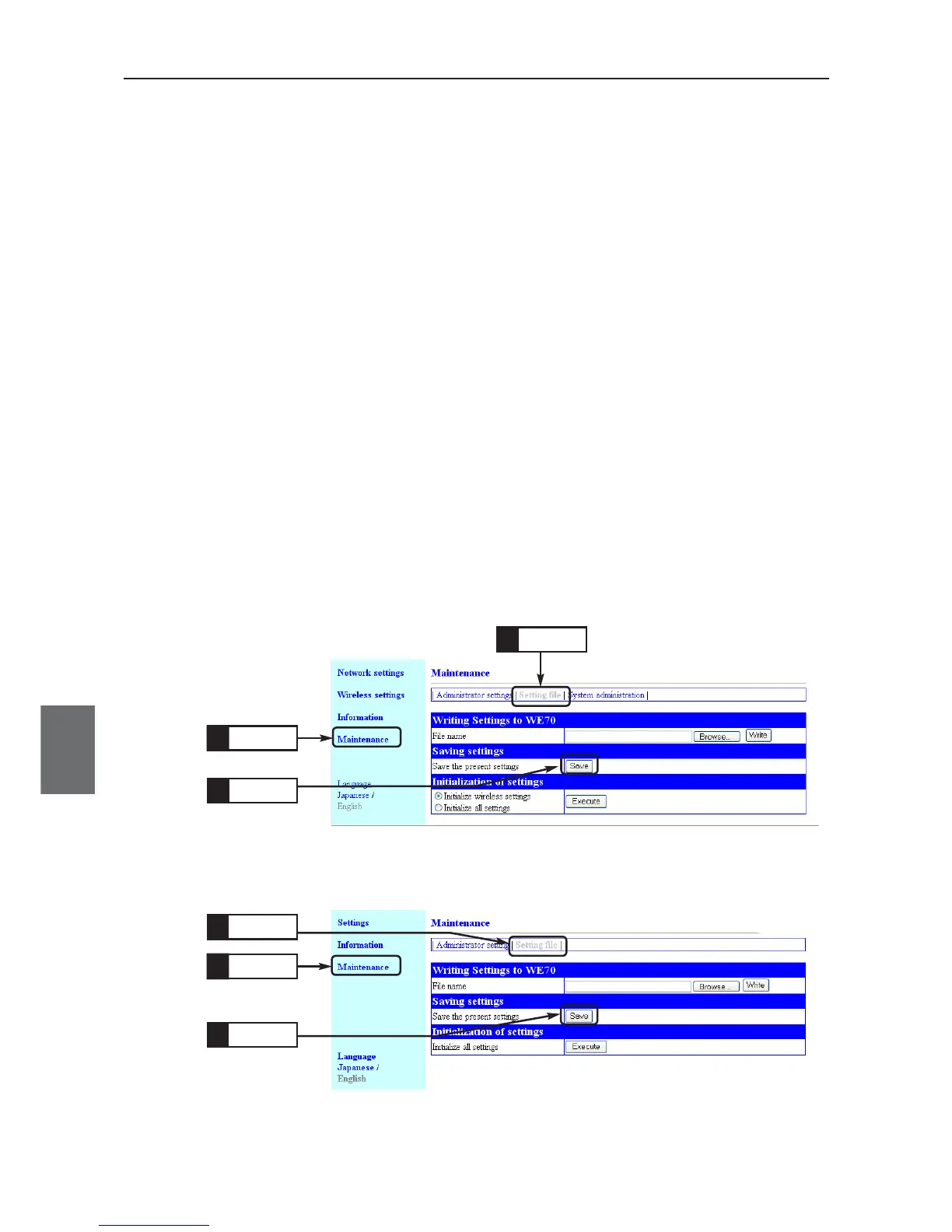
This section describes how to save setup data changed in the setup screen of a wireless unit into PC as a
setup file.
Setup file save must be made independently for an access point and a client (slave).
Setup files are required for wireless unit replacement.
* Saving setup data can help restore data when it is lost by an accident.
<To Save>
(1) Open a setup screen of the wireless unit (see Chapter 2-3. Connection
Check, Opening Setup Screen (P.2-13)) and click Maintenance menu >
Setting file.
(2) Click Save in save the current configuration field of Saving settings.
A "Downloading files" screen is displayed.
(3) Click <Save>.
•A "Rename" screen is displayed.
(4) Specify a location to save from Save in and Click <Save>.
•A setup file (file extension: .sav) is now saved in the specified location.
For WE70-AP
For WE70-CL
Click
1.
Click
3.
Click
2.
Click
2.
Click
1.
Click
3.



 To Next Page