5-13
Chapter 5. Setup Menu
AP
5
Setup Menu
■ Information
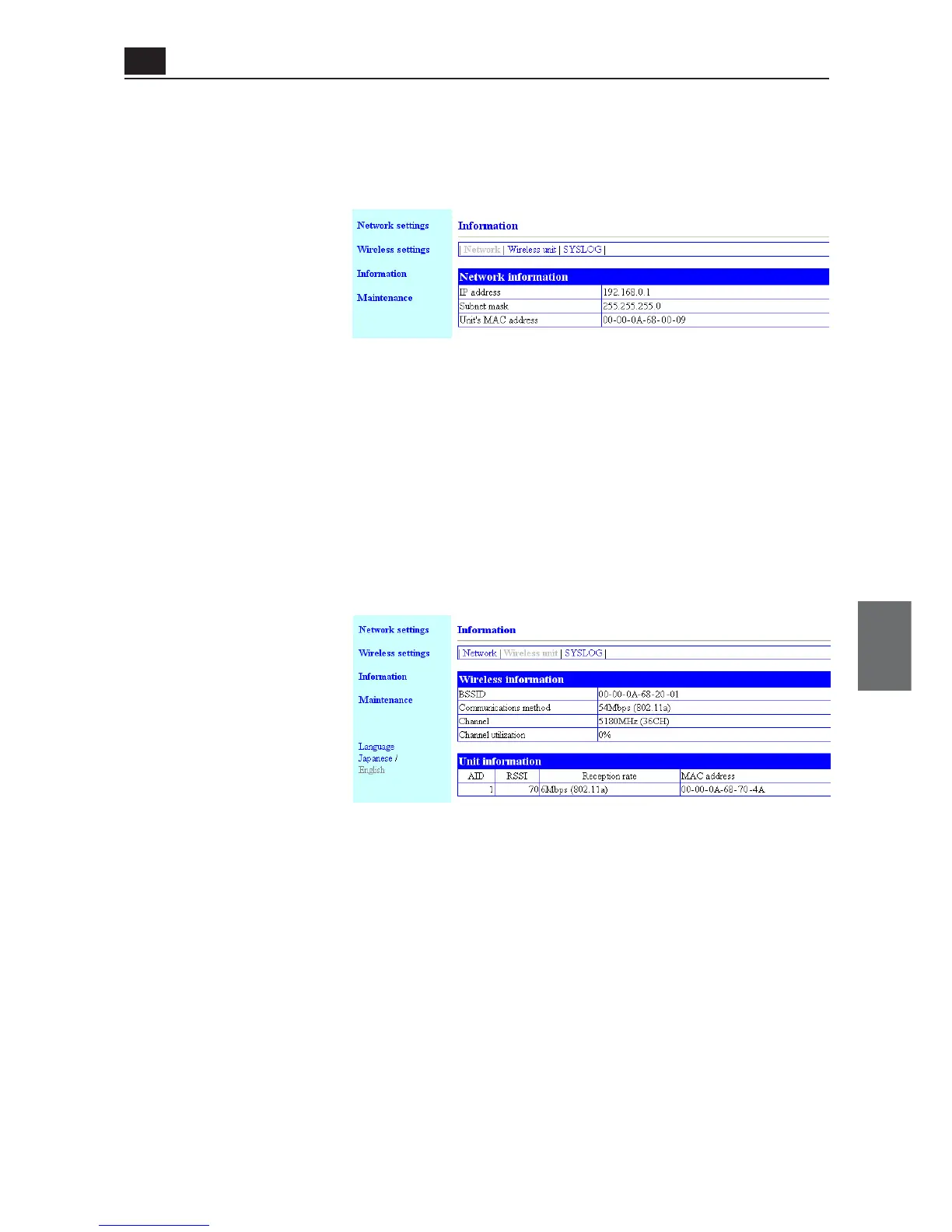
<Network> Screen
● Network Information
This screen displays network information.
(1) BSSID ............................... Indicates a MAC address (wired end) of an access point. To use AP-to-
AP bridging, register a BSSID in the screen to a partner access point.
(2) Communications method Indicates a type of communication being used.
(3) Channel............................ Indicates a communication channel being used.
(4) Channel utilization .......... Indicates a percentage of busy status when search is made if a channel
is free before data transmission.
<Wireless unit> Screen
● Wireless information
This screen displays a communication status of a wireless unit.
Indication of RSSI and Receiving rate are not updated unless data communication is being performed.
(1) IP address........................ Displays an IP address of an access point.
(2) Subnet mask.................... Displays a subnet mask of an access point.
(3) Unit's MAC address
..................................... Displays a MAC address (wired end) of an access point.
(1)
(2)
(3)
(1)
(2)
(3)
(4)



 To Next Page