Chapter 3 Basic Setup
3-6
3
Basic Setup
[For Reference]
• Some wireless LAN devices may use a name ESS ID for a wireless network name, which is same as SSID.
• To check access to an access point, specify LAN-end IP address (such as 192.168.0.1) of the access point based on a procedure
in 2-3. Connection Check, IP Address Setup (P.2-10).
A setup screen of the access point is displayed.
* In case of an access point, a password input is requested.
(1) <Radio Status> Button ......... Radio wave intensity that an access point can receive is displayed
in the right of this button. If the client has different SSID and/or encryption
setup from the access point, "Communication Unavailable" is displayed.
Radio wave intensity is displayed in 4 levels as shown below.
Levels may differ depending on a communication type.
● Level: □□□ ■□□ ■■□ ■■■
0-8 9-14 15-20 21 or higher (in case of 802.11a)
0-13 14-19 20-25 26 or higher (in case of 802.11b/g)
Clicking <Radio status> allows monitoring of statuses of radio
communication such as channels and communication speed in the
[Wireless communication status].
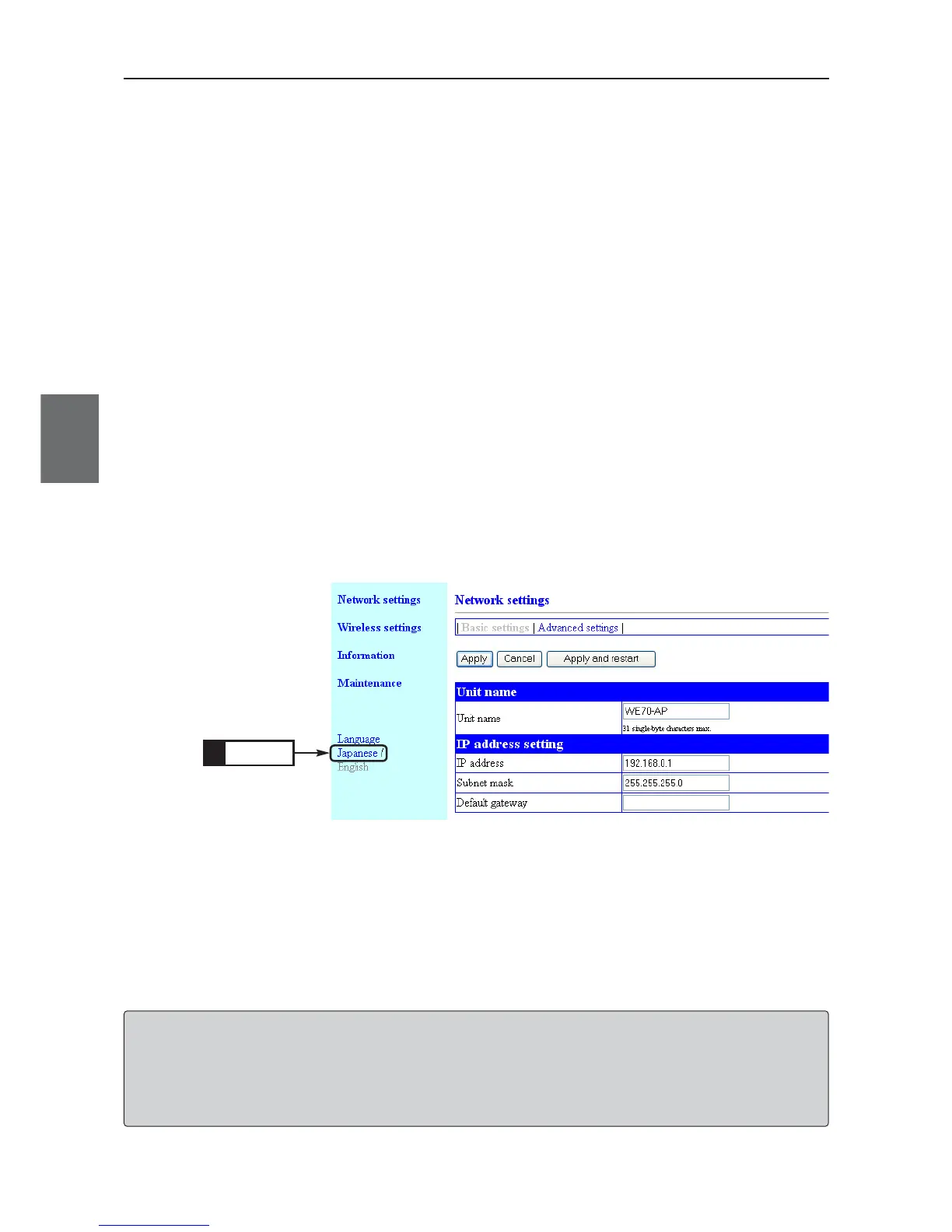
When the power of the wireless unit is turned ON again after turning OFF, the setup screen will be
displayed in English (Default Setting).
■ To display the setup screen in Japanese.
Click
1.



 To Next Page