5-15
Chapter 5. Setup Menu
AP
5
Setup Menu
■ Maintenance
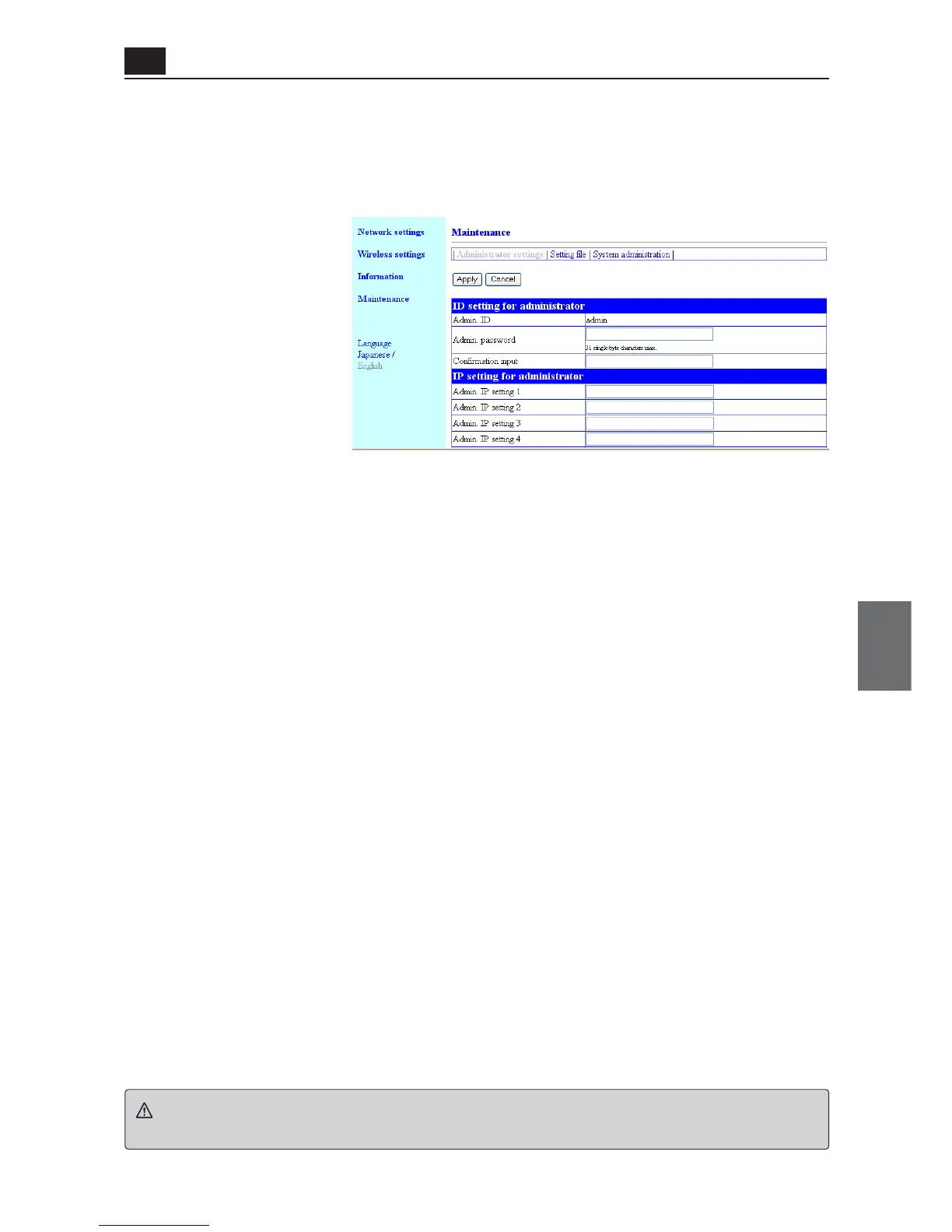
<Administrator settings> Screen
● ID Setting for administrator
You can configure access control to a setup screen of an access point.
<Apply> Button..................... Clicking this button enables all setup items changed in the "Administrator
settings" screen.
<Cancel> Button................... This button resets changed setup items in the "Administrator settings"
screen to original settings before the change.
Note that the original setting cannot be recovered after <Apply> button is
clicked.
(1) Admin. ID ......................... Fixed to "admin".
(2) Admin. Password
..................................... To set a password for an administrator ID, enter the desired alphanumer-
ic characters (within 31 characters) with the attention for capitalization.
Entered character is displayed as "*(asterisk)" or "•(black circle)".
(Example: ****)
If an administrator password is being specified, a user is asked to enter
the password for access. Enter this administrator password.
(3) Confirmation Input.......... Enter new password again for confirmation.(Example: ****)
Caution
If you forget the administrator password, you will not be able to check the settings.
In such a case you must reset the unit to its factory shipment status.
(1)
(2)
(3)



 To Next Page