3-13
Chapter 3 Basic Setup
3
Basic Setup
■ Entering Encryption Key
Number of encryption key digits depends on encryption method and input mode setting:
[Wireless LAN standard: IEEE802.11a /b/g]
Open
System
Input Mode
(HEX.)
ASCII
Character
WEP RC4, 64 (40) bits
WEP RC4, 128 (104) bits
Encryption method
10 digits 5 characters
26 digits 13 characters
Network
Authentication
Shared
Key
WEP RC4, 152 (128) bits
OCB AES, 128 (128) bits
32 digits 16 characters
32 digits 16 characters
* Number of digits available for input is indicated in ( ).
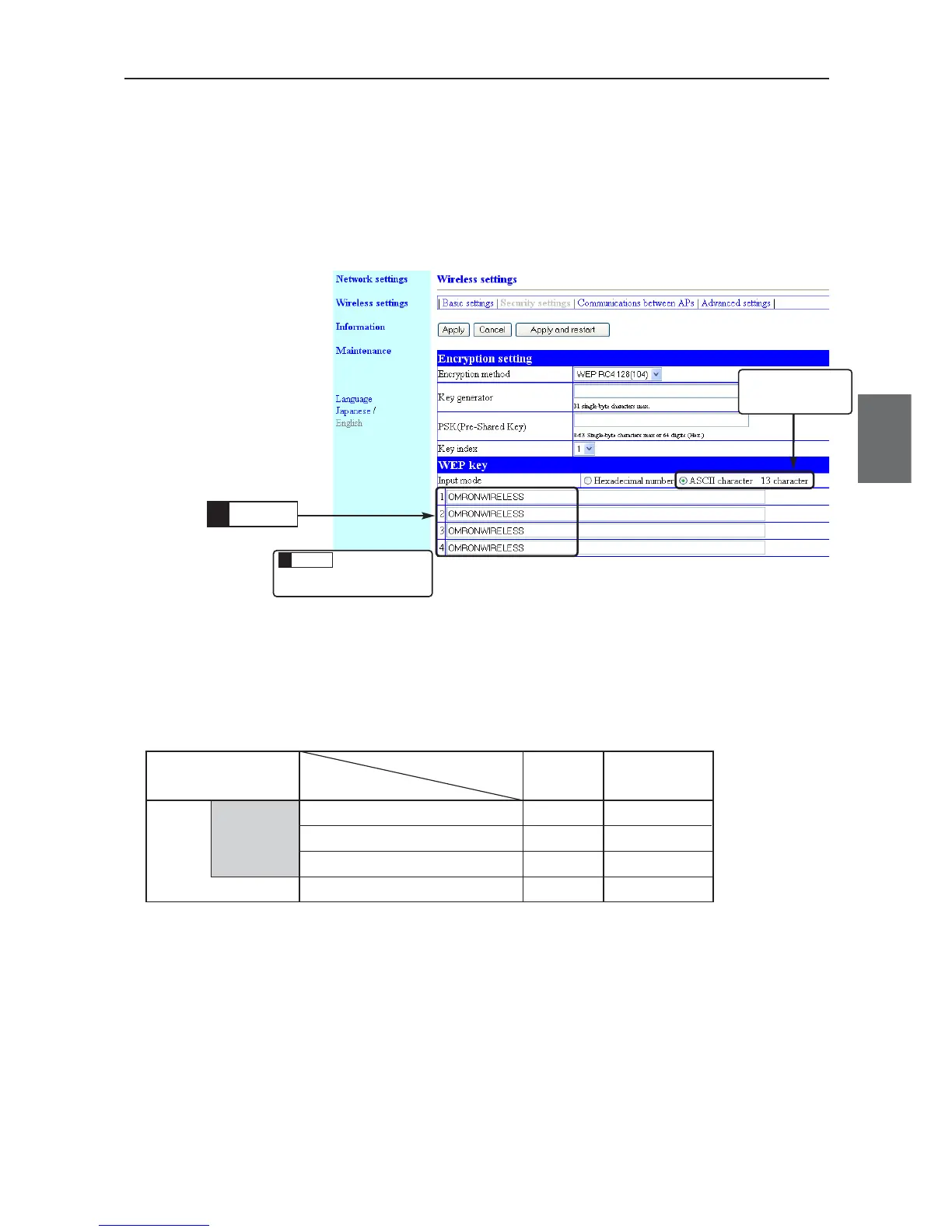
(4) Enter WEP key in text boxes from 1 to 4 of Key Index using ASCII
characters.(Example: OMRONWIRELESS)
* A WEP key must be configured as the same for communication in a text box of the same
number even if key indexes are different for those that communicate.
(5) Click <Apply and restart>.
• Setup is now being enabled.
Enter5.
This is
described in the
previous page.
Click
6.
Check that ASCII
Characters is
selected.



 To Next Page