Chapter 4. Advanced Setup
4-28
4
Advanced Setup
Step 7. Checking Smart Roaming
Display a BSSID of an access point currently communicating with, to verify which access point is
communicating with CL-1.
<To Verify>
(1) From "Information" menu, "Wireless information", "BSSID", verify which
access point is communicating with CL-1. Assume that it is AP-1 in this
example.
(2) Select "Settings" menu, "Basic settings".
(3) Click <Radio status>.
• An independent screen displays Wireless communications status infor-
mation.
* Information on the independent screen is updated every 0.5 seconds, while continuous
monitoring increases network load. Close the screen after verification.
(4) While checking radio intensity, move CL-1 away from AP-1 and closer to
AP-2. As it moves away from AP-1, radio intensity decreases, then the
level suddenly should rise momentarily and the channel should change
from 40CH to 36CH.In case of 802.11a, move a client so that a radio
intensity should be 9 or less from AP-1 and 20 or more from AP-2. In
case of 802.11b/g, move it so that a received field intensity level should
be 14 or less from AP-1 and 25 or more from AP-2.
* These values are for reference only and may depend on your environment.
Step 6. Configuring Smart Roaming
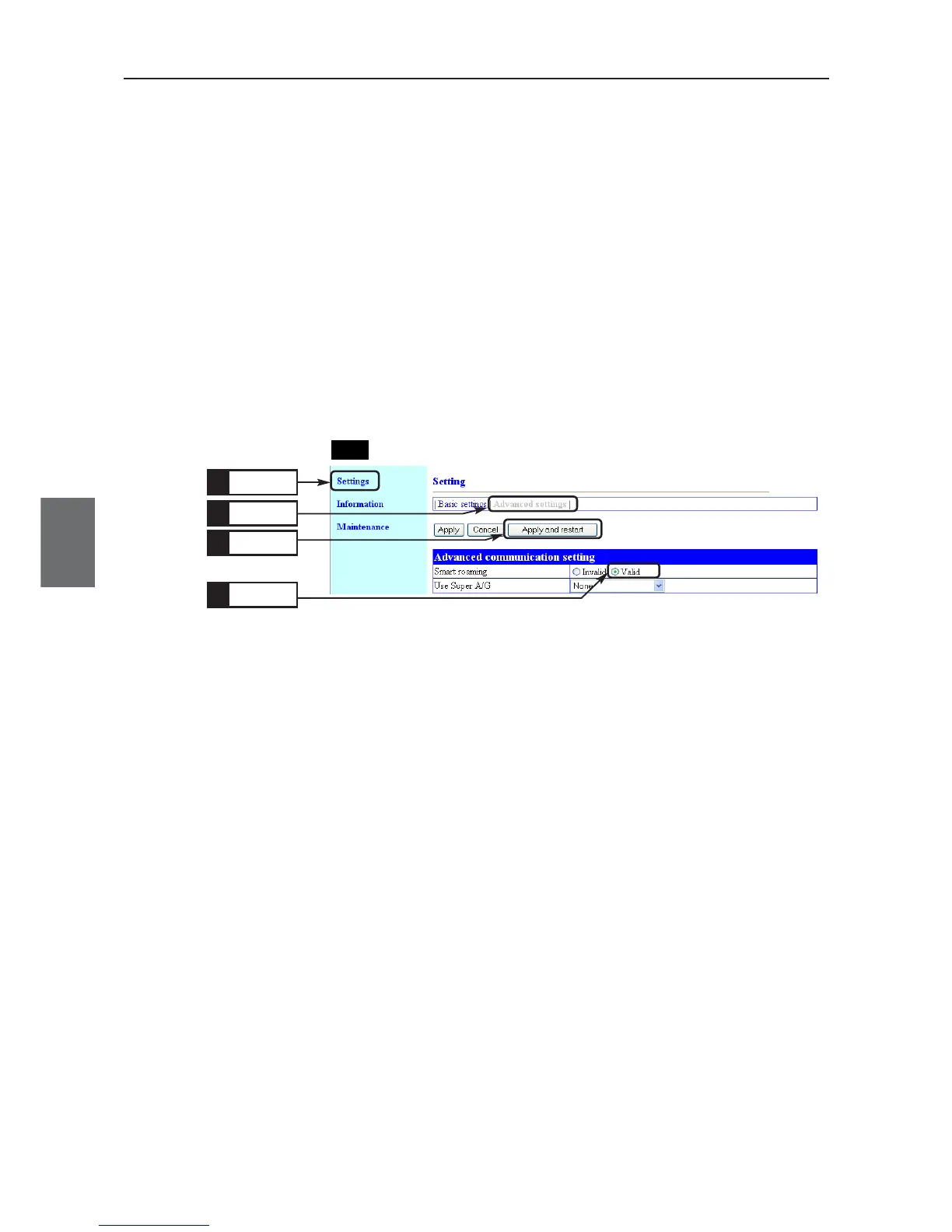
Smart roaming is a function of switching to an access point with better radio status by regularly scanning
client channels when a client (slave) moved. Configure [Smart roaming] of the client (CL-1) as
[Valid].(Factory Shipment Status:Invalid)
* SSID and Encryption setup must be the same for all of AP-1, AP-2, and CL-1.
<To Configure>
(1) Open a setup screen of the client (see Chapter 2-3. Connection Check,
Opening Setup Screen (P.2-13)) and click "Settings" menu.
(2) Click "Advanced settings".
• An "Advanced settings" screen is displayed.
(3) Select [Valid] radio button in the [Smart roaming] field.
(4) Click <Apply and restart>.
Click
1.
Click
3.
Click
2.
CL-1
Click
4.



 To Next Page