Chapter 5. Setup Menu
5-14
AP
5
Setup Menu
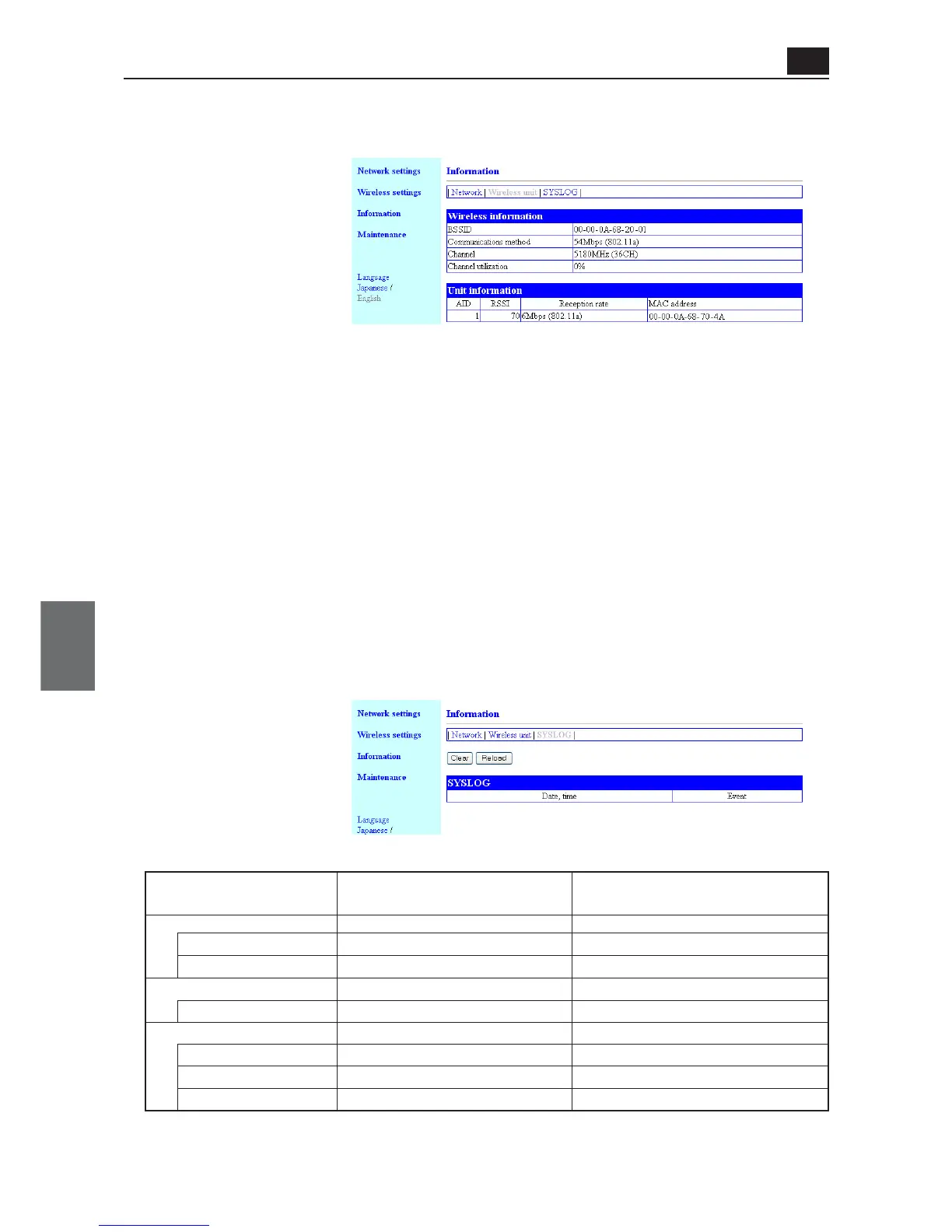
● SYSLOG
This screen displays history of startup and connection.
● Unit information
This screen displays radio intensity and communication speed during data communication.
(1) AID.................................... Indicates an access point as "0" and clients as 1 to 63.
(2) RSSI.................................. Indicates a Received Signal Strength Intensity from a terminal.
(3) Reception rate ................. Indicates a received data speed from a terminal.
As an access point sends a beacon signal every 100ms, the beacon sig-
nal is sent in an interval of communication even while data communica-
tion is being performed. Momentary receiving rate is displayed as 6Mbps
or 1Mbps. Beacon transmission speed is 6Mbps for 11a and 1Mbps for
11b/g.
(4) MAC address ................... Indicates a terminal MAC address (wireless end) of a client (slave) and a
BSSID of an access point.
XX:XX:XX:XX:XX:XX indicates a MAC address
XXX.XXX.XXX.XXX indicates an IP address
x.xx indicates version information
Trigger Conditions Displayed
in SYSLOG (Categorized)
Wireless LAN
Wireless Terminal Connected
Wireless Terminal Disconnected
Administrator IP Limitation
Connection Refusal
On Start-Up
Version
HTTP Server Startup
Startup Completed
Message in SYSLOG
join wireless terminal (XX:XX:XX:XX:XX:XX)
remove wireless terminal (XX:XX:XX:XX:XX:XX)
refused connect from XXX.XXX.XXX.XXX
root : WE70-AP Ver. x.xx
httpd : thttpd starting on port 80
root : System is ready
Remarks
(1) (2) (3) (4)



 To Next Page