Chapter 4. Advanced Setup
4-20
4
Advanced Setup
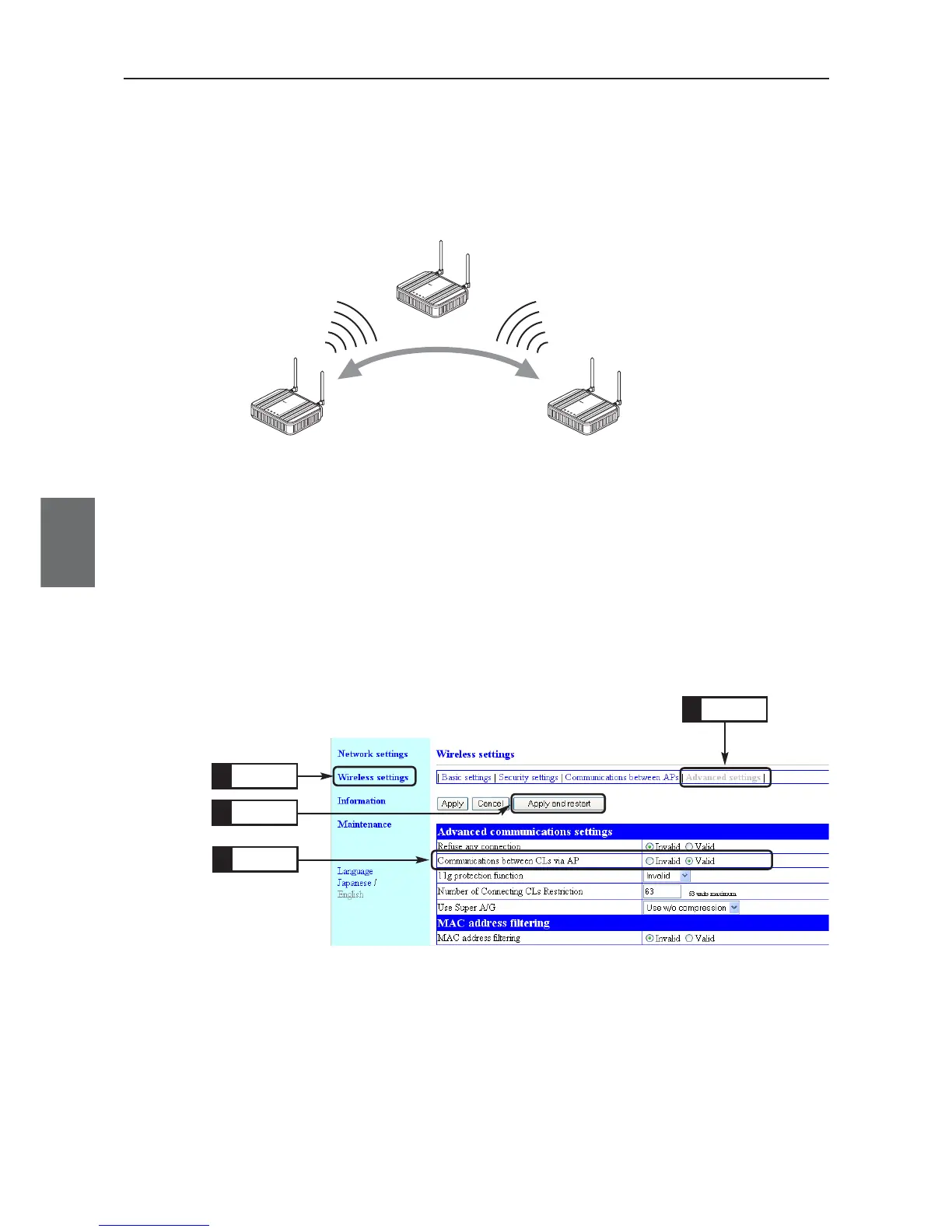
4-7. Using CL-to-CL Communication via AP
Configuration can be made so that wireless LAN terminals can communicate with each other via an access
point or not.
* This function is valid for terminals connected to an access point via wireless LAN.
* The terminals can communicate with a wired LAN terminal connected to the access point.
<To Configure>
(1) Open a setup screen of the access point (see Chapter 2-3. Checking
Connection, Opening Setup Screen (P.2-13)) and click Wireless settings
menu, then Advanced settings.
• An "Advanced settings" screen is displayed.
(2) Select [Valid] radio button in the [Communications between CLs via AP]
field.
(3) Click <Apply and restart>.



 To Next Page