5-19
Chapter 5. Setup Menu
CL
5
Setup Menu
5-3. Setup Screen (WE70-CL)
■ Settings
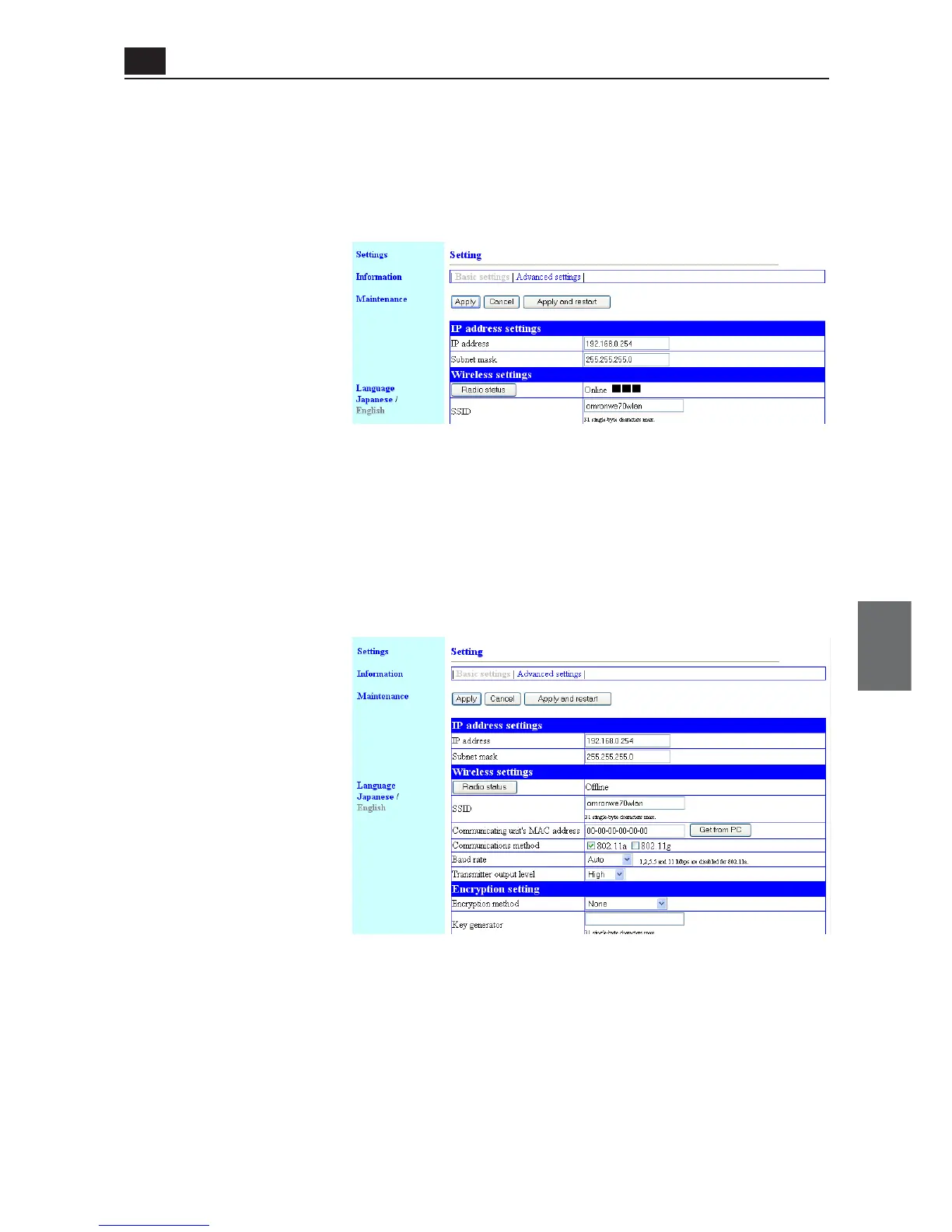
<Basic settings> Screen
● IP address settings
You can specify a client IP address.
(1) IP address........................ You can enter an IP address of a client.
(Factory Shipment Status:192.168.0.254)
* Specify a value that does not overlap that of other network devices.
* To make access to client setup screen, specify an IP address set in this field.
(2) Subnet mask.................... You can specify a client subnet mask (a range of IP addresses used for
the same network group).
(Factory Shipment Status: 255.255.255.0)
● Wireless settings
You can specify basic wireless communication setup for a client (slave).
(1) <Radio status> Button.... Radio intensity that an access point can receive is displayed in the right
of this button. If the client has different SSID and/or encryption setup from
the access point, "Communication Unavailable" is displayed.
Radio intensity is displayed in 4 levels as shown below.
Levels may differ depending on a communication method.
* Level:□□□
■
□□
■■
□
■■■
0-8 9-14 15-20 21 or higher (in case of 802.11a)
0-13 14-19 20-25 26 or higher (in case of 802.11b/g)
Clicking <Radio status> allows monitoring of statuses of wireless commu-
nication such as channels and communication speed in the [Wireless
communication status].
(1)
(2)
(1)
(2)
(3)
(4)
(5)
(6)



 To Next Page