2-3
Chapter 2. Installation & Connection
2
Installation & Connection
●
Connecting the antenna extension cable (WE70-CA5M)
The cable length of the magnet base antenna is 2m. If longer length is required, use the antenna
extension cable (WE70-CA5M) 5m. Pay attention to attenuation of the cable when using the antenna
extension cable.
●
Precautions on Using Magnetic-base Antenna & Antenna extension cable
Using a magnetic-base antenna causes signal attenuation due to its cable, reducing communication range
compared with a standard pencil antenna.
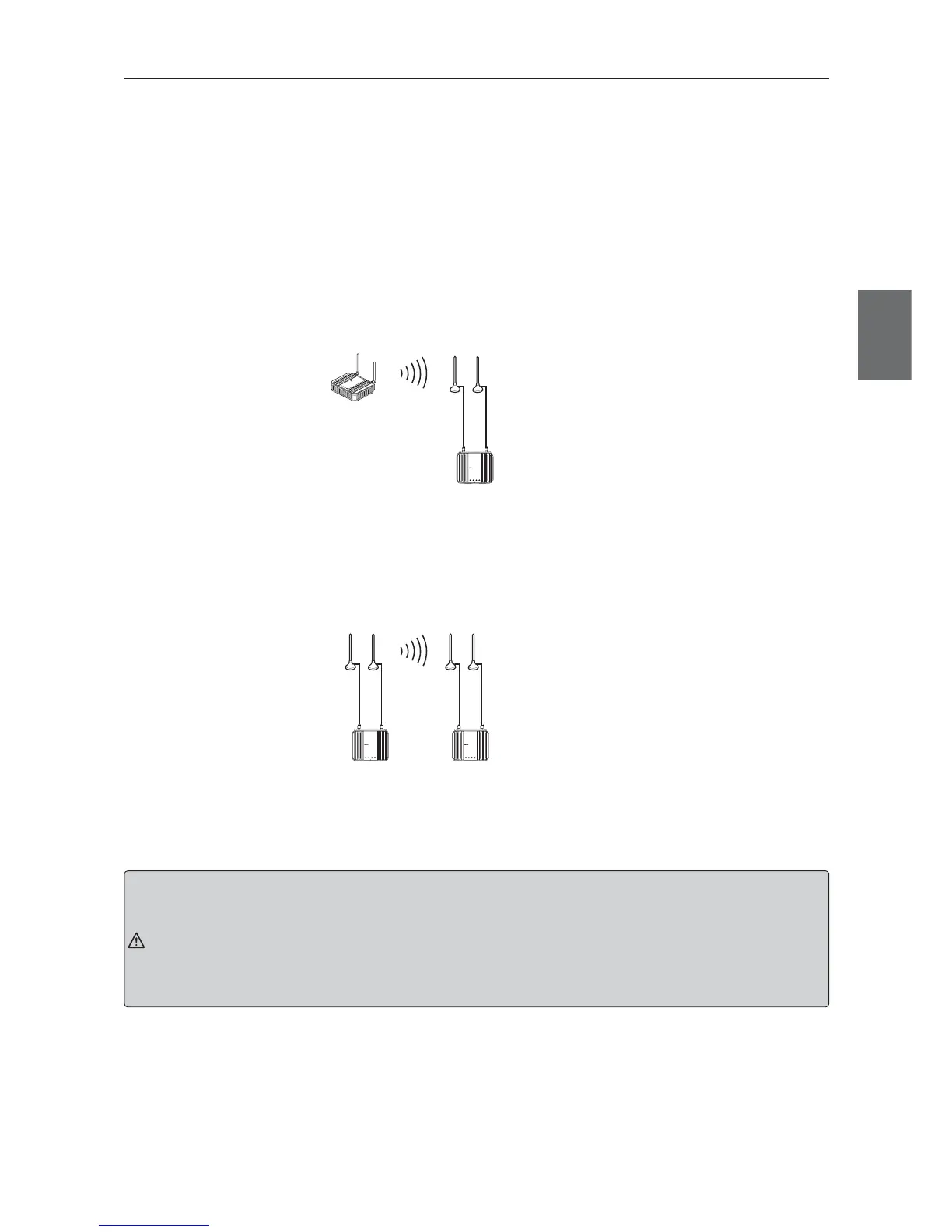
Using Magnetic-base Antenna on Client
In an example below, receiving electric field strength decreases in the 5GHz band by up to 8
levels.Degree of decrease is larger in the 5GHz band that uses higher frequency than the 2.4GHz
band.To use a magnetic-base antenna, a communication range should take cable attenuation into account
for actual receiving electric field strength of a pencil antenna.
Using Magnetic-base Antenna on Access Point & Client
Using magnetic-base antennas & Antenna extension cable causes signal attenuation by up to 6 levels in
the 5GHz band, compared with a pencil antenna (accessory).If magnetic pedestal antennas are used for
both of an access point and a client in the 5GHz band, it is necessary to ensure additional 6 levels of
received field intensity to gain the same level of received field intensity as that of a pencil antenna.
Caution
• Holding or pulling an antenna while uninstalling may damage it.
• Always hold the base part for handling.
• Avoid cable twisting as long as possible.
• Before attaching it to a wireless unit, check if the plug and the jack are properly coupled, and tighten a ring nut.For
installation, turn the ring nut only while keeping a cable unturned.
• Take precautions so that a cable should not be damaged by a hole edge while putting it into the hole.
• Using a magnetic base antenna causes signal attenuation due to its cable, reducing communication range compared
with a standard pencil antenna.
■
Precautions for Antenna Installation Location
This wireless unit set uses very high radio frequencies of 2.4/5GHz.High frequency radio wave is progres-
sive and reflective.
To ensure wireless performance, it is necessary to choose an appropriate location for antenna installation.
For co-polarization of each antenna, see "Appendices-3 Antenna".
L
A
N
M
O
D
E
P
O
W
E
R
W
IR
E
L
E
S
S
W
E
7
0
-
A
P
F
A
W
I
R
E
L
E
S
S
L
A
N
A
C
C
E
S
S
P
O
I
N
T
WE70-CL
LANRSSI
FA WIRELESS LAN ACCESS POINT
POWERWIRELESS
Magnetic-base Antenna (WE70-AT001H)
Cable loss attenuation in 5 GHz band: 0 (0)
+Antenna extension cable (WE70-CA5M)
Cable loss attenuation in 5 GHz band: 3 (2)
Attenuation figures
indicate receiving
electric field strength
Attenuation=8
Figures in ( ) are for 2.4 GHz:IEEE802.11b/g
WE70-AP
WE70-CL
WE70-CL
LANRSSI
FA WIRELE SS LAN ACCESS POINT
POWER WIRELESS
WE70-AP
LANMODE
FA WIRELESS LAN ACCESS POINT
POWER WIRELESS
Cable loss in
5 GHz band
Attenuation A
Cable loss in
5 GHz band
Attenuation B
Figures in ( ) are for 2.4 GHz:IEEE802.11b/g
Attenuation figures indicate receiving electric field strength
Attenuation A+B = 0(0) Magnetic-base Antenna(WE70-AT001H)
6(4) Magnetic-base Antenna(WE70-AT001H)+Antenna extension cable(WE70-CA5M)
WE70-AP
WE70-CL



 To Next Page