Chapter 3 Basic Setup
3-14
3
Basic Setup
■ Setup Example of Encryption Key
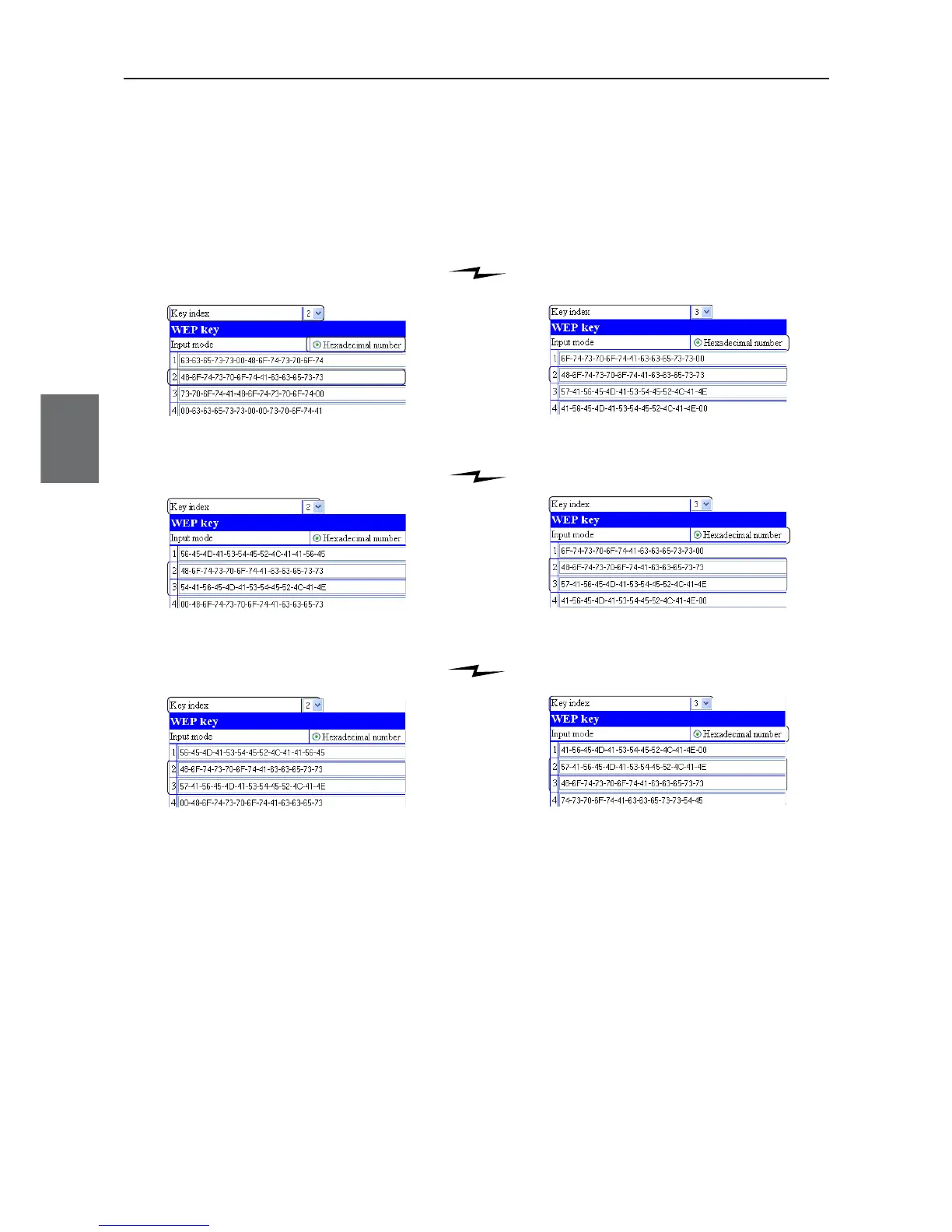
This section describes how to configure encryption keys for an access point and a client (slave) by directly
entering hexadecimal number (26 digits) in case of RC4, 128 (104) bits.。
[Ex.] Enter "48-6f-74-73-70-6f-74-41-63-63-65-73-73" and "57-41-56-45-4d-41-53-54-45-52-4c-41-4e" to
key IDs 2 and 3 as shown below.
◎ WEP key values in key index 2 are same and communication is available.
WE70-AP End WE70-CL End
◎ WEP key values in key indexes 2 and 3 are different and communication is unavailable.
WE70-AP End WE70-CL End
◎ WEP key values in key indexes 2 and 3 are same and communication is available.
WE70-AP End WE70-CL End



 To Next Page