Chapter 5. Setup Menu
5-26
CL
5
Setup Menu
■ Maintenance
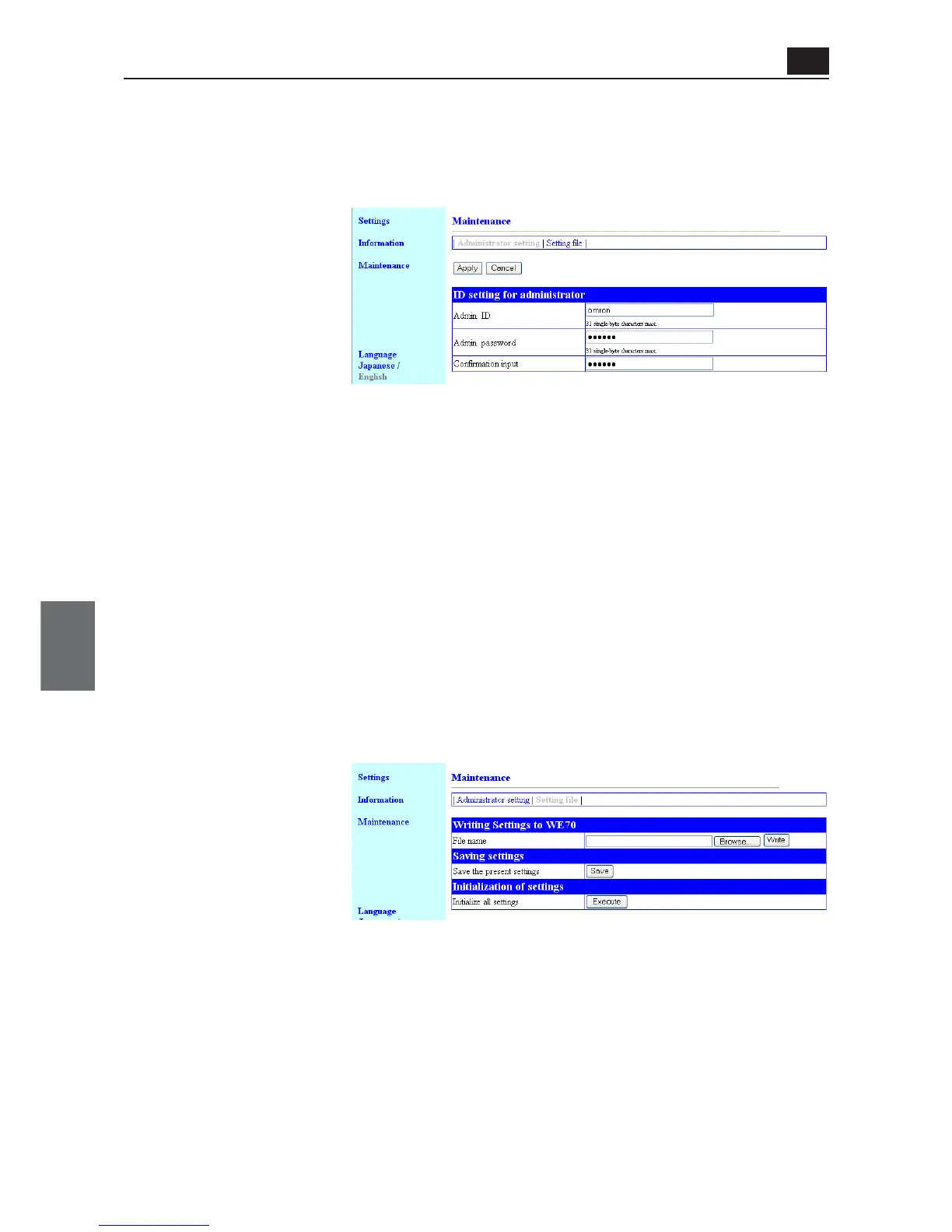
<Administrator settings> Screen
● ID setting for administrator
You can configure access control to a setup screen of a client (slave).
(1) Admin. ID ......................... To limit access to a setup screen of a client (slave), enter the desired
alphanumeric characters (within 31 characters) with the attention for
capitalization. (Example: omron)
* If an administrator ID is being specified, a user is asked to enter the user name for
access. Enter this administrator ID.
(2) Admin. Password
..................................... To set a password for an administrator ID, enter the desired alphanumer-
ic characters (within 31 characters) with the attention for capitalization.
Entered character is displayed as "*(asterisk)" or "•(black circle)".
(Example: ••••••)
* If an administrator password is being specified, a user is asked to enter the password for
access. Enter this administrator password.
(3) Confirmation input.......... Enter new administrator password again for confirmation. (Example:
••••••)
<Settings file> Screen
● Writing settings
(1) File name
......................... This item is used to write setup data into a wireless unit by opening a
saved setup file (file extension .sav).
● Saving settings
(2)
Save the present settings
.. Saving all setup data of a client to PC allows backup of client setup.
● Initialization of setings
(3) Initialize all settings
........ All of wireless unit setup items are restored to factory shipment status.
(1)
(2)
(3)
(1)
(2)
(3)



 To Next Page