Chapter 5. Setup Menu
5-12
AP
5
Setup Menu
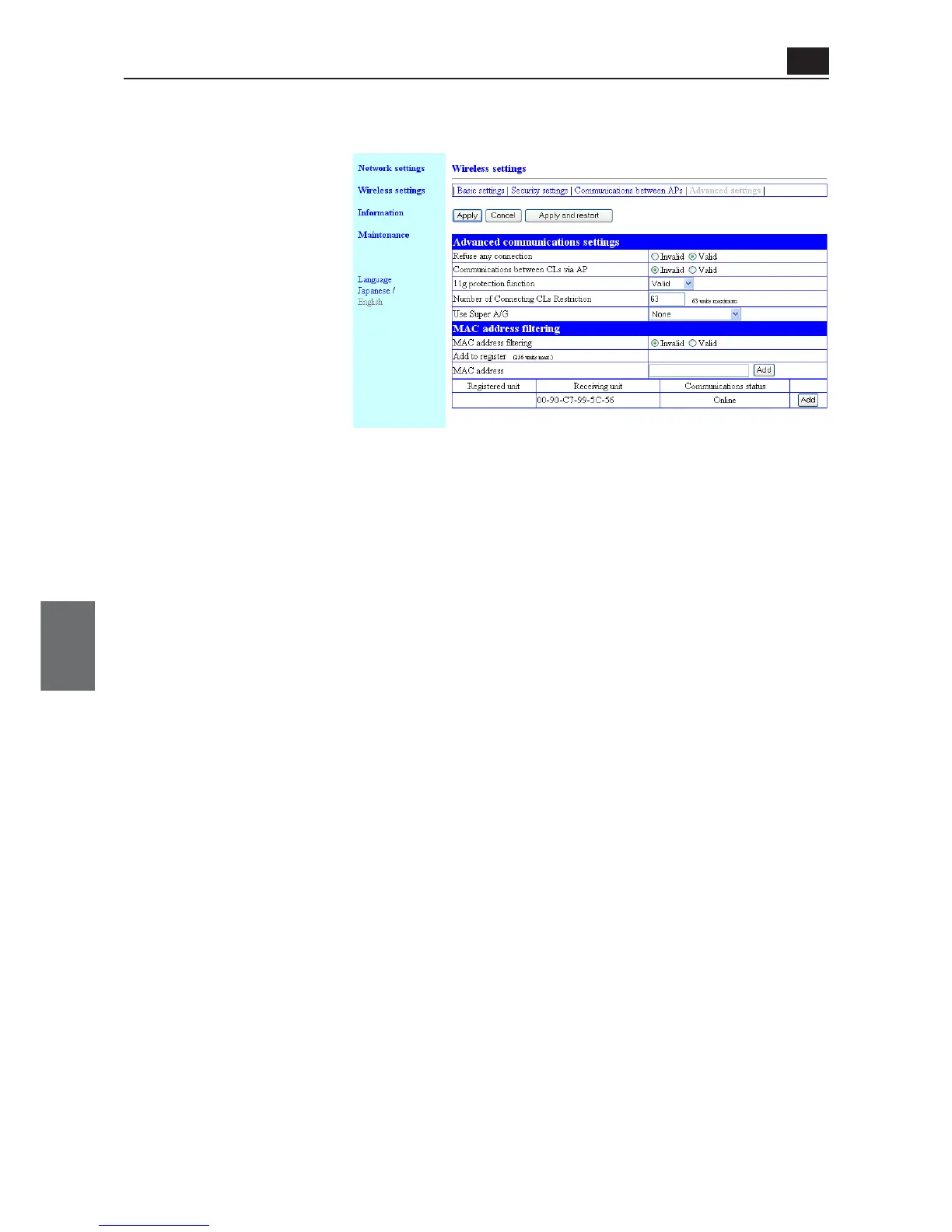
● MAC address filtering
This setup item allows communication with a wireless unit (MAC address) registered in an access point.
(1) MAC address filtering
..................................... This function specifies whether wireless connection for a client (slave)
with a registered MAC address only or not
(Factory Shipment Status:Invalid)
* If "Valid" is specified, access cannot be made from a wireless LAN terminal with a MAC
address not registered in [Current Registration] to a wireless unit.
(2) Add to register ................ You can enter a MAC address of a wireless unit for which access should
be permitted and click <Add>.
* The registered MAC address is displayed in the [Registered unit] field. If the MAC
address filtering is being enabled, communication is available with a wireless LAN termi-
nal only with the MAC address.
* It cannot be specified for an access point using AP-to-AP bridging.
* Up to 256 units' MAC addresses can be registered.
* Use 12-digit (hex.) alphanumeric characters.
* The following character strings are the same MAC address.
(Example:00-00-0A-68-20-01, 00000A682001)
(3) Registered unit................ Displays statuses of wireless unit registration and communication.
A MAC address can be displayed in the [Receiving unit] field for a wire-
less unit with an unregistered MAC address, which can be additionally
registered by clicking <Add>.
* To deregister, click <Delete> in the right of the field.
(1)
(2)
(3)



 To Next Page