Chapter 5. Setup Menu
5-10
AP
5
Setup Menu
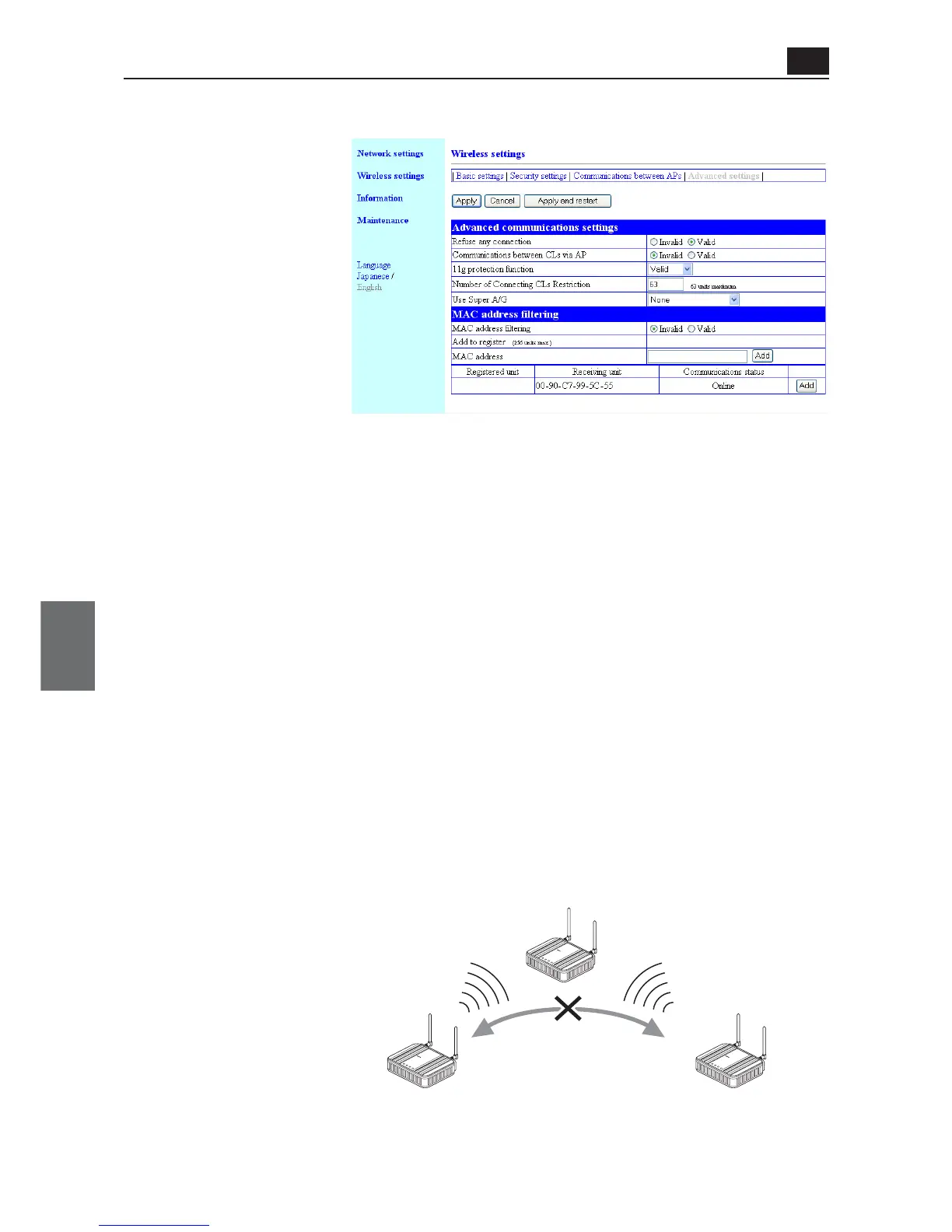
● Advanced communications settings
This setup item allows communication between wireless LAN terminals via an access point.
(1) Refuse any connection... This item specifies whether search and/or connection should be enabled
or disabled from a wireless LAN terminal using [ANY] mode (automatic
access point search & connection).
(Factory Shipment Status:Valid)
Setting "Valid" this function interfere communication with a client (slave)
with a blank SSID. Also, SSID of an access point cannot be seen.
If this setup item is being valid, a device cannot be searched by a wire-
less LAN terminal under ANY mode using Windows XP standard wireless
network connection or setup utility of a wireless LAN card supporting
wireless network display.
Setting "Invalid" this function allows communication with a client (slave)
with a blank SSID, and an access point SSID can be seen by a communi-
cation partner.
(2) Communications between CLs via AP
..................................... This setup item allows communication with a client (slave) via an access
point. Setting "Valid" this setup item allows communication.
* This function is valid for a wireless LAN terminal supporting wireless LAN standards of a
wireless channel specified in the access point.
<Advanced settings> Screen



 To Next Page