Chapter 2. Installation & Connection
2-12
2
Installation & Connection
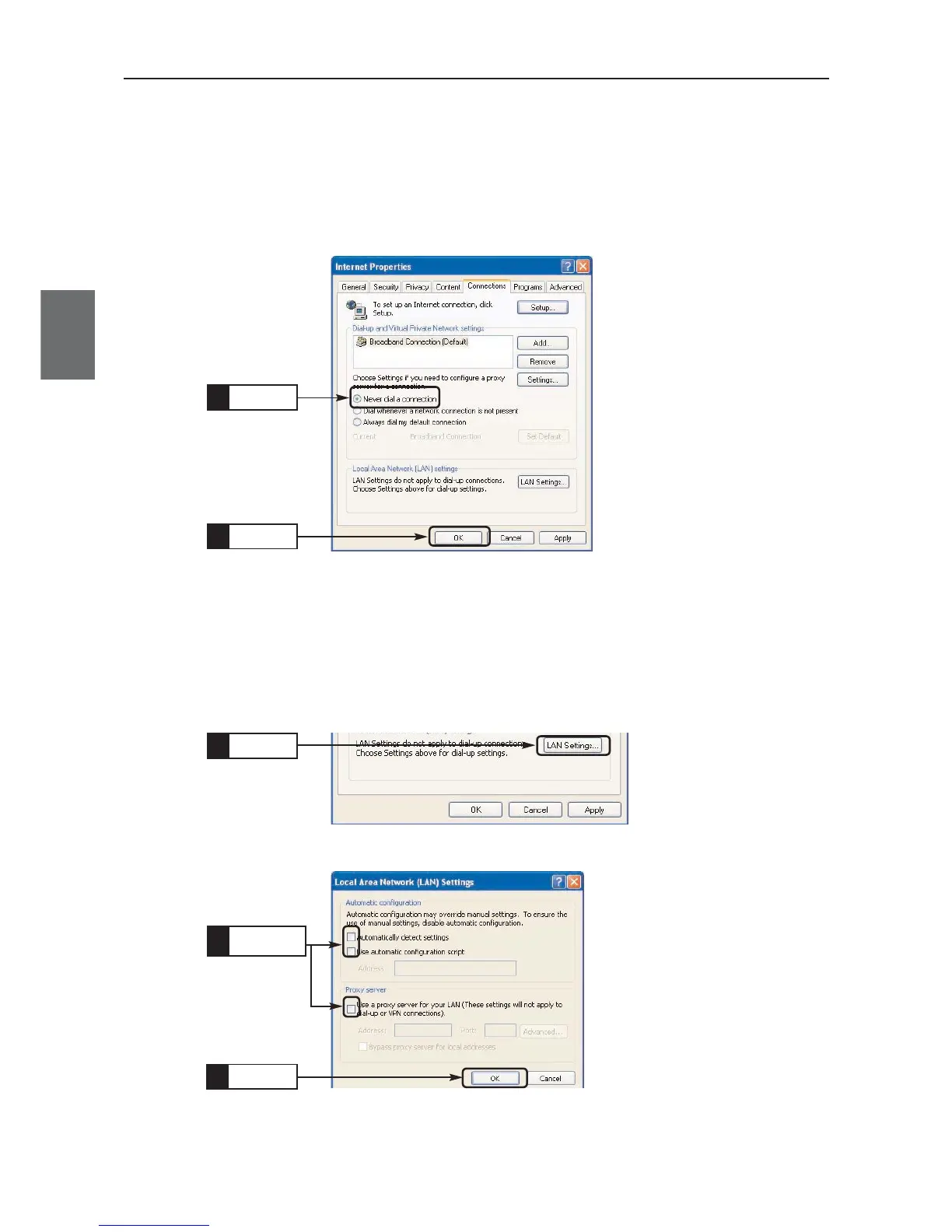
● WWW Browser (IE) Setup
Configuration must be made so that dial-up access should not be made when a WWW browser is started.
<To Configure>
(1) Select [Tool], [Internet Options], then select [Connections] tab.
(2) Select [Never dial a connection] and click <OK>.
Click
1.
Click
2.
●
Proxy Setup
Configuration must be made not to use a proxy server.
<To Configure>
(1) From the above screen, click [LAN Settings].
(2) Uncheck all boxes, then click <OK>.
Click
1.
Uncheck
1.
Click
2.



 To Next Page