Chapter 4. Advanced Setup
4-8
4
Advanced Setup
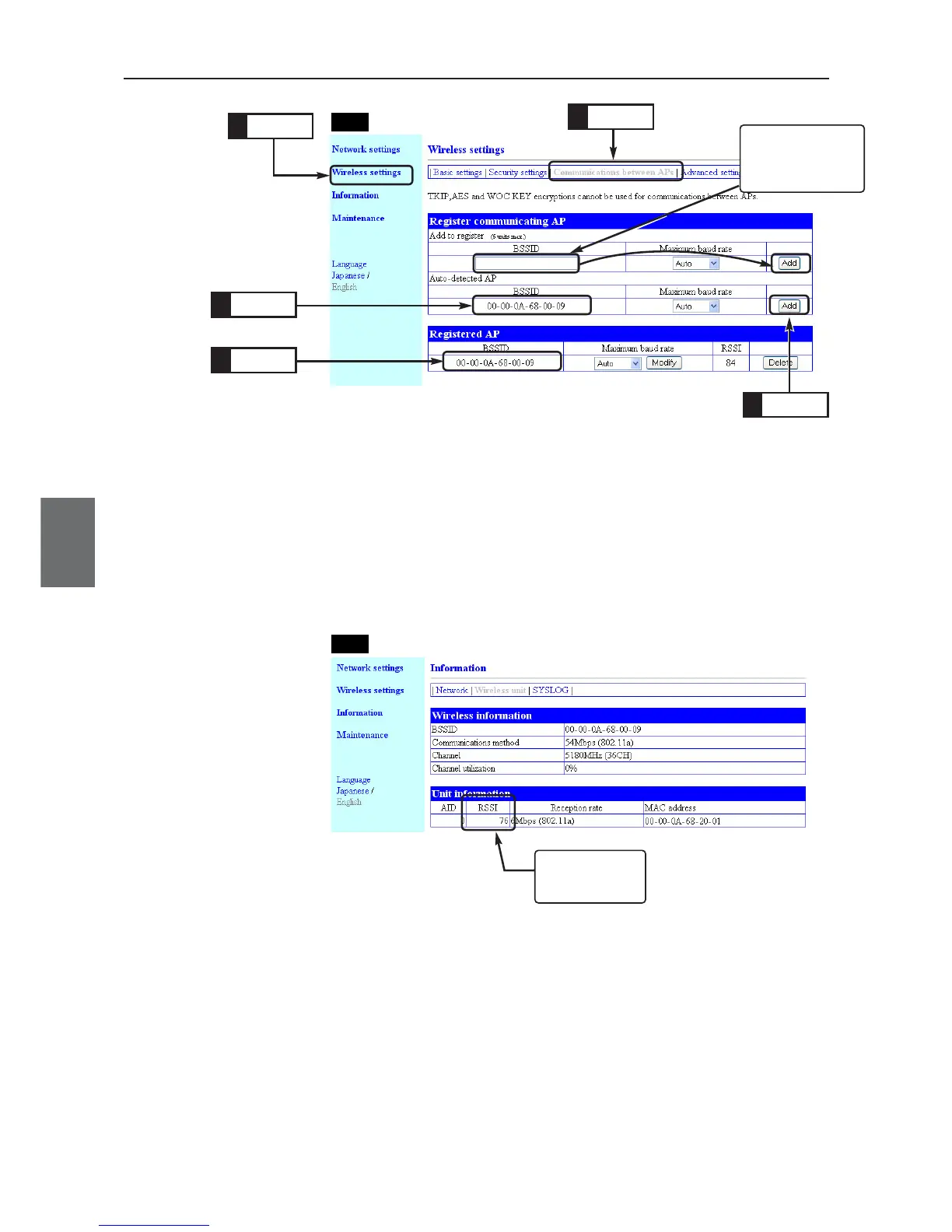
Step 6. Checking Received Signal Strength Indication
Verify AP-to-AP bridging through access point received signal strength indication (RSSI).
(1) Select "Information" menu, "Wireless unit".
• A "Wireless unit" screen is displayed.
(2) Received Signal Strength Indication is displayed in the [RSSI] field of
[Unit Information] (e.g. 76).
* To update the value, refresh your browser window.
* AIDs of APs using AP-to-AP bridging are all 0s.
AP-1
Click
1.
Click
2.
Check
3.
Check
5.
Click
4.
Enter here if partner's
BSSID cannot be
detected by the con-
figured SSID.
AP-2
Displays Received
Signal Strength
Indication



 To Next Page