EasyManua.ls Logo

Opticon L-46X - Command List: Fixed Length On;Minimum;Maximum Length

Opticon L-46X
144 pages
Print Icon
To Next Page IconTo Next Page
To Previous Page IconTo Previous Page
Loading...
Chapter-6
Code Options
L-46X User's Manual
87
1st
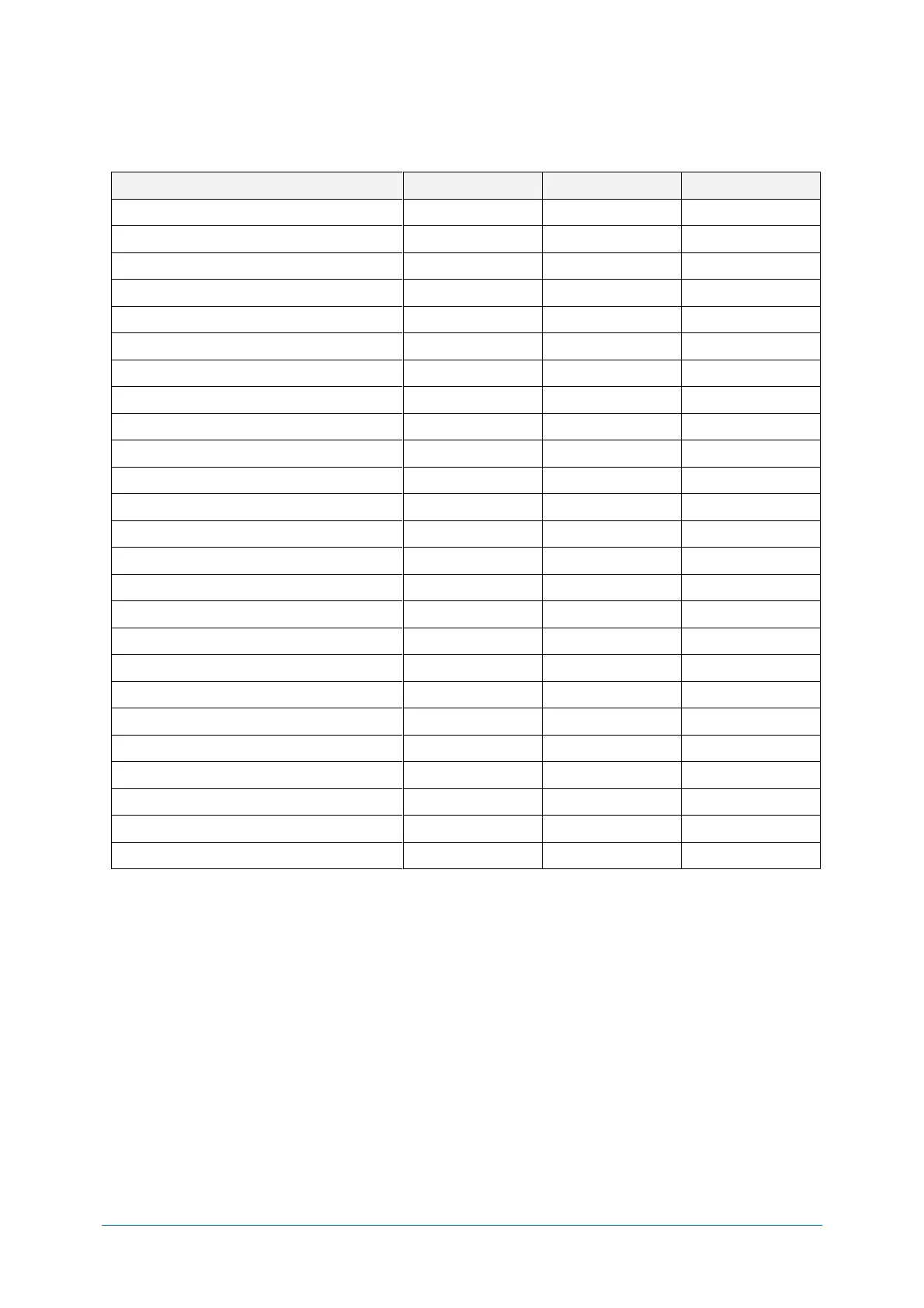
Command List: Fixed Length ON/Minimum/Maximum Length
6.4.2
Enter the following command followed by a value to set length of each code.
When reset settings, the length currently set becomes the default.
Code type
Fixed length
Min length
Max length
Reset settings
[DC0
[XQG
[XNG
Code 39
[DC1
[DB1
[DA1
Codabar
[DC2
[DB2
[DA2
Industrial 2 of 5
[DC3
[DB3
[DA3
Interleaved 2 of 5
[DC4
[DB4
[DA4
Code 93
[DCD
[DBD
[DAD
Code 128
[DCB
[DBB
[DAB
MSI/Plessey
[DC8
[DB8
[DA8
IATA
[DC7
[DB7
[DA7
PDF417
[DCL
[DBL
[DAL
QR code
[DCJ
[DBJ
[DAJ
Data Matrix
[DCH
[DBH
[DAH
Maxi code
[DCK
[DBK
[DAK
Aztec code
[DCI
[DBI
[DAI
MicroPDF417
[DCM
[DBM
[DAM
RSS-Expanded (GS1 Databar)
[DCF
[DBF
[DAF
Composite
[DCG
[DBG
[DAG
GS1-128
[DCC
[DBC
[DAC
S-Code
[DC5
[DB5
[DA5
UK/Plessey
[DCA
[DBA
[DAA
Matrix 2 of 5 / Chinese Post
[DC6
[DB6
[DA6
Telepen
[DC9
[DB9
[DA9
Codablock F
[DCO
[DBO
[DAO
Code 11
[DCE
[DBE
[DAE
Chinese Sensible Code
[DCN
[DBN
[DAN

Table of Contents

Related product manuals