Itala | INSTRUCTION MANUAL
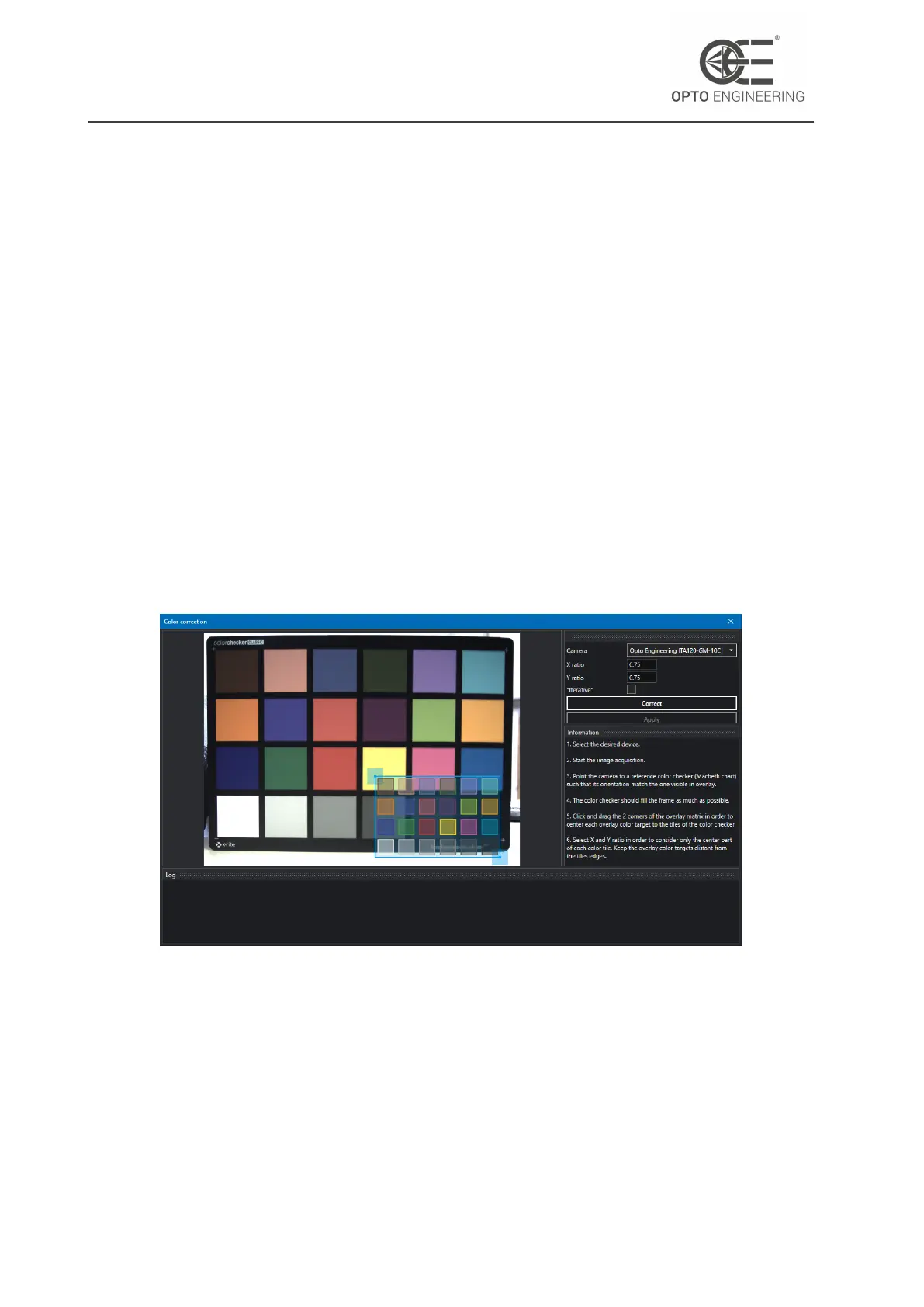
Follow these steps to achieve a correct calibration:
1. Select the desired device.
2. Start the image acquisition.
3. Open the Color Correction Wizard (Wizard > Color correction) (Fig.23).
4. Point the camera to a reference color checker (Macbeth chart) such that its orientation match
the one visible in overlay.
5. The color checker should fill the frame as much as possible (Fig.24).
6. Click and drag the 2 corners of the overlay matrix in order to center each overlay color target
to the tiles of the color checker.
7. Select X and Y ratio in order to consider only the center part of each color tile. Keep the
overlay color targets distant from the tiles edges.
8. Click the Correct button to start the color calibration.
9. Wait until the end of the process.
Figure 23: Window of the color correction wizard.
In order to make this change permanent, you should save the current user set. Loading the default
user set will restore the factory color correction matrix.
v1.12 - eng 37



 To Next Page