Itala | INSTRUCTION MANUAL
pixel values
# pixels # pixels
pixel values
100%
R
G
G
B
R
G
G
B
R
G
G
B
R
G
G
B
R
G
G
B
R
G
G
B
R
G
G
B
R
G
G
B
R
G
G
B
R
G
G
B
R
G
G
B
R
G
G
B
R
G
G
B
R
G
G
B
R
G
G
B
R
G
G
B
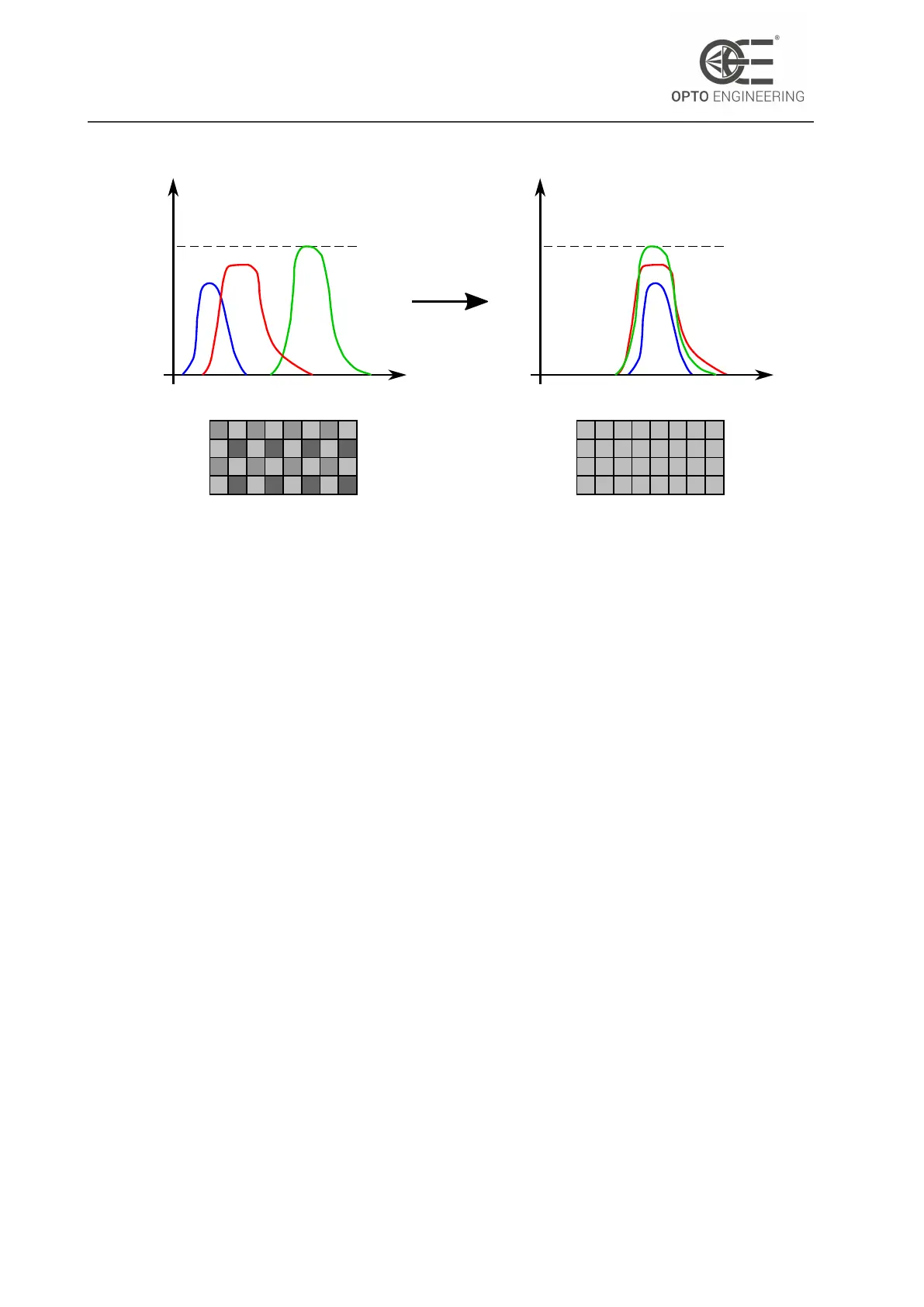
Figure 50: On the left, the histogram of a typical spectral sensitivity of a color sensor. On
the right the histogram of a white balanced camera.
B
out
= K
blue
∗ B
in
(9)
where:
K
red
= G
in
/R
in
(10)
K
blue
= G
in
/B
in
(11)
Like in the last equations, BalanceRatio allows to set K
red
and K
blue
coefficients while K
green
is
fixed to 1.
The effect of the white balance procedure is depicted in Fig.50 (right figure): the three channels are
equalized and show the same mean grey level.
Itala cameras offer the possibility to automatically balance the three color coordinates: in order to
do this, the BalanceWhiteAuto feature must be enabled.
The BalanceWhiteAuto algorithms relies on the grey world approximation: the premise behind this
assumption is that in a well balanced color image the average of all the color present is a neutral
grey.
Consequently, in order to obtain a perfect white balance, perform the following steps:
• Start a free-run acquisition;
• Make sure to insert a uniform sample (for example a white neutral background) which cover
all the ROI (region of interest) of the image;
• Enable the BalanceWhiteAuto (Continuous mode or Once mode);
• In case of Continuous mode auto white balance, after the correction is performed, disable the
BalanceWhiteAuto;
• Remove the uniform neutral background;
v1.12 - eng 72



 To Next Page