range Pi User Manual Copyright reserved by Shenzhen Xunlong Software Co., Ltd
111
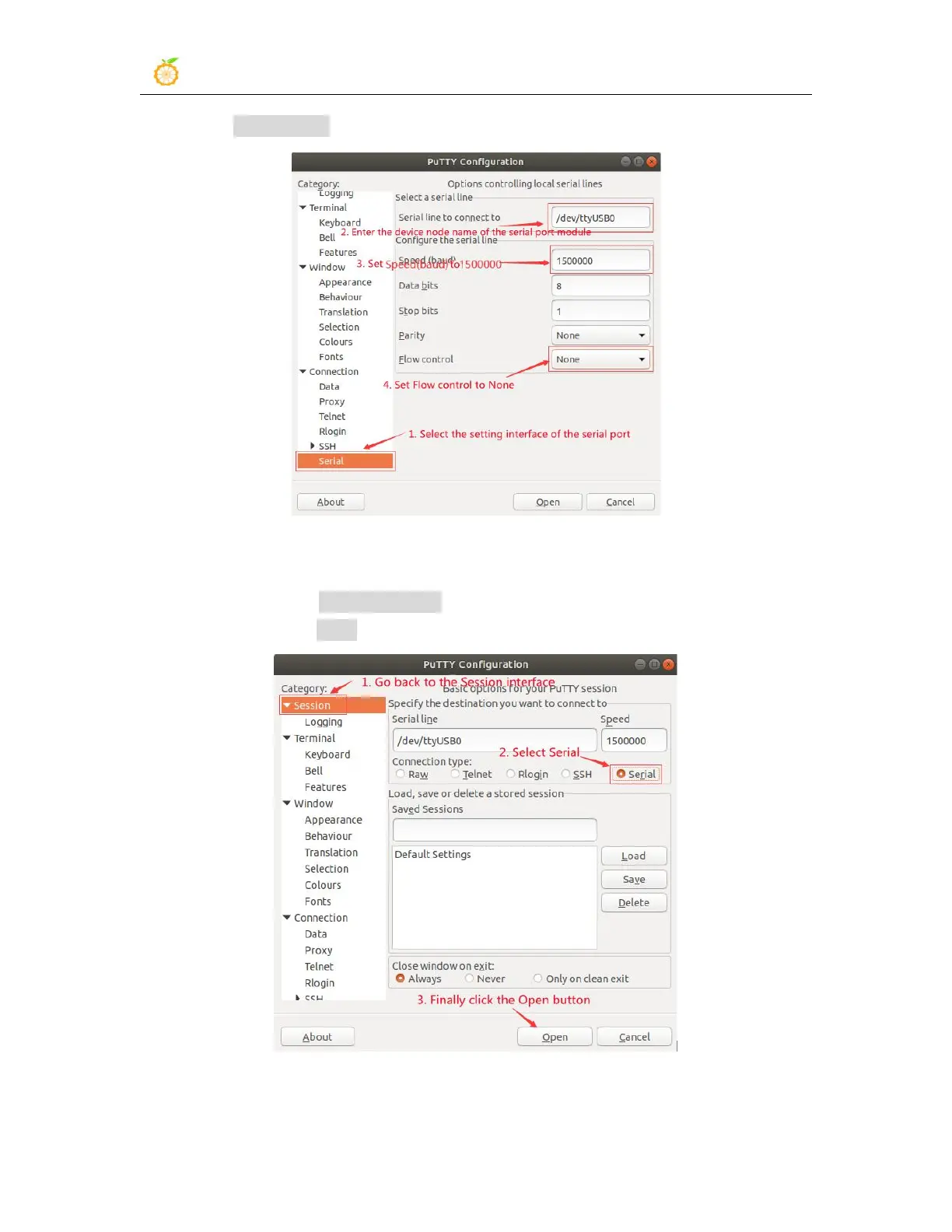
c. Set Flow control as None
7) After setting the setting interface of the serial port, return to the Session interface
a. First select the Connection type as Serial
b. Then click the Open button to connect to the serial port
8) After starting the development board, you can see the Log information output by the


 To Next Page