range Pi User Manual Copyright reserved by Shenzhen Xunlong Software Co., Ltd
288
directories into a tar package
root@orangepi:/pool1$ sudo tar -cf text.tar /var/log/ /etc/
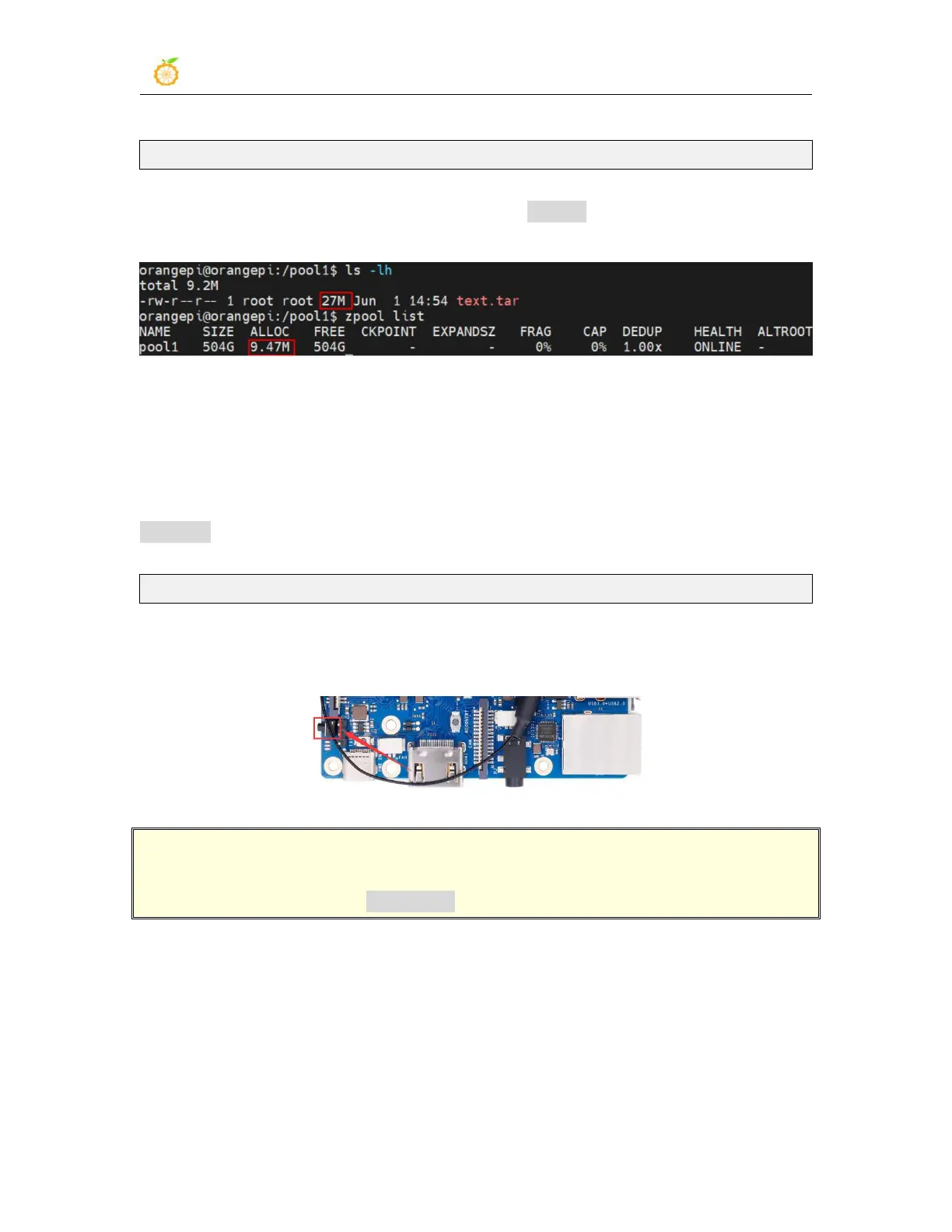
5) At this time, you can see that the size of the text.tar file is still 27M, but it only
occupies 9.47M in the ZFS pool, indicating that the file is compressed
3.32. How to shut down and restart the development board
1) During the running of the Linux system, if the Type-C power supply is directly
unplugged, some data may be lost or damaged in the file system, so please use the
poweroff command to shut down the Linux system of the development board before
powering off. Then unplug the power again.
orangepi@orangepi:~$ sudo poweroff
2) In addition, the development board is equipped with a switch button, and you can also
short press the switch button on the development board to shut down.
Note that the Linux desktop version system will pop up a confirmation box as
shown in the figure below after pressing the switch button, and the system will shut
down only after clicking the Shut Down option.



 To Next Page