range Pi User Manual Copyright reserved by Shenzhen Xunlong Software Co., Ltd
189
3) After restarting, enter the system to check whether there is a spidev3.0 device node in
the Linux system. If it exists, it means that SPI3 has been set up and can be used directly
orangepi@orangepi:~$ ls /dev/spidev3.0
/dev/spidev3.0
4) Do not short-circuit the mosi and miso pins of SPI3, the output result of running
spidev_test is as follows, you can see that the data of TX and RX are inconsistent
orangepi@orangepi:~$ sudo spidev_test -v -D /dev/spidev3.0
spi mode: 0x0
bits per word: 8
max speed: 500000 Hz (500 KHz)
TX | FF FF FF FF FF FF 40 00 00 00 00 95 FF FF FF FF FF FF FF FF FF FF FF FF FF
FF FF FF FF FF F0 0D | ......@....▒..................▒.
RX | FF FF FF FF FF FF FF FF FF FF FF FF FF FF FF FF FF FF FF FF FF FF FF FF
FF FF FF FF FF FF FF FF | ................................
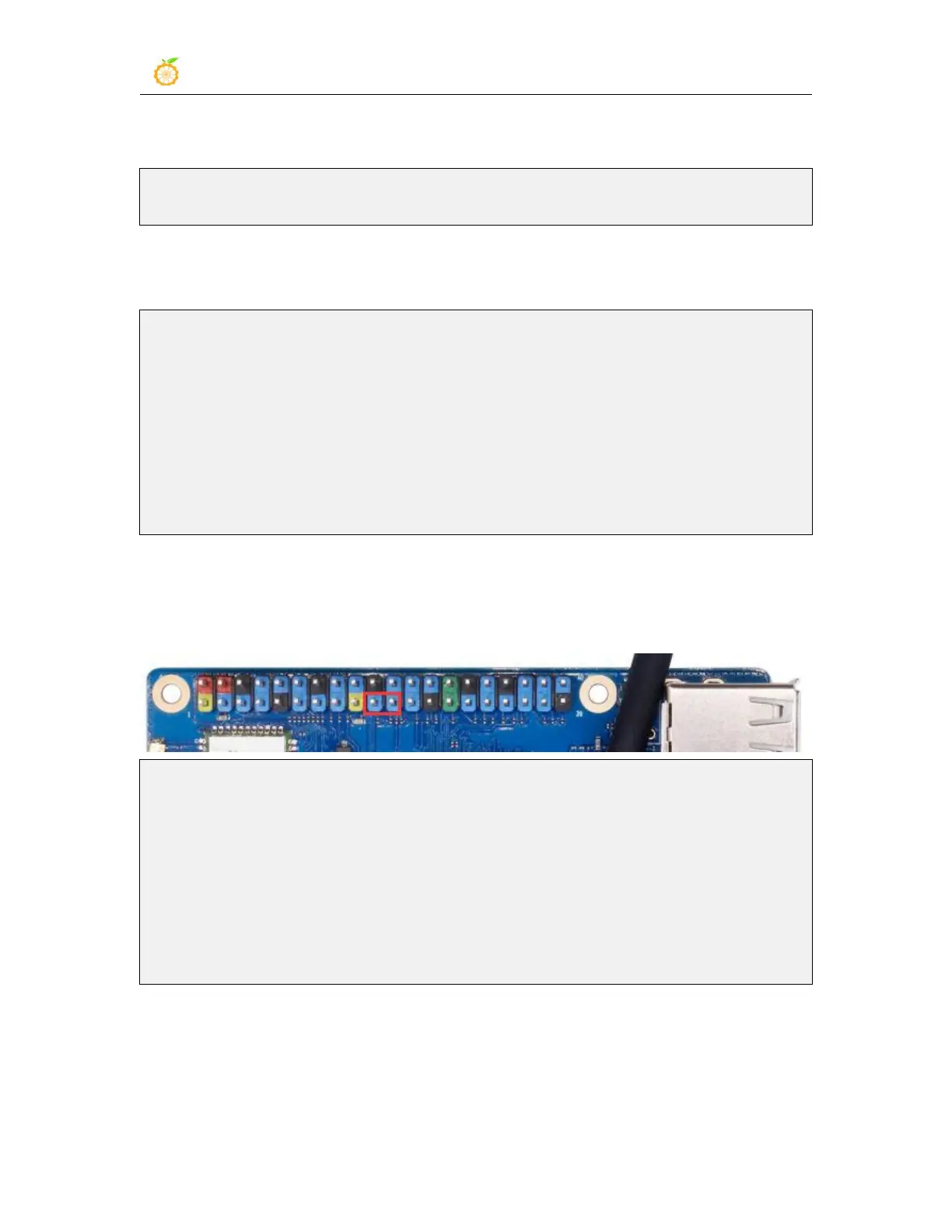
5) Then short-circuit the two pins of mosi (pin 19 in the 40pin interface) and miso (pin
21 in the 40pin interface) of SPI3, and then run the output of spidev_test as follows, you
can see the sending and receiving same data
orangepi@orangepi:~$ sudo spidev_test -v -D /dev/spidev3.0
spi mode: 0x0
bits per word: 8
max speed: 500000 Hz (500 KHz)
TX | FF FF FF FF FF FF 40 00 00 00 00 95 FF FF FF FF FF FF FF FF FF FF FF FF FF
FF FF FF FF FF F0 0D | ......@....▒..................▒.
RX | FF FF FF FF FF FF 40 00 00 00 00 95 FF FF FF FF FF FF FF FF FF FF FF FF FF
FF FF FF FF FF F0 0D | ......@....▒..................▒.
3.16.4. 40pin I2C Test
1) From the table below, the I2C available for Orange Pi 3B is I2C2, I2C3, and I2C4 a
total of three groups of I2C bus.



 To Next Page