range Pi User Manual Copyright reserved by Shenzhen Xunlong Software Co., Ltd
221
Manual:http://docs.bt.cn
Forum address:https://www.bt.cn/bbs
GitHub Link:https://github.com/aaPanel/BaoTa
3.22. Set the Chinese environment and install Chinese input
method
Note that before installing the Chinese input method, please make sure that the
Linux system used in the development board is the desktop version system
。
3.22.1. Debian system installation method
1) First set the default locale as Chinese
a. Enter the command below to start configured locale
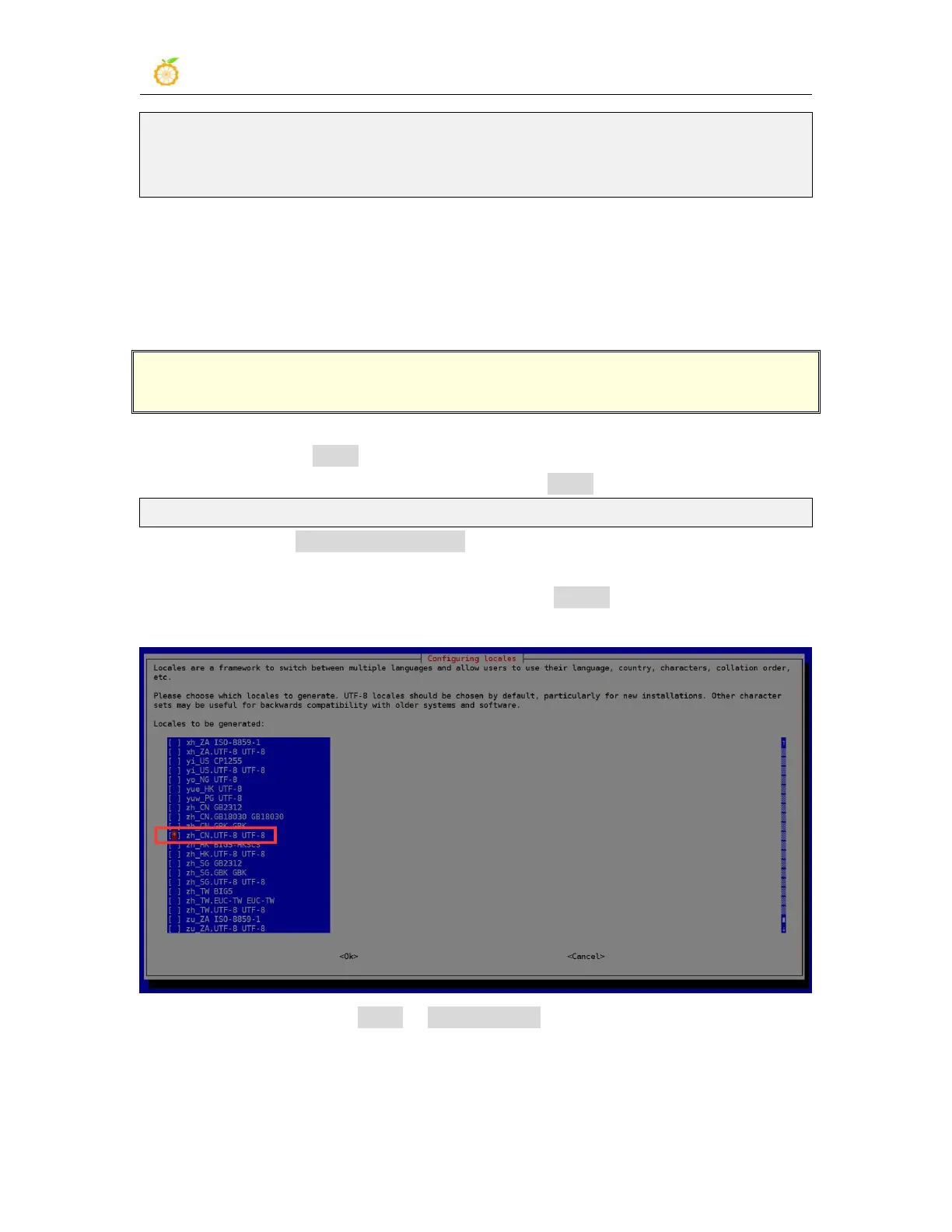
orangepi@orangepi:~$ sudo dpkg-reconfigure locales
b. Then select zh_CN.UTF-8 UTF-8 in the pop-up interface (to move up and down
through the upper and lower direction buttons on the keyboard, select it through
the space key, and finally move the cursor to <OK> through the TAB key, then
press the ENTER key )
c. Then set the default locale as zh_CN.UTF-8



 To Next Page