range Pi User Manual Copyright reserved by Shenzhen Xunlong Software Co., Ltd
217
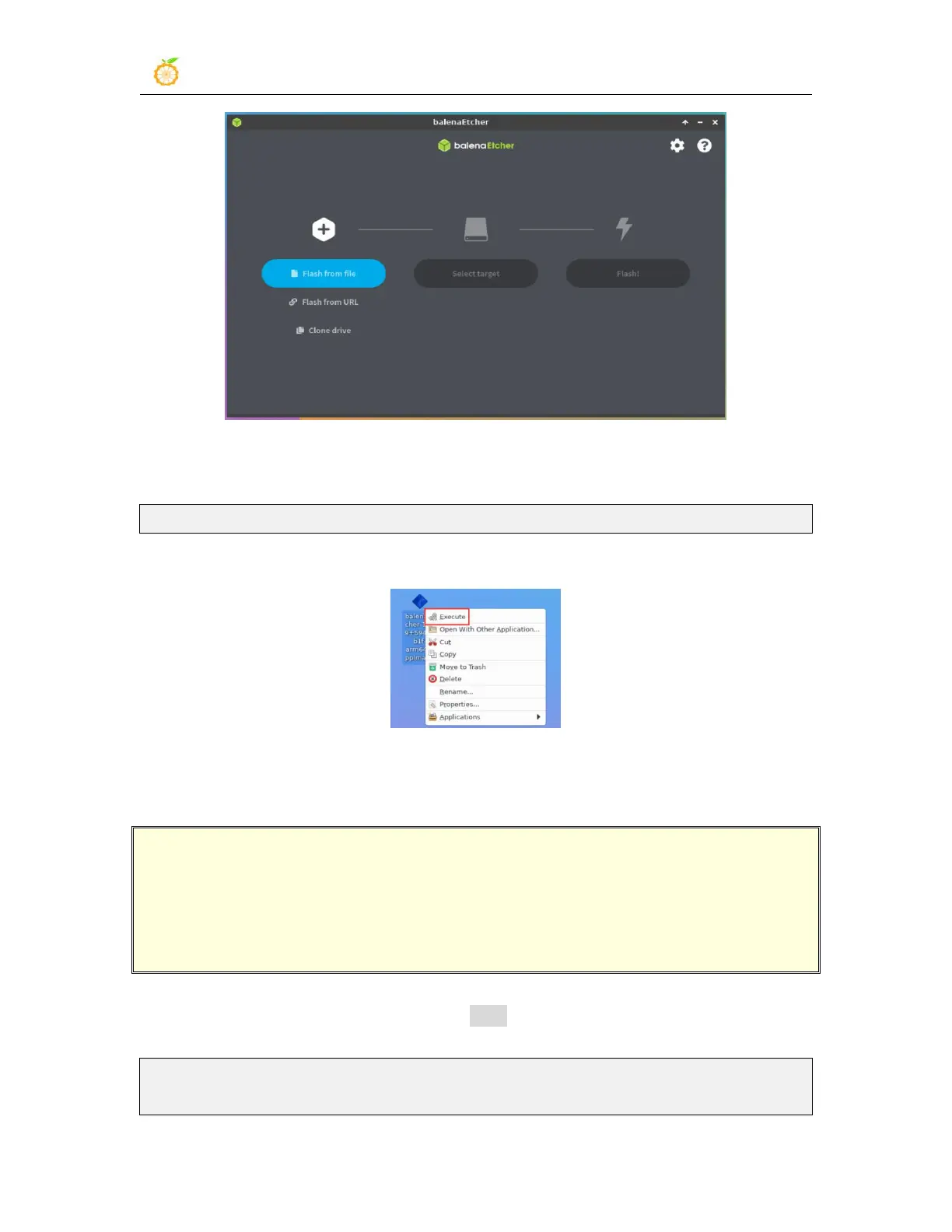
3) How to use the AppImage version of balenaEtcher
:
a. First add permissions to Balenaetcher
orangepi@orangepi:~/Desktop$ chmod +x balenaEtcher-1.7.9+5945ab1f-arm64.AppImage
b. Then select the AppImage version balenaEtcher right-click the mouse, and then
click Execute to open balenaEtcher
3.21. The installation method of the Bt-Panel Linux panel
Bt-Panel Linux panel is a server management software that improves operation
and maintenance efficiency, and supports one-click configuration of more than 100
server management functions such as
LAMP/LNMP/cluster/monitoring/website/FTP/database/JAVA (excerpted from the
official website of the Bt-Panel)
1) First, you need to expand the size of the /tmp space. After setting, you need to restart
the linux system of the development board. The command is as follows:
orangepi@orangepi:~$ sudo sed -i 's/nosuid/&,size=2G/' /etc/fstab
orangepi@orangepi:~$ sudo reboot



 To Next Page