range Pi User Manual Copyright reserved by Shenzhen Xunlong Software Co., Ltd
130
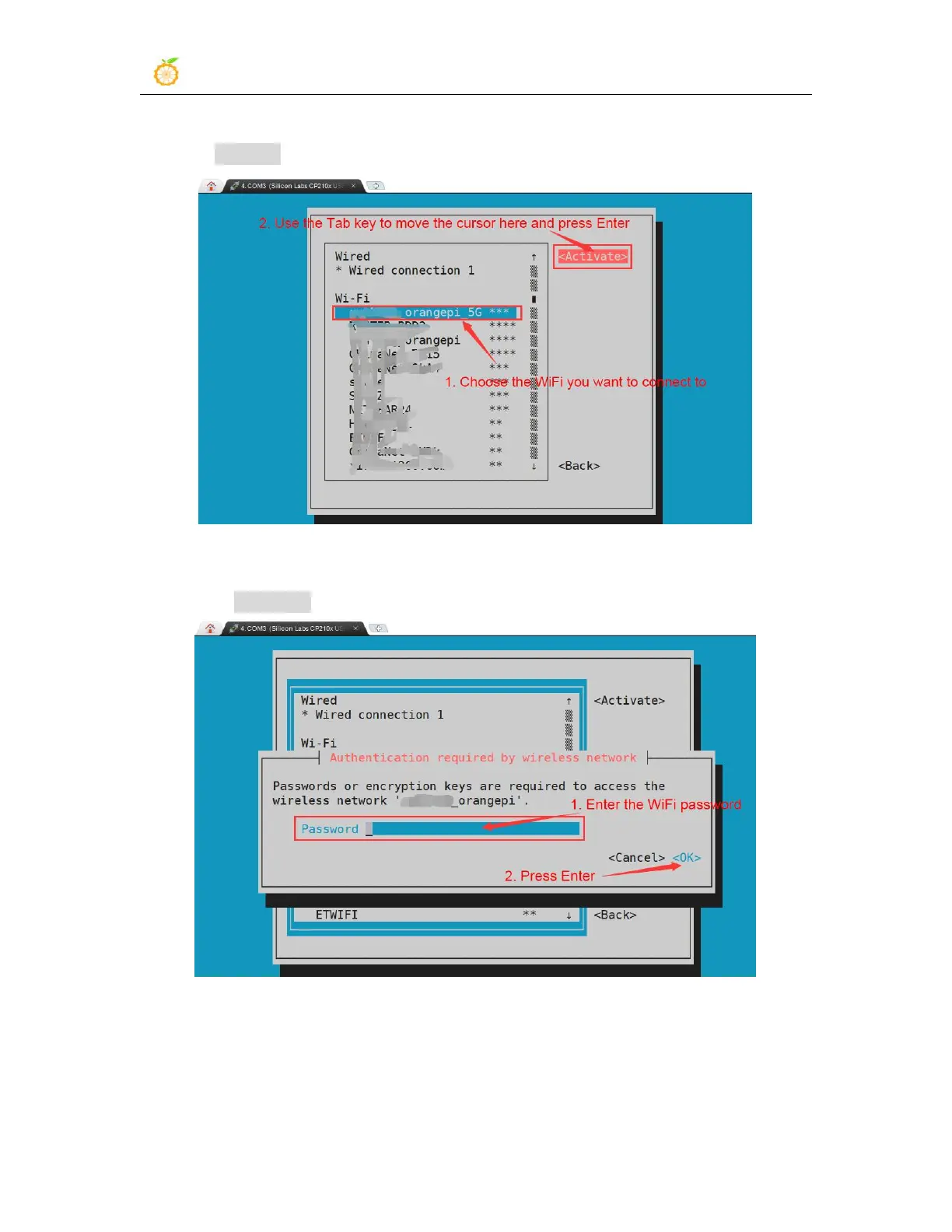
6) Select the WIFI hotspot you want to connect to, then use the Tab key to position the
cursor on Activate and press Enter
7) Then a dialog box for entering a password will pop up, enter the corresponding
password in Password and press Enter to start connecting to WIFI
8) After the WIFI connection is successful, a "*" will be displayed in front of the
connected WIFI name


 To Next Page