range Pi User Manual Copyright reserved by Shenzhen Xunlong Software Co., Ltd
166
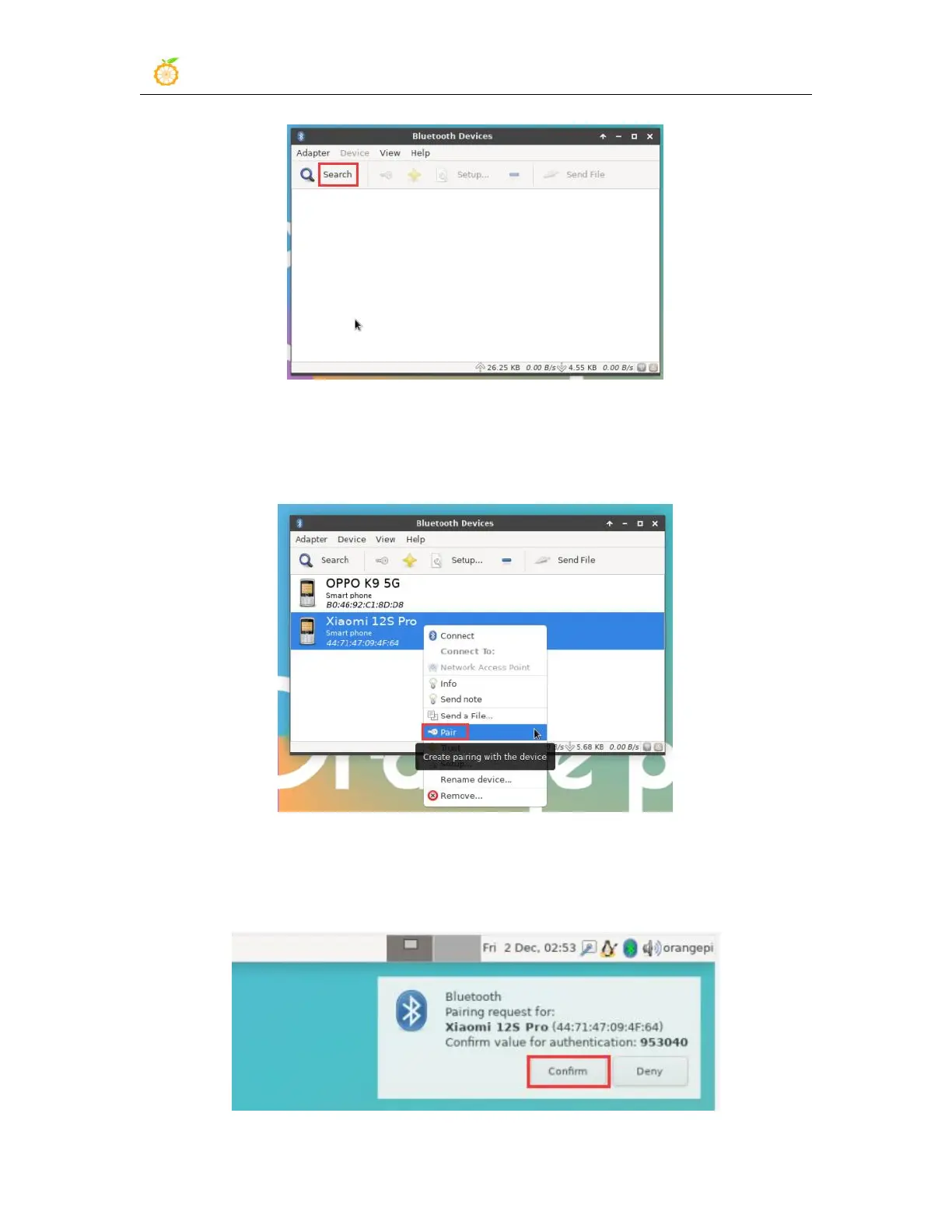
7) Then select the Bluetooth device you want to connect to, and then click the right
button of the mouse to pop up the operation interface for this Bluetooth device, select
Pair to start pairing, and the demonstration here is to pair with an Android phone
8) When pairing, the pairing confirmation box will pop up in the upper right corner of
the desktop. Select Confirm to confirm. At this time, the mobile phone also needs to be
confirmed



 To Next Page