range Pi User Manual Copyright reserved by Shenzhen Xunlong Software Co., Ltd
176
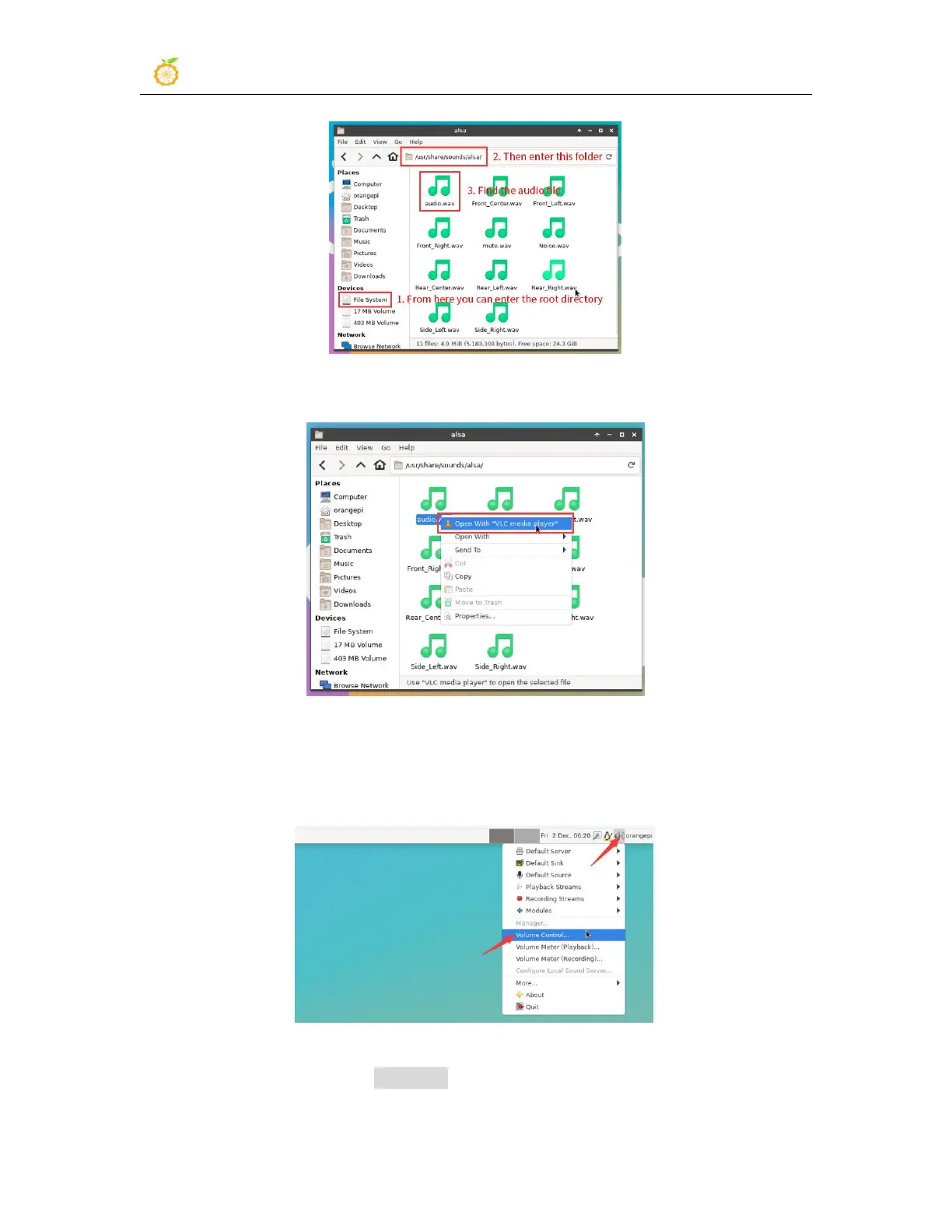
3) Then select the audio.wav file, right click and select open with vlc to start playing
4) Methods to switch different audio equipment such as HDMI playback and headset
playback
a. First open the volume control interface
b. When playing audio, the audio equipment options that play software can be used
will be displayed in Playback. As shown in the figure below, which audio
equipment you need to play here can be set.


 To Next Page