range Pi User Manual Copyright reserved by Shenzhen Xunlong Software Co., Ltd
195
corresponding to uart under/dev
orangepi@orangepi:~# ls /dev/ttyS*
/dev/ttyS1 /dev/ttyS3 /dev/ttyS7 /dev/ttyS9
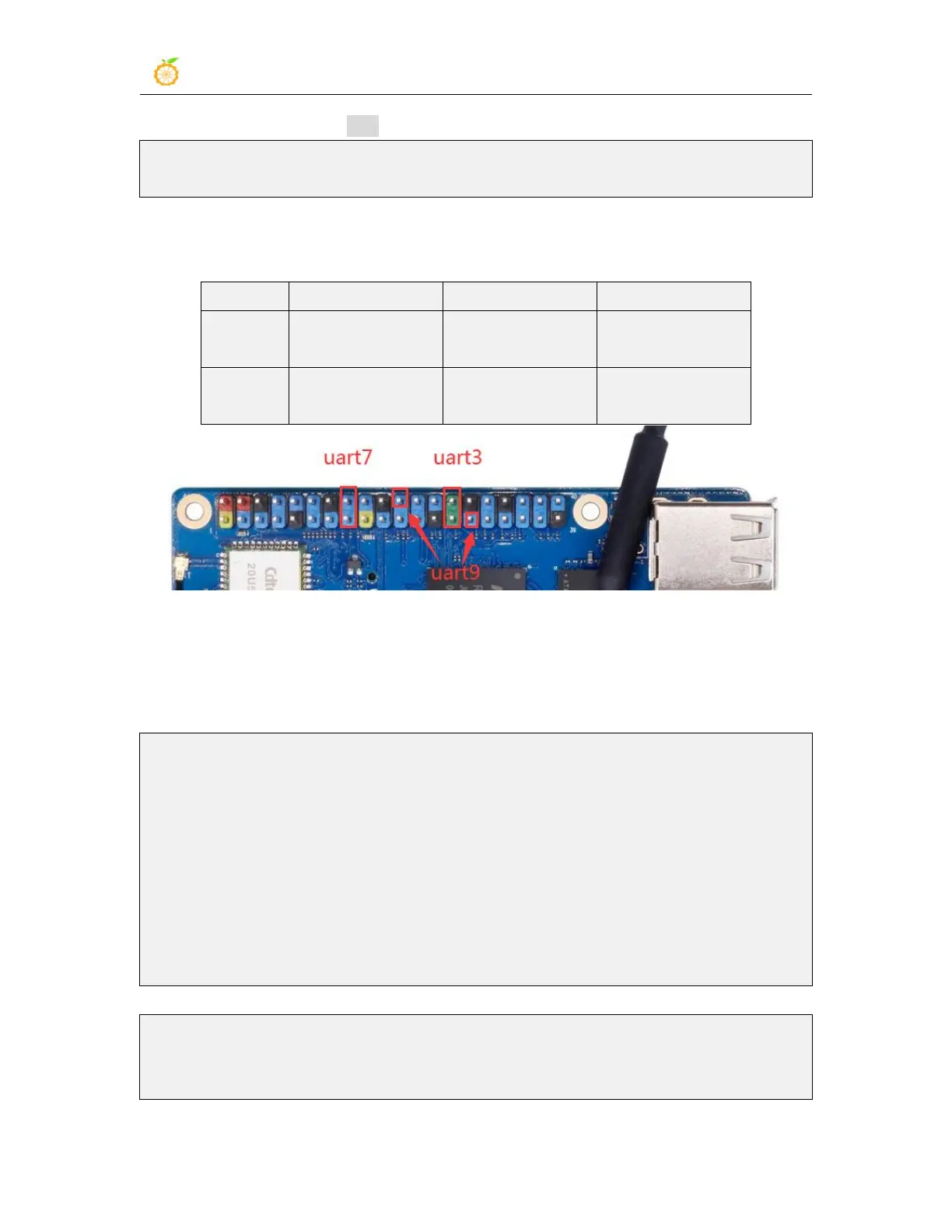
4) tThen start to test the uart interface, first use the DuPont line to short-circuit the rx and
tx of the uart interface to be tested
Corresponding to
the 28 pin
Corresponding to
the 16 pin
Corresponding to
the 29 pin
Corresponding to
the 27 pin
Corresponding to
the 15 pin
Corresponding to
the 22 pin
5) Use the gpio serial command to test the loopback function of the serial port as shown
below, if you can see the following print, it means the serial port communication is
normal
a. Test UART3
orangepi@orangepi:~$ sudo gpio serial /dev/ttyS3
[sudo] password for orangepi: #Enter the password here.
Out: 0: -> 0
Out: 1: -> 1
Out: 2: -> 2
Out: 3: -> 3
Out: 4: -> 4
Out: 5: -> 5^C
b. Test UART7
orangepi@orangepi:~$ sudo gpio serial /dev/ttyS7
[sudo] password for orangepi: #Enter the password here.



 To Next Page