range Pi User Manual Copyright reserved by Shenzhen Xunlong Software Co., Ltd
233
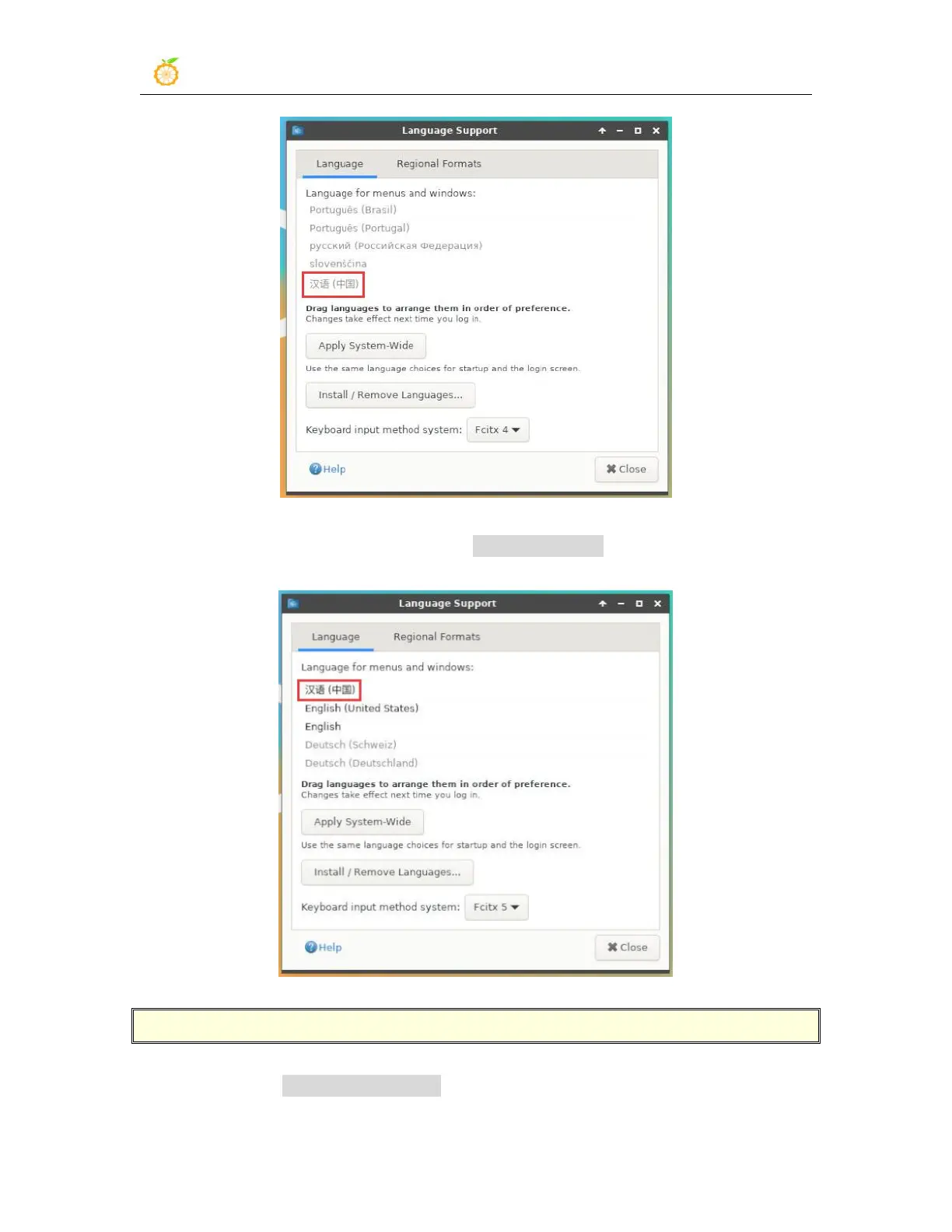
3) Then use the left mouse button to select Chinese (China) and hold it down, and then
drag it up to the beginning. The display after dragging is shown in the figure below
:
Note that this step is not easy to drag, please try more patiently.
4) Then select the Apply System-Wide to apply the Chinese settings to the entire system



 To Next Page