range Pi User Manual Copyright reserved by Shenzhen Xunlong Software Co., Ltd
264
http://docs.ros.org
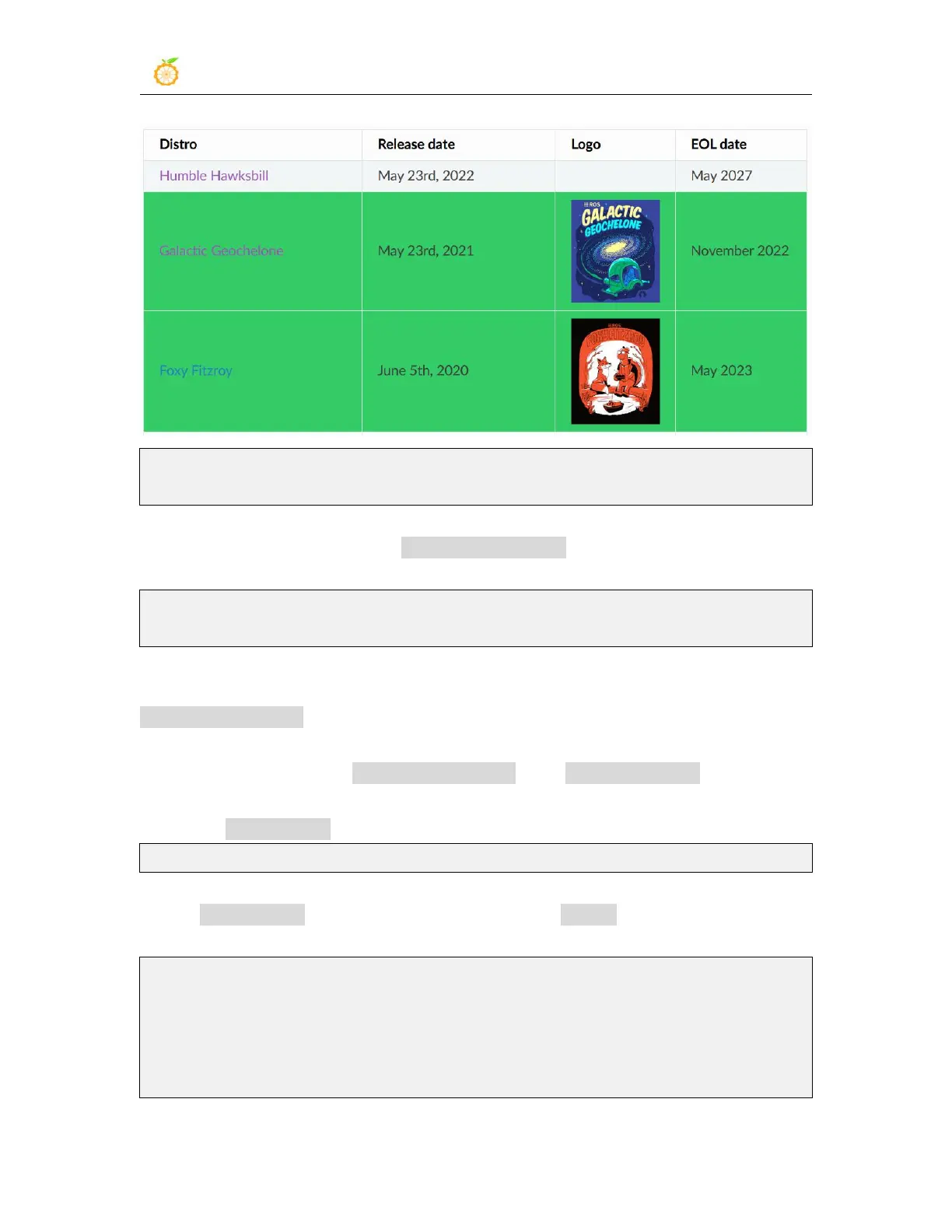
http://docs.ros.org/en/galactic/Releases.html
2) The link to the official ROS 2 Galactic Geochelone installation documentation is as
follows:
docs.ros.org/en/galactic/Installation.html
http://docs.ros.org/en/galactic/Installation/Ubuntu-Install-Debians.html
3) It is recommended to use Ubuntu20.04 in the official installation document of ROS 2
Galactic Geochelone, so please ensure that the system used by the development board is
Ubuntu20.04 desktop version. There are several ways to install ROS 2. The following
shows how to install ROS 2 Galactic Geochelone using Debian packages
4) Use the install_ros.sh script to install ros2
orangepi@orangepi:~$ install_ros.sh ros2
5) The install_ros.sh script will automatically run the ros2 -h command after installing
ros2. If you can see the following print, it means that the ros2 installation is complete
usage: ros2 [-h] Call `ros2 <command> -h` for more detailed usage. ...
ros2 is an extensible command-line tool for ROS 2.
optional arguments:



 To Next Page