range Pi User Manual Copyright reserved by Shenzhen Xunlong Software Co., Ltd
20
b. Make sure the TF card slot is not inserted into the TF card
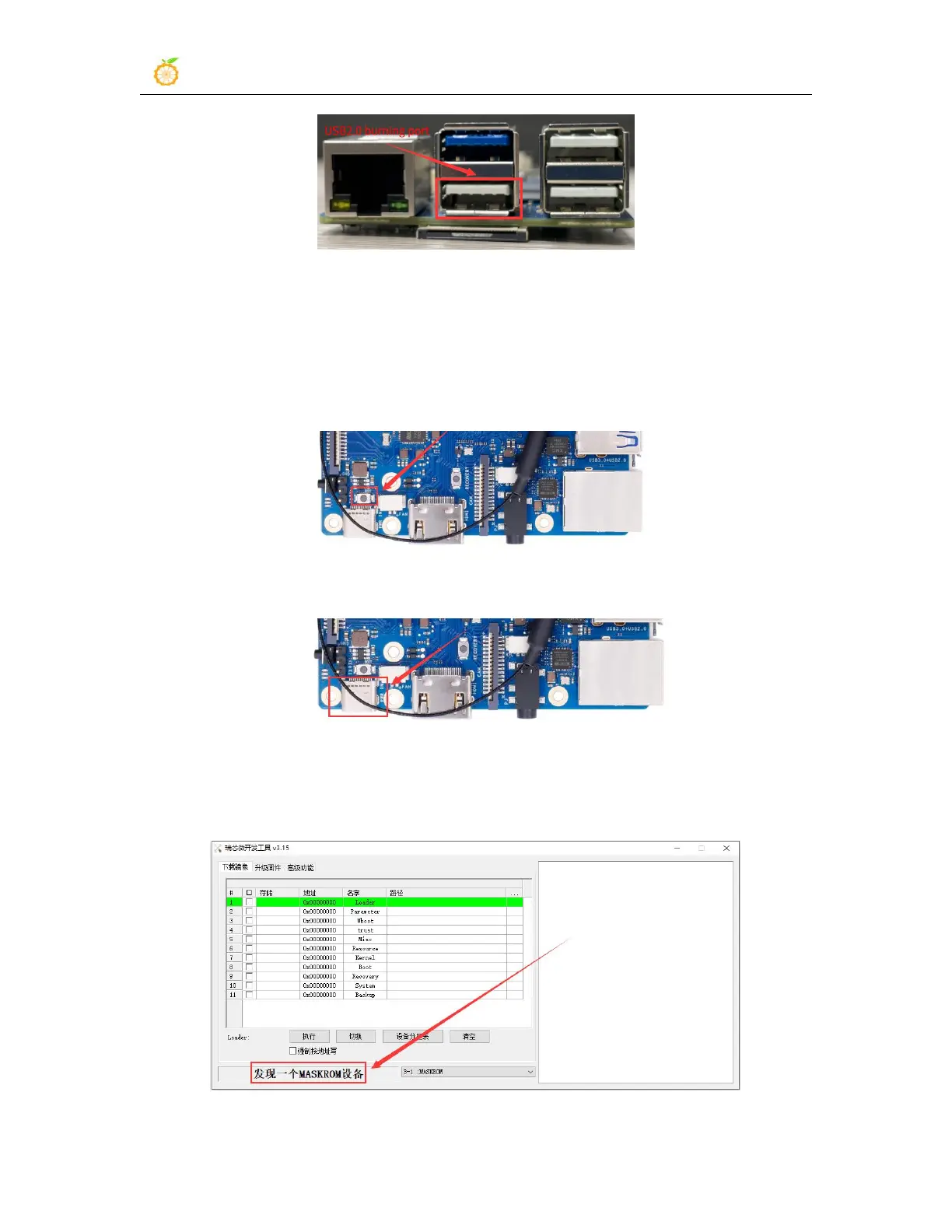
c. Then press and hold the MaskROM button on the development board, the
position of the MaskROM button on the development board is shown in the
figure below:
d. Then connect the power supply of the Type-C interface to the development board,
and power on, and then release the MaskROM button
e. If the previous steps are successful, the development board will enter the
MASKROM mode at this time, and the interface of the burning tool will prompt
"found a MASKROM device"
f. At this time, please insert the TF card into the TF card slot



 To Next Page