range Pi User Manual Copyright reserved by Shenzhen Xunlong Software Co., Ltd
337
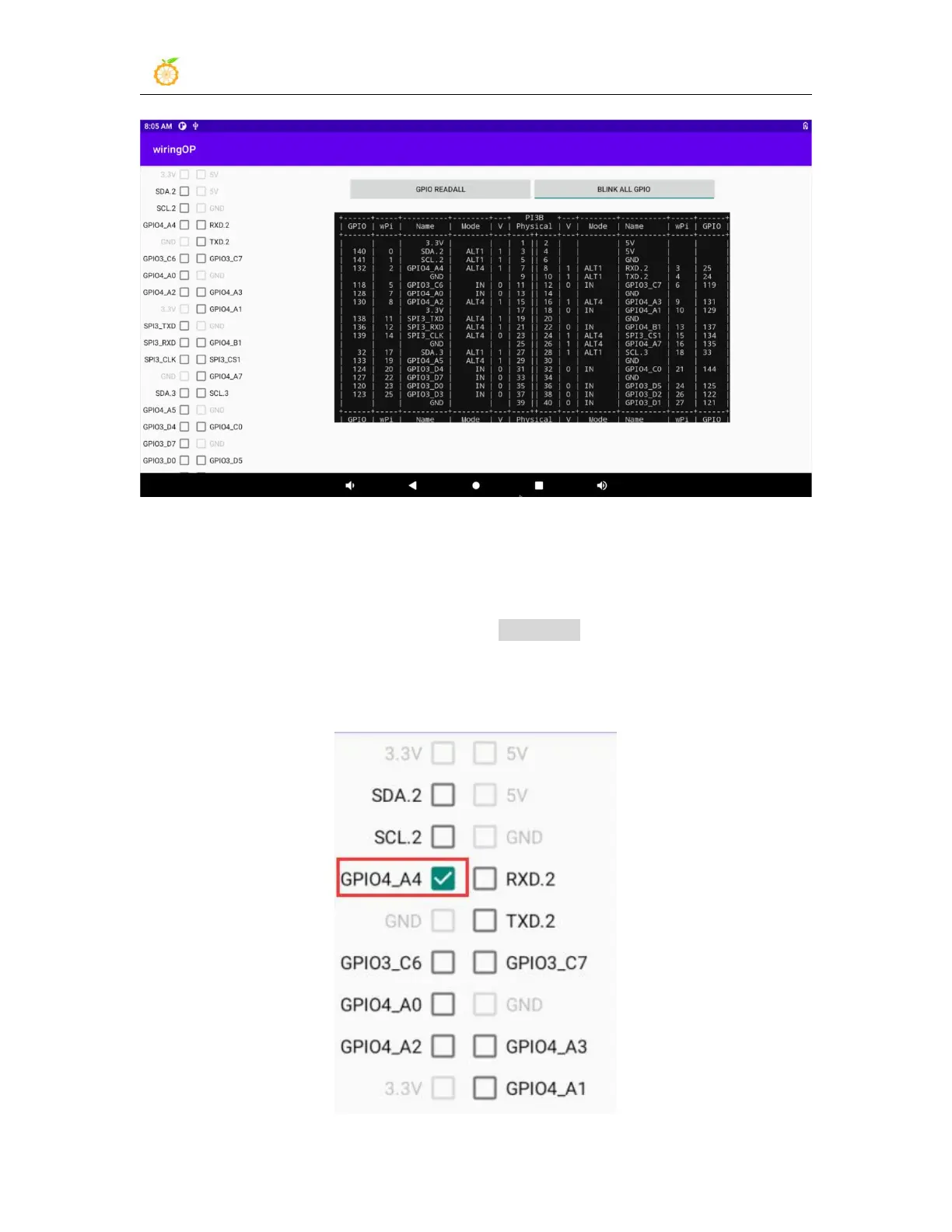
5) There are a total of 28 GPIO ports in the 40pins of the development board that can be
used. The following uses pin 7
—
the corresponding GPIO is GPIO4_A4
—
the
corresponding wPi serial number is 2
—
as an example to demonstrate how to set the high
and low levels of the GPIO port. First click the CheckBox button corresponding to pin 7.
When the button is selected, pin 7 will be set to high level. After setting, you can use a
multimeter to measure the voltage value of the pin. If it is 3.3v, it means setting high level
success



 To Next Page