range Pi User Manual Copyright reserved by Shenzhen Xunlong Software Co., Ltd
53
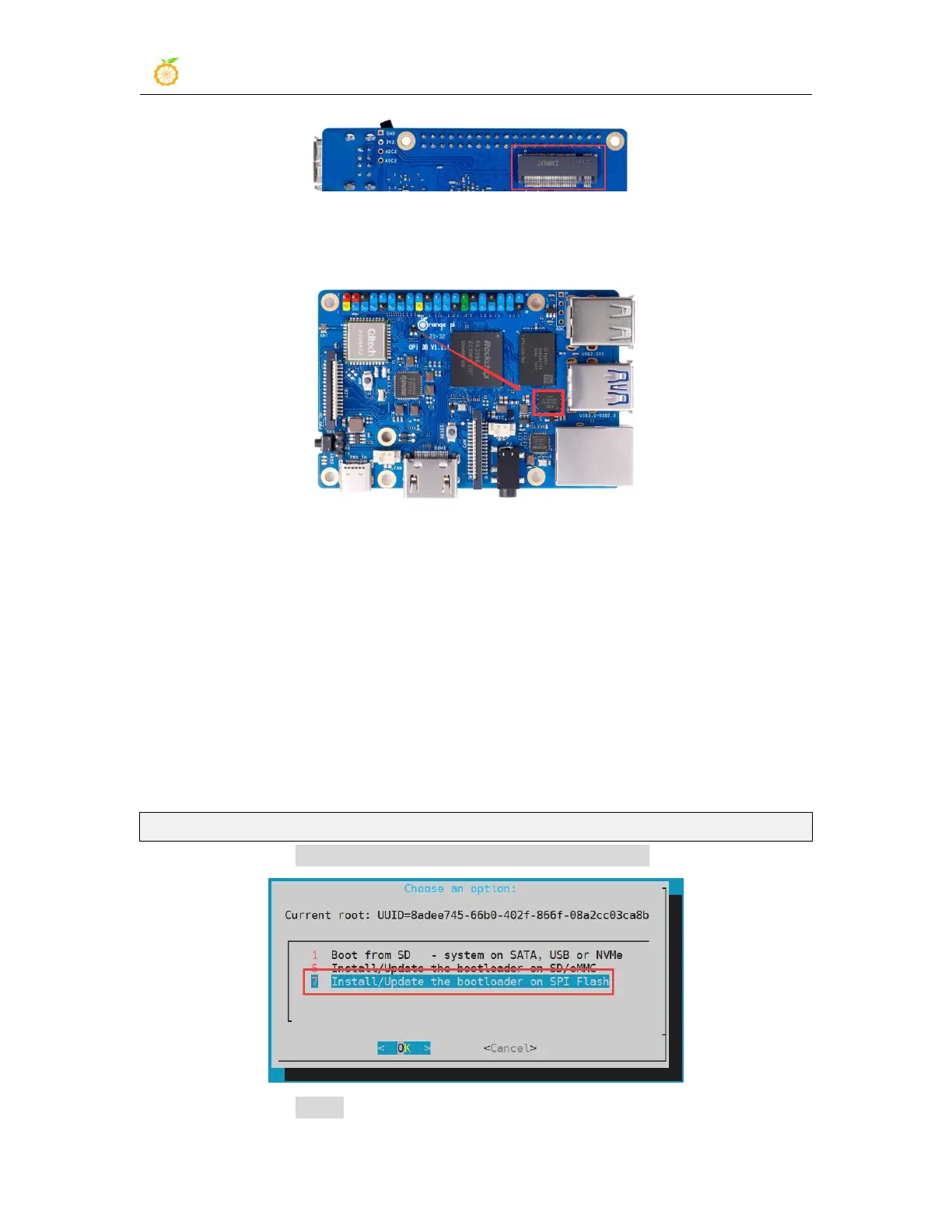
3) The position of SPI Flash on the development board is shown in the figure below, no
other settings are required before starting to burn
4) Burning the Linux image to SPIFlash+NVMe SSD requires a TF card, so first you
need to burn the Linux image to the TF card, and then use the TF card to start the
development board to enter the Linux system. For the method of burning the Linux image
to the TF card, please refer to the instructions in the two sections of Method of burning
Linux image to TF card based on Windows PC and the method of burning the Linux
image to the TF card based on the Ubuntu PC.
5) After using the TF card to start the Linux system, we first burn the u-boot image into
the SPI Flash
a. Run nand-sata-install first, ordinary users remember to add sudo permission
orangepi@orangepi:~$ sudo nand-sata-install
b. Then select 7 Install/Update the bootloader on SPI Flash
c. Then select <Yes>



 To Next Page