range Pi User Manual Copyright reserved by Shenzhen Xunlong Software Co., Ltd
73
5) Then use the decompression software to decompress the compressed package of the
downloaded Android image. Among the decompressed files, the file ending with ".img" is
the Android image file, and the size is more than 1GB
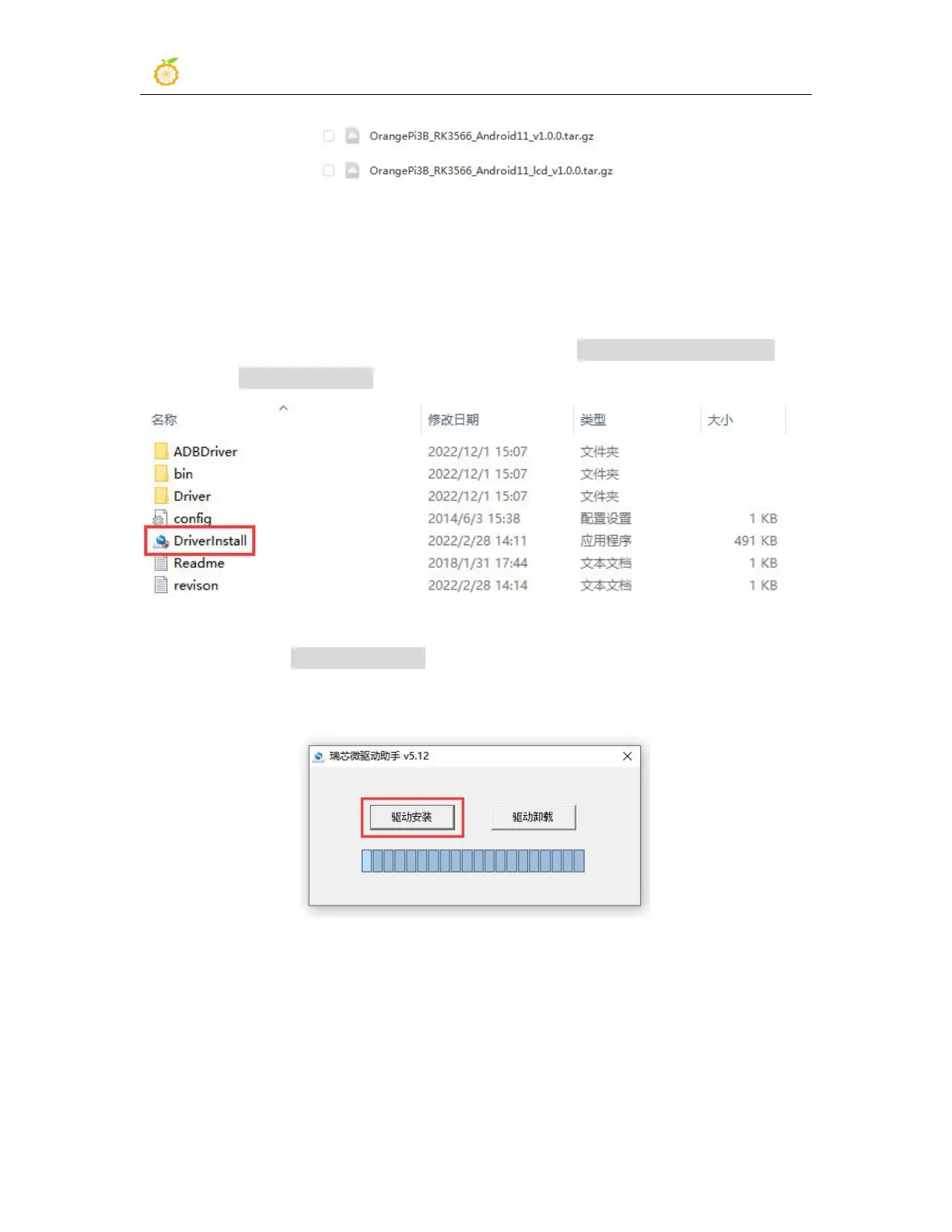
6) Then use the decompression software to decompress DriverAssitant_v5.12.zip, and
then find the DriverInstall.exe executable file in the decompressed folder and open it
7) After opening DriverInstall.exe, the steps to install the Rockchip driver are as
follows
a. Click the "Driver Installation" button
b. After waiting for a period of time, a pop-up window will prompt "The driver is
installed successfully", and then click the "OK" button.



 To Next Page