10
Job memory
Basic Menu
ZOOM/EFFECTS
INSERTION JOB
Job memory
JOB STATUS
TEXT
PAPER TRAY
PHOTO
BASIC MENU
ZOOM/
EFFECTS
INSERTION
JOB
JOB
MEMORY
LIGHT
DARK
Ready to Copy
AUTO
2
TEXT/PHOTO
DUPLEX/
ORIG. --> COPY
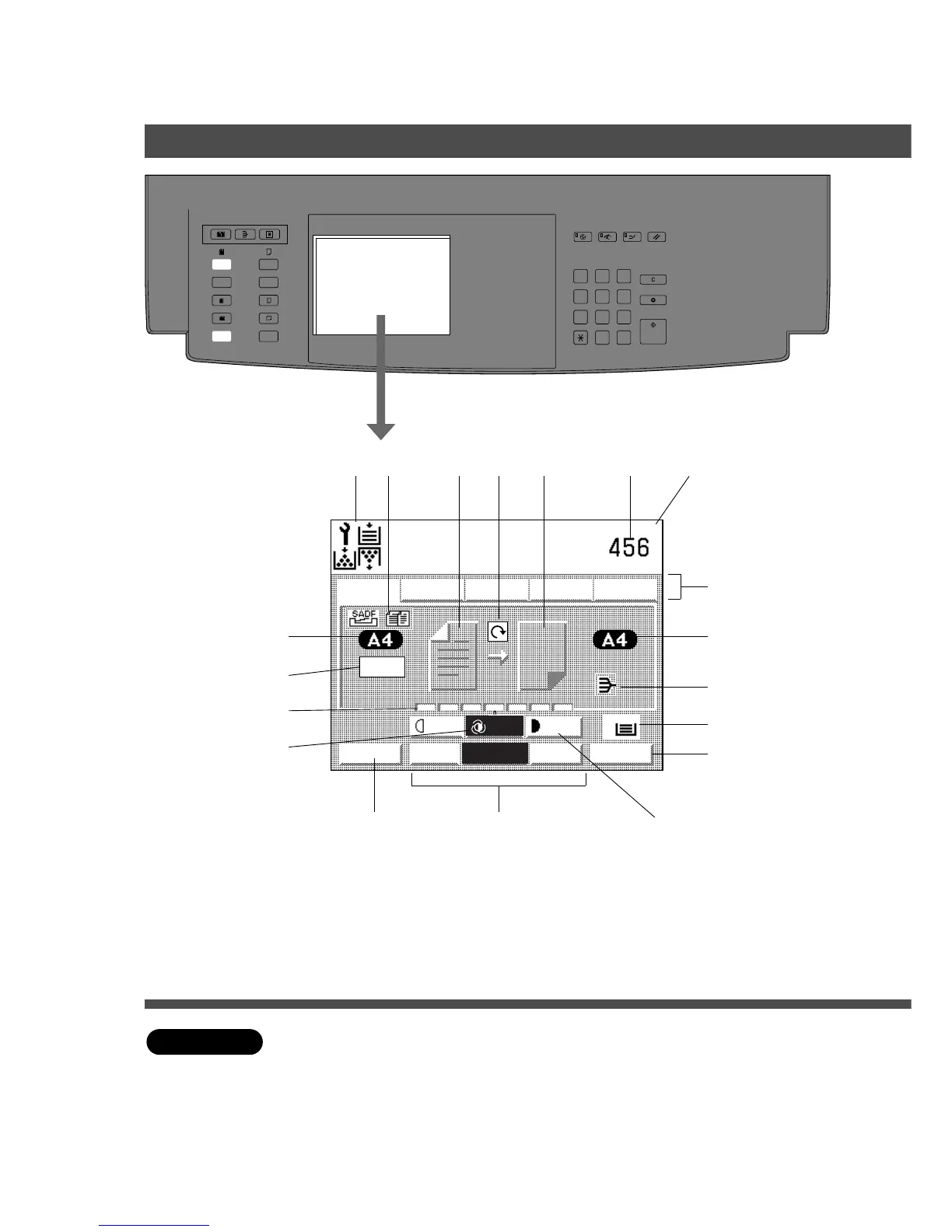
Control Panel
Touch Panel Display
C Adjusting the touch panel display contrast
Adjust brightness of the display by repeatedly pressing A3 or A5 original size key while
pressing and holding the Clear key.
To make the display brighter: A3 size key
To make the display darker : A5 size key
# $ % & ( ) *
+
-
/
0
12
3
4
6
7
ATTENTION
C Use soft finger pressure only to activate touch Screen panel. DO NOT USE SHARP
OBJECTS such as pens, fingernails etc., as this may damage the panel.
5
.
MULTI-SIZE
FEED
USER
PRESET
SORT/
FINISH
ENERGY
SAVER
INTERRUPTMANUAL RESET
1 32
4 65
7 98
#0
A3
FLS•B4
A5
A4
A4
100%










 To Next Page