88
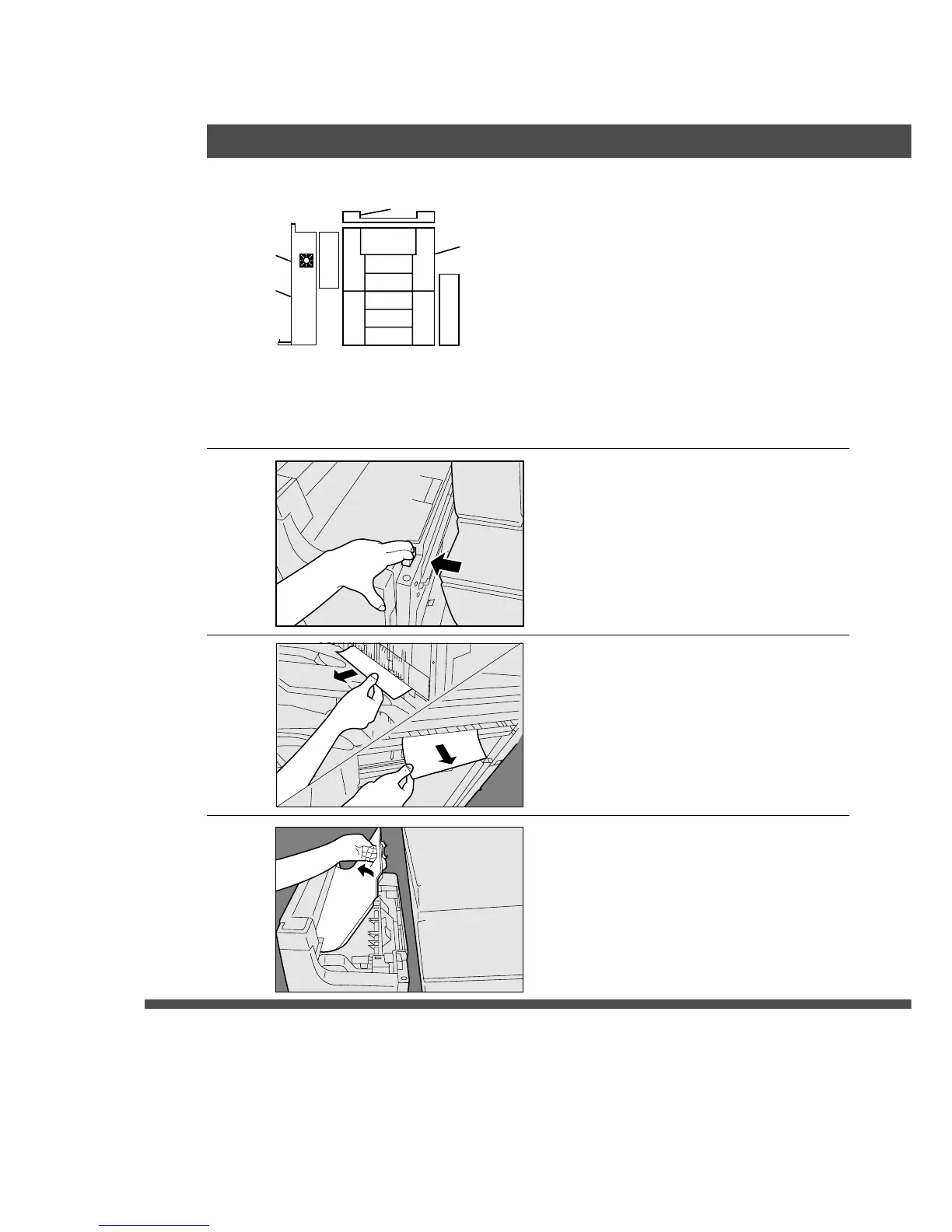
1
Holding the finisher unit as shown,
move it to detach it from the copier.
2
Remove any misfed paper(s)
visible from the outside.
3
Open the upper cover, and check
the inside of the finisher.
H
Removing misfed paper(s) from the Finisher Unit
To clear a jam from the finisher, perform the following steps.
Note: If the paper jammed in the finishers Infeed Guide, it can be removed by opening the front door
of the copier.
■■
■■
■ 2 Bin Finisher (FA-F365)
Handling










 To Next Page