77
1
2
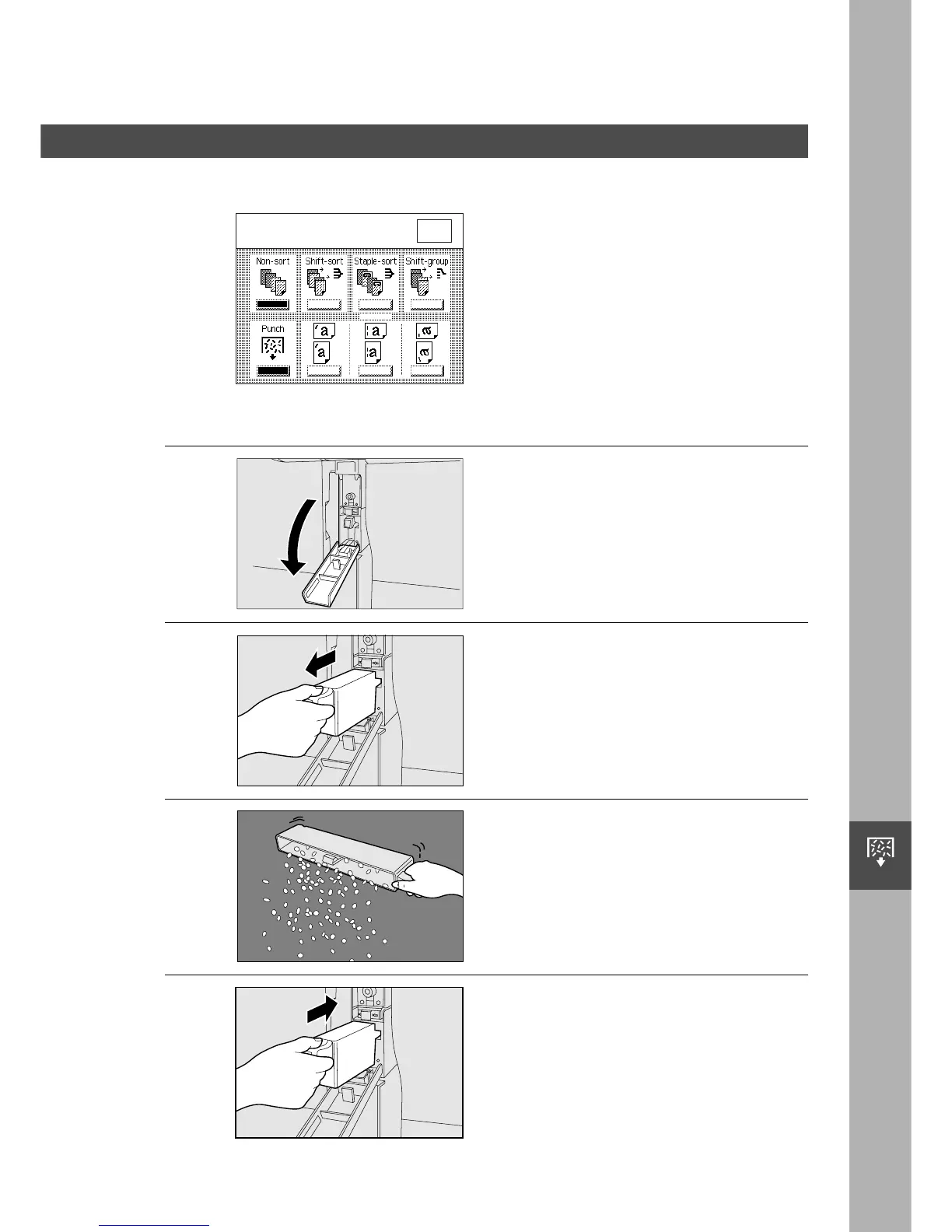
The message shown on the left appears
when the punch dust is full.
3
Open the front cover of the
puncher unit.
4
Draw out the punched scrap
container.
Discard the punched scrap.
Return the punched scrap
container to its original position.
To empty the punch scrap tray, perform the following steps.
O K
Punch Trash box is full.
Empty Punch trash box.
Handling
Removing the Punch Dust
■■
■■
■ When the punch dust is full (For FA-F365)










 To Next Page