78
MULTI-SIZE
FEED
USER
PRESET
SORT/
FINISH
ENERGY
SAVER
INTERRUPTMANUAL RESET
1 32
4 65
7 98
0
A3
FLS•B4
A5
A4
A4
■■
■■
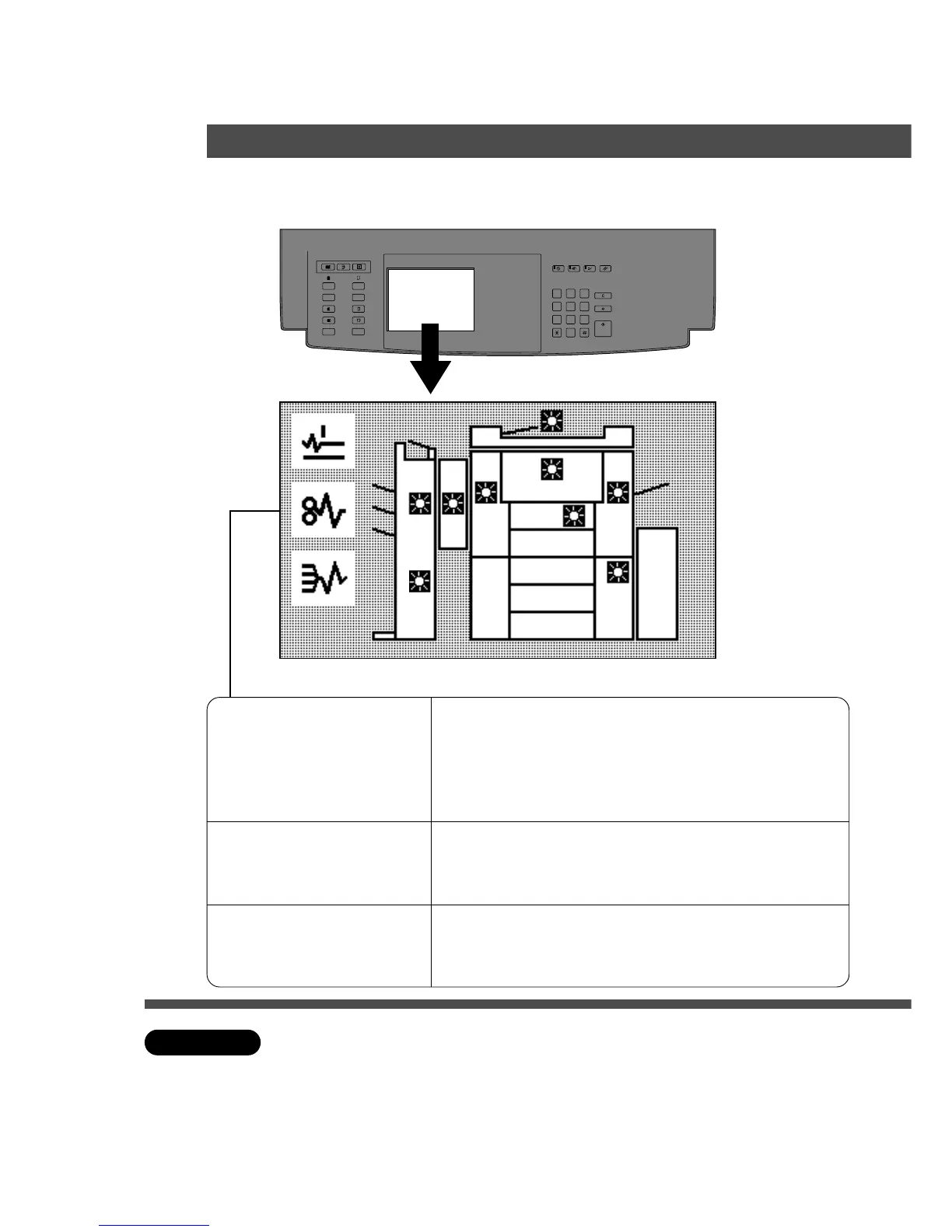
■ If a paper misfeed should occur, the misfeed indicator and misfeed
position(s) will be shown on the touch panel display.
Paper Misfeed Positions
I
F
c
Copier
or
System Console
ADF
i-ADF
Finisher
A: The paper exit area: (See P.79)
B: Paper transport area (See P.80)
C:Paper entry area (See P.80)
LCC, Large Capacity Cassette (See P.81)
D:Automatic Duplex Unit (ADU) (See P.83)
E: System console (See P.81)
F: ADF/i-ADF (See P.82, 84)
G:FA-TR350/TR355 (See P.85 – 86)
FA-F320 (See P.92)
H:FA-F350/F355/F365 (See P.87 – 89)
I :FA-F365 (See P.90 – 91)
F
GH
I
B
A
C
D
E
C Make sure that the misfeed indicator goes off after removing a paper misfeed.
The misfeed indicator will not go off if the paper is still jammed in the copier.
Check again and remove all misfed paper.
ATTENTION
Removing a paper misfeed
Handling










 To Next Page